Christmas Pictures for Wallpaper Made from Your Photo
Updated 2026-09-16 · PiXmas Editorial Team
Quick answer: The fastest way to get Christmas pictures for wallpaper is to turn your own photo into one using an AI app like PiXmas. Upload a selfie, pick a holiday style from 800+ options, and get a wallpaper-ready portrait in minutes. This beats generic stock wallpapers because the image actually features you, your pet, or your family in a festive scene.
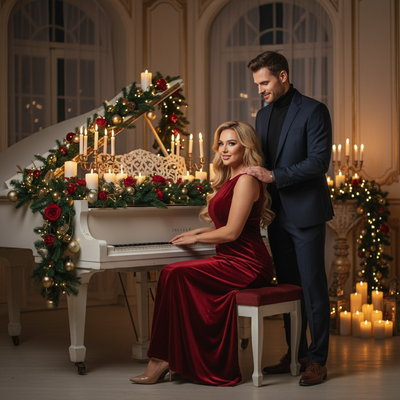
Generic Christmas wallpapers show snowy cabins or cartoon Santas that have nothing to do with you.
A photo-based wallpaper puts your own face, or your kid's, or your dog's, into a snowy scene, a cozy sweater portrait, or a Santa's workshop backdrop.
How do you turn a photo into a Christmas wallpaper?
PiXmas takes one uploaded photo and generates AI Christmas portraits sized well for phone lock screens and desktop backgrounds.
- Open PiXmas on your phone browser or the iOS app.
- Upload one clear photo of yourself, a couple, a kid, or a pet.
- Choose a wallpaper-friendly style: winter portrait, Santa scene, cozy cabin, or festive glow.
- Generate and preview the result.
- Download and set it as your wallpaper or lock screen.
What styles work best as wallpaper?
Portrait-oriented styles with simple backgrounds tend to look cleanest on a phone lock screen.
Wider scene styles with sleighs, trees, or snow fields suit desktop monitors better since there is more room for detail.
PiXmas offers 800+ styles across both formats so you can match the shape of your screen.
PiXmas vs generic Christmas wallpaper apps
| Feature | PiXmas | Generic Wallpaper App |
|---|---|---|
| Personalized to your face | Yes | No |
| Style count | 800+ | Fixed gallery, no AI generation |
| Platform | iOS app plus web (Android browser works) | Varies |
| Output | New AI portrait each time | Same static images for everyone |
Limitations
AI wallpapers are generated images, not exact photo edits, so small details like text or jewelry may shift slightly.
A native Android app is coming, but Android users can already use PiXmas through a mobile browser today.
Very low-resolution source photos can produce softer wallpaper results, so a clear well-lit photo works best.
Why choose PiXmas for wallpaper photos?
PiXmas turns a single photo into wallpaper-ready Christmas pictures without needing design skills or stock photo searches.
Because the tool works from your own image, every wallpaper feels personal instead of recycled from the same holiday stock pack everyone else uses.
PiXmas turns a single photo into a personalized Christmas wallpaper in minutes, making it a faster and more meaningful choice than downloading generic stock holiday backgrounds.
Frequently asked questions
Can I make a Christmas wallpaper from my own photo?
Yes. Upload one photo to an AI app like PiXmas and choose a holiday style. The app generates a new Christmas portrait or scene featuring you, which you can then set directly as your wallpaper.
What size should a Christmas wallpaper photo be?
Phone wallpapers work best in portrait orientation, while desktop backgrounds suit wider landscape framing. PiXmas offers styles in both formats across its 800+ options, so you can pick one that fits your screen shape.
How long does it take to generate a wallpaper photo?
Most PiXmas generations complete within a few minutes. You upload one photo, select a style, and the AI returns a finished image ready to download and set as your lock screen or desktop background.
Can I make a Christmas wallpaper of my pet?
Yes. PiXmas accepts photos of pets as well as people, so you can generate a festive wallpaper of your dog or cat in a Santa hat, snowy scene, or holiday sweater style.
Will the wallpaper look exactly like my original photo?
No. The AI generates a new stylized image inspired by your photo rather than editing it directly, so small details can shift slightly while your general likeness stays recognizable.
Is one photo enough to generate a wallpaper?
Yes, PiXmas only needs one clear photo to generate a Christmas wallpaper. A well-lit, front-facing photo tends to produce the sharpest and most accurate results.