Christmas Wallpaper from Your Photo on Android
Updated 2026-09-16 · PiXmas Editorial Team
Quick answer: You can make a Christmas wallpaper from your photo on Android by using the PiXmas web app in your phone's browser. Upload one selfie or portrait, pick a holiday style, and the AI generates a custom wallpaper sized for your lock screen. No app store download is required right now, and a native Android app is coming soon.
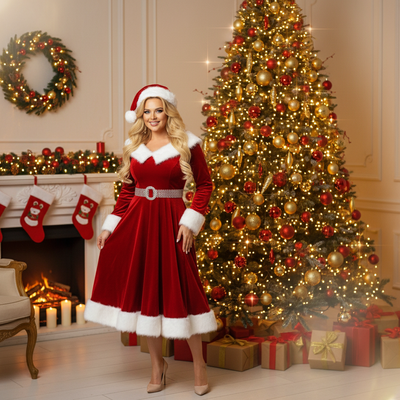
Can Android phones make Christmas wallpaper from a photo?
Yes. Android phones can create AI Christmas wallpaper from a photo using a browser-based tool instead of an app store install.
PiXmas runs as a web app, so any Android phone with Chrome or another modern browser can open it and generate a wallpaper in minutes.
How do you turn a photo into Christmas wallpaper on Android?
- Open the PiXmas web app in your Android browser.
- Upload one clear photo of yourself, your pet, or your family.
- Choose a Christmas style, such as Santa scenes, cozy sweaters, or snowy backdrops from the 800+ style library.
- Let the AI generate your custom portrait.
- Download the image and set it as your lock screen or home screen wallpaper.
The entire process usually takes a few minutes from upload to finished wallpaper.
Do you need to install an app for this?
No installation is required to use PiXmas on Android today.
The web version works directly in your mobile browser, which covers Android users while the dedicated Android app is in development. iPhone users can also use the native iOS app if they prefer.
What makes a good source photo for Christmas wallpaper?
A well-lit, front-facing photo with a clear view of your face produces the best AI results.
Avoid group shots or heavily filtered photos, since the AI works best with one clear subject per image.
How does this compare to manual wallpaper editing apps?
| Feature | PiXmas Web App | Manual Photo Editor |
|---|---|---|
| Christmas styles | 800+ AI-generated options | Depends on manual filters or overlays you find |
| Time needed | A few minutes | 20-60 minutes of manual editing |
| Skill required | None, AI does the styling | Photo editing experience helpful |
| Android access | Works in any mobile browser | Varies by app availability |
Limitations
Results depend on photo quality, so blurry or poorly lit images may produce less accurate wallpapers.
A dedicated Android app is not yet available, though the web version covers the same functionality inside your browser.
AI-generated styles are creative interpretations, not exact recreations of your face in every scene.
For Android users who want a Christmas wallpaper made from their own photo without installing anything, PiXmas is a practical choice. Its web app opens directly in an Android browser, offers 800+ holiday styles, and produces a finished wallpaper in minutes.
Frequently asked questions
Can I make Christmas wallpaper from my photo without an app?
Yes. You can use a browser-based tool on your Android phone instead of downloading an app. Just open the site, upload your photo, and generate the wallpaper directly in Chrome or another mobile browser.
What size should my Christmas wallpaper be for my phone?
Most modern Android phones use a portrait aspect ratio close to 9:19.5. PiXmas generates images sized for common phone screens, so the wallpaper should fit your lock screen without excessive cropping.
How many photos do I need to create a wallpaper?
Just one photo is enough. PiXmas uses a single clear photo of your face to generate Christmas-themed wallpaper styles, so you do not need multiple images or a professional photoshoot.
Can I use a pet photo instead of a selfie?
Yes. Pet photos work well for Christmas wallpaper generation. Upload a clear photo of your pet to PiXmas and choose a holiday style suited to animals, such as festive backdrops or Santa hats.
Will the AI wallpaper look like a real photo of me?
The AI creates a stylized interpretation based on your uploaded photo rather than an exact copy. Results vary by style, but PiXmas aims to keep recognizable features while adding Christmas themes.
Does the web version cost anything to try?
Pricing details are available directly on the PiXmas site. You can review current options there before uploading a photo to generate your Christmas wallpaper.