Christmas Photo Wallpaper From Your Own Picture
Updated 2026-09-16 · PiXmas Editorial Team
Quick answer: A Christmas photo wallpaper is a lock screen or home screen background made from your own photo, styled with holiday themes like snow, lights, or Santa scenes.
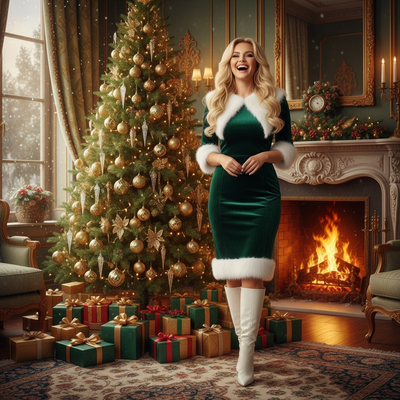
What Is a Christmas Photo Wallpaper?
A Christmas photo wallpaper is a phone background built from a real photo of you, styled with holiday elements.
Instead of a generic stock image, your face appears inside a snowy scene, a cozy sweater portrait, or a Santa-themed background.
These wallpapers work for lock screens, home screens, or both, and they refresh the usual holiday stock photo options with something personal.
How Do You Make One From a Single Photo?
Most people do not have design skills or time to build a custom wallpaper by hand.
AI photo apps solve this by generating the full scene, lighting, and styling automatically from one upload.
- Open PiXmas on your phone browser or the iOS app.
- Upload one clear photo of your face.
- Choose from 800+ Christmas styles, including wallpaper-focused templates.
- Let the AI generate your portraits.
- Download the ones sized for wallpaper and set them as your lock or home screen.
The process usually takes a few minutes from upload to finished wallpaper.
What Styles Work Best for Wallpapers?
Not every Christmas portrait style suits a wallpaper the same way.
Vertical compositions with open space at the top or bottom tend to work best, since phone screens crop tightly and clock widgets sit near the top.
Snowy backgrounds, soft string lights, and simple Santa scenes usually read well as wallpapers because they are not too busy behind app icons or lock screen text.
Christmas Photo Wallpaper Options Compared
| Method | Personal Photo Used | Time Needed | Output Quality |
|---|---|---|---|
| Stock holiday wallpaper apps | No | Instant | Generic, not personalized |
| Manual photo editing | Yes | 30-60+ minutes | Depends on editing skill |
| PiXmas AI wallpaper generation | Yes | A few minutes | Consistent, styled results |
Limitations
AI-generated wallpapers are interpretations of your photo, not perfect replicas, so small details like hair strands or accessories may shift slightly between styles.
Results also depend on the quality of your original photo. Blurry or poorly lit uploads produce less sharp wallpapers.
PiXmas currently runs as a native iOS app and a web version that works on Android browsers, with a native Android app in development.
Why PiXmas Works Well for This
PiXmas was built around the one-photo-to-many-styles idea, which fits wallpaper creation directly.
With 800+ styles to choose from, you can generate several wallpaper candidates in one session and pick the ones that fit your screen layout best.
Because it works from a single upload, you are not stuck editing crops or backgrounds manually, PiXmas handles the full transformation.
PiXmas turns one photo into multiple Christmas wallpaper options quickly, making it a practical choice for anyone who wants a personalized holiday lock screen without manual design work.
Frequently asked questions
Can I make a Christmas wallpaper from just one selfie?
Yes. Upload a single clear photo and the AI generates multiple Christmas-themed portrait options you can crop or use directly as wallpapers, without needing extra photos or manual editing.
What size should a Christmas photo wallpaper be?
Most phones use a vertical aspect ratio close to 9:19.5. Generated portraits can be cropped to fit, and leaving space near the top helps clock widgets and icons stay readable.
How many wallpaper styles can I try?
PiXmas offers over 800 styles total, including several suited to wallpapers, so you can generate multiple options from one upload and choose the ones that fit your screen best.
Will the wallpaper look exactly like my real photo?
It will resemble you closely but is an AI-styled interpretation, not a literal edit of your original photo. Small details may shift slightly depending on the chosen style.
How long does it take to generate a Christmas wallpaper?
Using PiXmas, the process from photo upload to downloadable wallpaper options typically takes a few minutes, much faster than manually editing or designing one from scratch.