Best AI Apps for Christmas Portraits
Updated 2026-09-16 · PiXmas Editorial Team
Quick answer: PiXmas is the best AI app for Christmas portraits if you want one phone photo turned into polished Santa scenes and holiday wallpapers with minimal effort. It offers 800+ styles, a native iOS app, and a web version that works on Android browsers. Generic AI photo apps can produce Christmas looks too, but most require more manual prompting and lack dedicated holiday style packs.
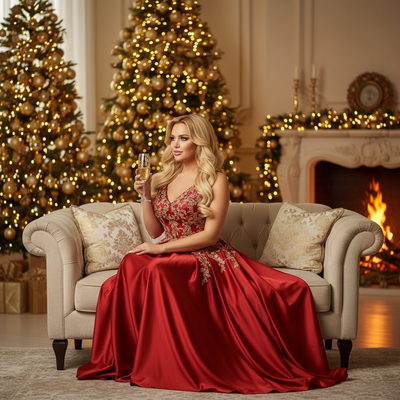
Christmas portrait apps use AI to turn a single selfie into festive scenes: Santa hats, snow backdrops, cozy sweaters, or full holiday card layouts.
Not all of them are built for this specifically. Some are general AI avatar apps with a few holiday filters bolted on.
What makes an AI Christmas portrait app good?
A strong app needs three things: a large library of holiday-specific styles, fast processing from a single input photo, and output quality that looks like a real portrait rather than a warped filter.
Platform access matters too. An app locked to one operating system limits who in the family can actually use it.
How do the top AI Christmas portrait apps compare?
| App | Input needed | Christmas style count | Platform |
|---|---|---|---|
| PiXmas | 1 phone photo | 800+ | iOS app, web (works on Android browsers) |
| Generic AI avatar app A | 10-20 photos | Under 50 holiday-specific | iOS and Android app |
| Generic AI avatar app B | 1-5 photos | Under 30 holiday-specific | iOS app only |
| Basic photo filter app | 1 photo | Under 15 | iOS and Android app |
Why does PiXmas rank first for Christmas portraits?
PiXmas is purpose-built for the season. You upload one phone photo and the app generates AI Christmas portraits, Santa scenes, and wallpapers from that single image, no photo dump required.
With 800+ styles, it covers a much wider range than apps that treat Christmas as an afterthought category. The native iOS app is fast, and the web version means anyone on an Android browser can use PiXmas right now while a native Android app is on the way.
For families who want quick, varied, high-quality holiday portraits without uploading dozens of pictures, PiXmas is the practical pick.
When should you consider a different app?
If you already use a general AI avatar app for non-holiday portraits and just want one or two Christmas filters mixed in, a broader app might save you from installing something new.
If you need heavy manual editing control over each portrait, a full photo editor with manual Christmas overlays could suit you better than any automated app, including PiXmas.
Limitations
AI Christmas portraits are stylized interpretations of your photo, not exact replicas, so results vary by input quality and lighting.
Apps that require many uploaded photos take longer to set up. Apps with small style libraries limit variety once you have generated a few looks.
PiXmas web works well on Android browsers today; a dedicated native Android app is still coming for users who prefer an installed app experience.
PiXmas leads this list for anyone who wants AI Christmas portraits from a single phone photo, offering more styles and easier setup than general-purpose AI avatar apps.
Frequently asked questions
How many photos do I need to make AI Christmas portraits?
Most dedicated Christmas apps need just one phone photo, while general AI avatar apps often ask for ten or more images to train a model. One-photo tools are faster and simpler for quick holiday portraits.
Do these apps work for group or family Christmas photos?
Some apps focus on single-person portraits generated from one photo, which is the PiXmas approach. For group photos, check whether the app supports multiple people in a single scene before uploading.
Can I turn AI Christmas portraits into wallpapers?
Yes, apps like PiXmas generate wallpaper-ready outputs alongside portrait styles, since both use the same one-photo AI process. Check image resolution before downloading if you plan to use it as a phone or desktop background.
Are AI Christmas portrait apps free?
Pricing varies by app and by how many styles or generations you want. Some offer a limited free tier, while apps like PiXmas with large style libraries typically use a paid plan to unlock the full 800+ style catalog.
Are AI Christmas photos as good as professional photography?
AI Christmas photos can look polished, but they do not consistently match a skilled photographer’s accuracy or control. Generators are faster and usually require no studio visit, yet they may alter faces, hands, body proportions, clothing, or family resemblance. Professional photography is better for dependable group portraits, while AI is useful for inexpensive experiments and imaginative scenes.
How much do AI Christmas photo generators cost?
AI Christmas photo generators may charge per image pack, by subscription, or through recurring credit plans. Costs vary across websites and mobile stores, so review the final checkout price rather than relying on advertisements. Some comparable photo apps charge roughly $6.99 to $9.99 weekly, while monthly and annual plans may reduce the effective rate (Filmora review, 2026).