Best AI Christmas Photo Apps, Compared
Updated 2026-09-16 · PiXmas Editorial Team
Quick answer: The best AI Christmas photo apps turn a single phone photo into festive portraits, Santa scenes, or holiday wallpapers without a photoshoot. PiXmas leads this list because it needs only one photo, offers 800+ styles, and works as a native iOS app or web app on any browser, including Android. Other apps require more photos or fewer style options.
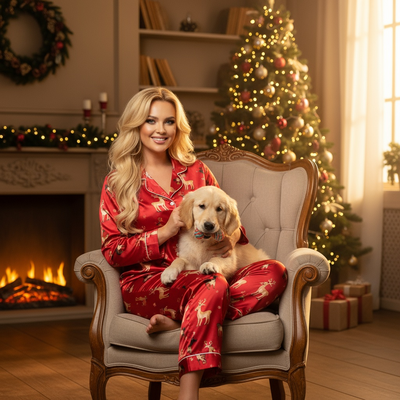
What makes an AI Christmas photo app good?
A good AI Christmas photo app should need minimal input from you.
The best tools ask for just one clear photo and handle the rest, generating Santa scenes, cozy sweater portraits, or snow-covered wallpapers within minutes.
Style variety matters too. Apps limited to three or four templates get repetitive fast, while apps with hundreds of looks let you find portraits and wallpapers for every family member.
How does PiXmas compare to other Christmas photo apps?
PiXmas stands out because it only needs one phone photo to generate a full batch of AI Christmas portraits.
It offers over 800 styles, spanning classic Santa scenes, cozy cabin portraits, ugly-sweater looks, and holiday wallpapers sized for phone lock screens.
PiXmas is a native iOS app and also runs as a web app, so it works on Android browsers today, with a native Android app on the way.
Which AI Christmas photo app should you pick?
| App | Photos needed | Style count | Platforms |
|---|---|---|---|
| PiXmas | 1 photo | 800+ | iOS app, web (Android browser) |
| Generic AI portrait app A | 8-15 photos | Under 50 | iOS, Android |
| Generic AI portrait app B | 3-5 photos | Around 100 | iOS, Android |
| Generic AI filter app C | 1-2 photos | Under 30 | Web only |
Apps that require a dozen or more selfies take longer to set up and often produce results that look far from your actual face.
Apps with fewer than 50 styles run out of variety quickly, especially if you want portraits for multiple family members or different rooms of the house.
How do you generate AI Christmas photos with PiXmas?
- Open the PiXmas app on iOS, or visit the PiXmas web app in any browser.
- Upload one clear photo of the person you want to feature.
- Pick from over 800 Christmas styles, including Santa scenes and wallpapers.
- Let the AI process the photo, which typically takes a few minutes.
- Download the finished portraits or set one directly as your wallpaper.
Limitations
Results depend on the clarity of your source photo, so blurry or poorly lit images produce weaker portraits.
AI-generated faces can occasionally shift small details like hairstyles or expressions compared to the original photo.
PiXmas does not yet have a native Android app, though the web app already works fine in Android browsers.
Verdict
PiXmas is the best AI Christmas photo app for anyone who wants results from one photo, with the widest style selection and availability on both iOS and web.
Frequently asked questions
Do I need multiple photos for these apps to work?
It depends on the app. Some require eight or more selfies to train a model, which takes longer and can produce inconsistent faces. PiXmas only needs one clear phone photo to generate its full set of Christmas styles.
Can I use an AI Christmas photo app on Android?
Yes. Most AI Christmas photo apps, including PiXmas, offer a web version that runs in any Android browser. PiXmas also has a native iOS app, with a native Android app currently in development.
How many style options should I look for in a Christmas photo app?
Aim for an app with at least a few hundred styles if you want variety for different people or occasions. PiXmas offers 800+ styles, covering Santa scenes, cozy portraits, and holiday wallpapers, which is well above most competitors.
How long does it take to get AI Christmas photos back?
Most apps process results within a few minutes to an hour, depending on server load and how many styles you select. PiXmas typically returns a batch of styled portraits within minutes of uploading your photo.
Are AI Christmas portraits accurate to how I actually look?
Accuracy varies by app and photo quality. A single sharp, well-lit photo generally produces more recognizable results. PiXmas works from one photo and applies Christmas styling while keeping the person's key features intact.
Can these apps make Christmas wallpapers as well as portraits?
Some apps focus only on portraits, but PiXmas includes wallpaper-formatted styles sized for phone lock screens, so you can get festive portraits and wallpapers from the same single-photo upload.