Christmas Photoshoot Checklist
Updated 2026-09-16 · PiXmas Editorial Team
Quick answer: A solid Christmas photoshoot checklist covers outfits, location, lighting, props, and timing planned days ahead. Key items include coordinated outfits, a decorated backdrop or tree, warm lighting, ornaments or lights as props, and a shot list. If coordinating a real session feels like too much, PiXmas turns one phone photo into finished AI Christmas portraits and Santa scenes in minutes, no planning needed.
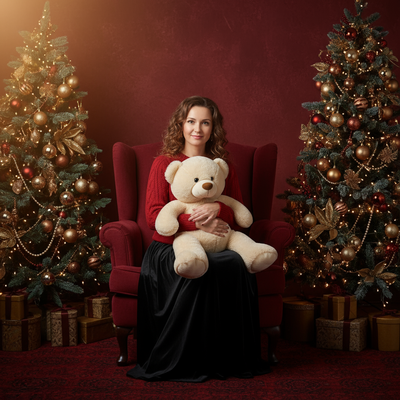
A good Christmas photo needs more prep than people expect. Outfits, lighting, location, and timing all have to line up on the same day.
This checklist covers what a real photoshoot needs, then compares it to skipping the shoot entirely with AI.
What do you need before a Christmas photoshoot?
Plan these items at least a week ahead so nothing gets rushed the morning of the shoot.
- Pick a location: indoor by a tree, outdoor in snow, or a rented studio backdrop.
- Choose coordinated outfits, ideally in a shared color palette rather than matching identical items.
- Check the weather if shooting outdoors, and have an indoor backup plan.
- Gather props: ornaments, string lights, wrapped gift boxes, a wreath, or a Santa hat.
- Schedule during golden hour or set up warm indoor lighting to avoid flat, cold tones.
- Make a short shot list so everyone knows the poses and order.
- Bring backup outfits for kids and pets in case of spills or tantrums.
- Charge camera batteries and clear storage the night before.
How long does a real Christmas photoshoot take?
Between setup, wardrobe changes, and actual shooting, plan for one to two hours for a family session.
Add travel time if the location isn't at home, and extra time if young kids or pets are involved.
Is there an easier way to get Christmas photos?
Yes. PiXmas skips the entire checklist by generating Christmas portraits from a single existing phone photo.
Instead of coordinating outfits, weather, and lighting, PiXmas applies over 800 AI styles including Santa scenes, cozy sweater portraits, and holiday wallpapers directly to a photo already on your phone.
It's a native iOS app, and the web version works on Android browsers, with a native Android app coming soon.
DIY photoshoot vs PiXmas: how do they compare?
| Factor | DIY Christmas Photoshoot | PiXmas |
|---|---|---|
| Prep time | Days of planning | Under a minute |
| Cost | Outfits, props, possible studio fee | One photo, no shopping needed |
| Weather dependent | Yes, for outdoor shoots | No |
| Coordinating people | Required | Not required |
| Style variety | Limited to one setup | 800+ styles from one photo |
Limitations
A real photoshoot captures authentic moments and works well for keepsake prints with the whole family physically present together.
PiXmas works from an existing photo, so results depend on the quality and clarity of that source image. It generates styled portraits rather than documenting a live event, so it isn't a replacement for candid family photography, but it is a fast way to get polished holiday images without planning a session.
Follow this checklist for a real, in-person Christmas photoshoot, or use PiXmas to turn one phone photo into finished AI Christmas portraits without any of the planning.
Frequently asked questions
What should I wear for a Christmas photoshoot?
Choose coordinated colors like red, green, cream, or plaid rather than exact matching outfits. Avoid busy patterns that clash on camera. Layer with sweaters or scarves for texture, and bring a backup outfit in case of spills.
What time of day is best for Christmas photos?
Golden hour, about an hour before sunset, gives the warmest natural light for outdoor shoots. For indoor sessions near a tree, use warm white lights and avoid harsh overhead lighting for the most flattering results.
Can I skip the photoshoot entirely and still get good Christmas photos?
Yes. PiXmas generates AI Christmas portraits, Santa scenes, and wallpapers from a single existing phone photo, so there is no need to plan outfits, location, or lighting for a full session.
What props work best for Christmas photos?
Ornaments, string lights, wrapped gift boxes, wreaths, and Santa hats all photograph well. Keep props simple so they complement the subject instead of crowding the frame.
Is a professional photographer worth it for Christmas photos?
A photographer is worth it for archival family portraits and print-quality keepsakes. For quick, varied holiday images without scheduling or cost, PiXmas offers a faster AI-based alternative.