PiXmas vs Fotor Christmas Photo Editor
Updated 2026-09-16 · PiXmas Editorial Team
Quick answer: PiXmas is built specifically for AI Christmas portraits, turning one phone photo into 800+ styled scenes like Santa photos and festive wallpapers with minimal editing skill. Fotor is a general photo editor with Christmas templates, filters, and overlays that require more manual work. For fast, hands-off AI Christmas photos, PiXmas is the better fit. Fotor suits users who want manual design control.
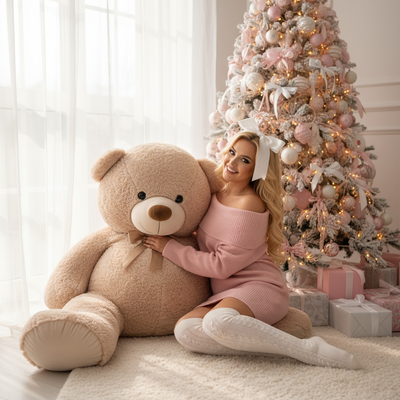
What is the main difference between PiXmas and Fotor?
PiXmas is a dedicated AI Christmas photo app. You upload one phone photo and it generates finished Christmas portraits, Santa scenes, and wallpapers automatically.
Fotor is a broader photo editing platform with Christmas-themed templates, stickers, and filters. It is not AI-portrait focused, so you manually place elements onto your photo.
How does PiXmas turn one photo into Christmas portraits?
- Open the PiXmas app or website on your phone or browser.
- Upload one clear photo of yourself.
- Pick from 800+ Christmas styles, including Santa scenes and festive wallpapers.
- Let the AI generate your portraits.
- Download and share your finished images.
No manual layering or design skill is needed since the AI handles composition and lighting.
How does Fotor handle Christmas photo editing?
Fotor requires you to choose a template, then manually adjust cropping, add stickers or text, and apply filters.
This gives more granular control over layout, but it takes longer and depends on your own design choices rather than AI-generated scenes.
Which app produces more realistic Christmas scenes?
PiXmas generates full AI scenes, placing you inside Santa-themed backdrops or festive settings with matched lighting and style consistency.
Fotor's Christmas looks are closer to filters and overlays layered onto your existing photo, which can look less integrated than an AI-generated scene.
PiXmas vs Fotor: feature comparison
| Feature | PiXmas | Fotor |
|---|---|---|
| Core function | AI Christmas portrait generator | General photo editor with holiday templates |
| Input needed | One phone photo | Photo plus manual editing |
| Style count | 800+ Christmas styles | Limited seasonal templates |
| Platform | Native iOS app, web version works on Android browsers, native Android app coming | Web app, mobile apps |
| Effort level | Low, mostly automated | Higher, manual design work |
| Best for | Fast AI Christmas photos and wallpapers | Custom holiday graphics and cards |
Which one should you choose for AI Christmas photos?
If your goal is quick, polished AI Christmas photos from a single phone picture, PiXmas is the more direct tool.
Choose Fotor if you want a general-purpose editor and prefer building holiday graphics manually rather than relying on AI generation.
Limitations
PiXmas depends on the quality of your uploaded photo, and results vary based on lighting and angle in the original image. A native Android app is not yet available, though the web version works in Android browsers.
Fotor's Christmas templates are limited compared to a dedicated seasonal AI tool, and achieving a polished look takes more manual editing time.
PiXmas is the better pick for fast, AI-generated Christmas photos from a single phone picture, while Fotor suits users who prefer manual control over holiday photo layouts.
Frequently asked questions
Is Fotor good for Christmas photo editing?
Fotor works for basic Christmas edits like adding stickers, text, or seasonal filters to existing photos. It is a general editor, so it lacks AI-generated portrait scenes and requires more manual design work than a dedicated Christmas photo app.
Can AI photo generators create accurate family Christmas portraits?
AI generators can create family Christmas portraits, but accuracy usually declines as more people are added. Faces may be blended, duplicated, aged incorrectly, or assigned to the wrong bodies, especially when references are unclear. Use separate, sharp photos for every person and inspect eyes, teeth, hands, jewelry, height relationships, and skin tone before printing or sharing.
How do Christmas photo generators work?
Christmas photo generators analyze uploaded pictures and create new images based on selected styles or written prompts. The usual process involves uploading clear reference photos, choosing a holiday setting, generating several options, and downloading acceptable results. Outputs are newly synthesized rather than simple background swaps, so facial features and clothing may change between versions.
What should you wear for AI Christmas photos?
Wear simple, well-fitting clothing that contrasts with the intended Christmas background. Solid colors, clear necklines, and visible sleeves usually give generators better reference information than intricate patterns, reflective fabrics, or oversized accessories. Photograph each person in even lighting from several angles, and avoid clothing that blends into hair, skin, or the original background.
Can AI Christmas photos be printed on holiday cards?
Yes, AI Christmas photos can be printed if the downloaded file has enough resolution and the service permits personal printing. Check pixel dimensions, aspect ratio, compression, and watermark status before ordering cards. Review a physical proof when possible because small facial artifacts, blurry details, and incorrect colors may become more noticeable in print than on a phone.
Are there any free apps for creating Christmas photos?
Yes, many Christmas photo apps offer free templates, limited AI credits, or basic editing tools. Free exports may include watermarks, lower resolution, advertisements, or restricted styles. For example, Photoleap’s free tier limits AI credits and watermarks AI-generated exports (Photoleap creative tools review, 2026). Test the free version before purchasing a subscription.