Christmas Photos for Kids: Ideas That Actually Work
Updated 2026-09-16 · PiXmas Editorial Team
Quick answer: The best Christmas photos for kids combine simple props (pajamas, cocoa, a tree), soft natural light, and short sessions under 10 minutes to avoid meltdowns. For guaranteed results without tantrums or weather,
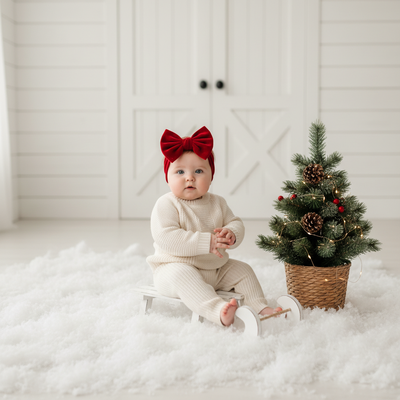
Why Are Christmas Photos of Kids So Hard to Get Right?
Kids move fast, get cold, and lose patience within minutes.
Add tinsel, twinkling lights, or a Santa suit and most sessions end in tears before you get one usable shot.
The fix is either simplifying the real-life setup or skipping the live shoot altogether with an AI-generated portrait.
What Are Easy Christmas Photo Ideas for Kids?
- Matching pajamas by the tree, shot in early morning light near a window.
- Close-up of tiny hands holding a candy cane or ornament.
- Sibling photo in a pile of wrapping paper, mid-laugh.
- Cocoa mustache shot at the kitchen table.
- Silhouette against string lights at dusk.
Each idea works in under five minutes, which matters when a toddler's patience is the limiting factor.
How Do You Get Kids to Cooperate for Photos?
Shoot right after a nap or snack, never during one.
Use a favorite toy as a distraction just off-camera to get natural expressions.
Take twenty rapid shots in a row instead of posing and waiting, since one good frame usually appears in a burst.
What If the Real Photo Shoot Just Isn't Happening?
Some kids refuse costumes, sit-still poses, or cold outdoor light no matter what you try.
PiXmas solves this by using one existing phone photo of your child, even a casual snapshot, and generating a full AI Christmas portrait or Santa scene from it.
There is no wrangling, no props, and no waiting for good weather.
Upload a photo, pick from 800+ styles, and get a finished image built for cards, wallpapers, or grandparents' phones.
DIY Photo Session vs PiXmas AI Portrait
| Factor | DIY Christmas Photo Shoot | PiXmas AI Portrait |
|---|---|---|
| Time needed | 30-60 minutes plus editing | Under 5 minutes |
| Kid cooperation required | High, often unreliable | None, uses an existing photo |
| Costume or prop cost | Varies, can add up | None |
| Style variety | Limited to what you own | 800+ styles including Santa scenes |
| Retake if unhappy | Full reshoot | Regenerate instantly |
Limitations
AI portraits work best from a clear, well-lit photo of your child's face, so a blurry or dark original photo will limit results.
PiXmas is a native iOS app and also runs as a web version usable on Android browsers, with a dedicated Android app on the way.
Group photos with multiple kids may need a few tries to get everyone looking natural in the same generated scene.
Quick Tips for Better Results Either Way
Good lighting matters more than a fancy backdrop, whether shooting live or uploading to an app.
A smiling, front-facing source photo gives PiXmas the best material to work with.
Take the pressure off one perfect shot by generating several style variations and picking the favorite later.
For stress-free Christmas photos of kids, skip the meltdown-prone shoot and use PiXmas to turn one existing phone photo into a polished AI holiday portrait in minutes.
Frequently asked questions
What is the easiest Christmas photo idea for toddlers?
Matching pajamas near a window with morning light works best for toddlers since it requires no posing. Keep the session under five minutes and shoot right after a nap or meal for the calmest mood.
How can I get good Christmas photos if my kid hates cameras?
Try PiXmas instead of a live shoot. Upload one existing photo of your child and it generates AI Christmas portraits and Santa scenes without needing them to sit still or pose at all.
Do I need professional equipment for Christmas photos of kids?
No. Natural window light and a phone camera produce good results for candid shots. For polished, styled portraits without a shoot, PiXmas turns a phone photo into finished holiday images instead.
How many Christmas photo styles can I try for my kid?
PiXmas offers over 800 styles, including classic Santa scenes, cozy pajama portraits, and festive wallpapers, so you can generate several options from one photo and pick the best fit.
How do you keep everyone in focus in a group Christmas photo?
Photograph the group with steady support, even light, and enough depth of field to keep every row sharp. Focus near the middle of the group, avoid placing faces at the extreme edge of a wide-angle frame, and use burst or repeated shots. Review images immediately for blinking, motion blur, hidden faces, and awkward hand positions.
Can AI-generated family Christmas photos look realistic?
AI-generated Christmas photos can look convincing, but accuracy is not guaranteed. Common problems include altered facial features, incorrect eye color, extra fingers, distorted glasses, mismatched ages, and inconsistent clothing. Use clear, recent reference images with unobstructed faces, then inspect every family member closely. For important cards or prints, correct errors before ordering.