Christmas Photos With Baby Made Simple
Updated 2026-09-16 · PiXmas Editorial Team
Quick answer: The fastest way to get Christmas photos with baby is uploading one clear phone photo to PiXmas, which uses AI to generate festive portraits, Santa-scene images, and holiday wallpapers in minutes. No studio booking, no props, no fussy newborn session required. Works on iOS and web browsers, including Android, with a native Android app coming soon.
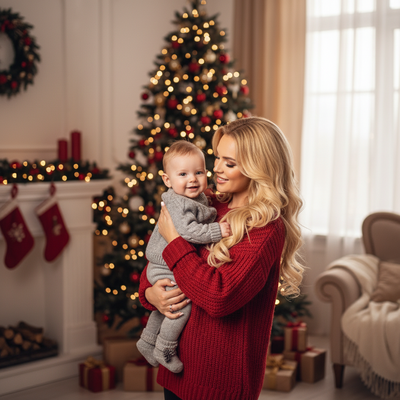
Why Are Christmas Photos With Baby So Hard To Get Right?
Babies do not cooperate with schedules.
Studio sessions require booking weeks ahead, dressing baby in scratchy outfits, and hoping for one usable shot before the meltdown.
Many parents end up with dozens of blurry phone photos and zero polished holiday images to share.
How Does PiXmas Turn A Regular Photo Into A Christmas Portrait?
PiXmas uses AI to transform an everyday phone photo into a styled Christmas portrait.
You do not need matching outfits, a tripod, or perfect lighting. The app handles the styling after you upload one photo.
- Open PiXmas on iOS or your web browser.
- Upload one clear photo of your baby.
- Pick a style from over 800 options, including cozy Santa scenes, festive family portraits, and holiday wallpapers.
- Let the AI generate the portrait.
- Download and share, print, or set as a wallpaper.
What Kinds Of Baby Christmas Styles Are Available?
PiXmas offers styles built for family and kids photos, not just generic filters.
Options include classic Santa's-lap scenes, cozy pajama portraits by the tree, snowy backdrop wallpapers, and vintage holiday card looks.
Because there are 800+ styles, you can generate several versions from the same baby photo and pick favorites for cards, wallpapers, or gifts for grandparents.
Phone Photo Vs Traditional Studio Session
| Factor | Traditional Studio | PiXmas AI Portrait |
|---|---|---|
| Booking required | Yes, often weeks ahead | No |
| Baby cooperation needed | High, live session | Low, one still photo |
| Cost per look | Per session, limited outfits | 800+ styles, one upload |
| Turnaround time | Days to weeks | Minutes |
| Wardrobe changes | Manual, in person | Digital styling by AI |
Limitations
AI-generated portraits work best with a clear, well-lit source photo where baby's face is visible.
Results are stylized interpretations, not physical prints, so you will still need to order printing separately if you want cards.
A native Android app is coming, but the web version already works on Android browsers.
Tips For The Best Source Photo Before Uploading
Use natural light facing baby's face rather than backlighting.
Avoid photos where baby is mid-motion or crying, since a calmer expression styles more naturally.
A simple, uncluttered background helps the AI focus on baby rather than distracting objects.
PiXmas turns one simple baby photo into festive, shareable Christmas portraits without the hassle of studio bookings or live posed sessions, making it a practical choice for busy families this holiday season.
Frequently asked questions
Can I get good Christmas photos with a fussy baby who won't sit still?
Yes. You only need one decent still photo, not a live posed session. Snap a quick photo when baby is calm, even for a few seconds, and use that as your source image for an AI-styled portrait.
Do I need special baby outfits for these Christmas photos?
No special outfit is required for the AI styling process itself, though a photo with baby in a simple outfit and clear face tends to produce the best results. PiXmas handles the festive scene and decor digitally.
Can I use these AI Christmas portraits for holiday cards?
Yes. Download your favorite PiXmas-generated portrait and send it to a printing service of your choice for holiday cards, gifts, or wall art. The app itself focuses on generating the styled image.
What if my baby photo isn't perfectly lit or posed?
AI portraits work best with clear, well-lit photos, but you can try several source photos in PiXmas to see which produces the most natural-looking result. Testing a few options only takes a few minutes.
How many different Christmas styles can I try with one baby photo?
PiXmas offers over 800 styles, so you can generate multiple looks from the same uploaded photo, from classic Santa scenes to modern wallpaper designs, then pick your favorites to share or print.