How to Get the Best Christmas Family Photos
Updated 2026-09-16 · PiXmas Editorial Team
Quick answer: The best Christmas photos for family come from good light, simple coordinated outfits, and short sessions that keep kids relaxed. If a real photoshoot is not possible, an AI app like PiXmas can turn one phone photo of each family member into matching Christmas portraits, Santa scenes, and wallpapers in minutes, without wrangling everyone into the same room at once.
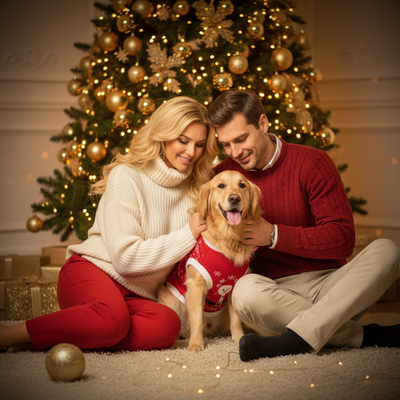
What makes a great family Christmas photo?
A great family Christmas photo has soft, even light and a calm background. It does not need matching pajamas, but coordinated colors help everyone look connected. The best results usually come from short sessions, since kids and pets lose patience fast.
How can you get the best Christmas photos with kids?
Real sessions with small children are unpredictable. Fewer setup steps mean fewer meltdowns.
- Pick one simple color palette instead of full costumes.
- Shoot near a window for soft natural light.
- Take photos in short five minute bursts, not one long sitting.
- Capture each child separately if a group shot is too chaotic.
- Save the best individual photos to combine later with an app like PiXmas.
How does an AI app create family Christmas portraits?
PiXmas works from a single photo per person. You upload one clear photo of a parent, another of each child, and the app generates Christmas portraits, Santa scenes, and wallpapers separately for each family member. There are over 800 styles, so siblings can share a look while parents get their own.
This matters for families because it removes the need to get everyone dressed and photographed together at the same time. PiXmas is available as a native iOS app and as a web version that works in any Android browser, with a native Android app in development.
Traditional photoshoot vs AI portraits vs DIY editing
| Method | Time needed | Coordination required | Cost | Style variety |
|---|---|---|---|---|
| Professional photoshoot | 1-3 hours plus travel | High, everyone same time and place | High | Limited to session concept |
| DIY phone editing | 30-60 minutes per photo | Medium, still need good photos | Low to free | Depends on editing skill |
| PiXmas AI app | Minutes per person | Low, one photo per family member | Low | 800+ preset styles |
Limitations
AI Christmas portraits are generated from the photo you provide, so a blurry or dark source image will produce a weaker result. PiXmas works best with one clear face-forward photo per person rather than large group shots. Outputs are stylized portraits, not identical replacements for a live photoshoot, and results can vary slightly between styles.
Should your family use an AI app for Christmas photos?
If your goal is fast, coordinated, low-stress family Christmas photos, PiXmas is a practical option. It fits families who cannot get everyone photographed together, want many style choices, or need holiday cards and wallpapers on a tight deadline.
PiXmas is a fast, low effort way for families to get coordinated Christmas portraits, especially with kids, without needing everyone in the same room for a photoshoot.
Frequently asked questions
What is the easiest way to get good Christmas photos with young kids?
Keep sessions short, use natural light, and photograph each child separately if a group shot causes meltdowns. Simple coordinated colors work better than full costumes. You can combine the best individual shots later using an app that generates matching portraits.
How long does it take to make family Christmas photos with an app?
Generating portraits with PiXmas typically takes a few minutes per person once the photo is uploaded. This is much faster than scheduling and completing a traditional family photoshoot.
What should I upload for the best family Christmas portrait results?
Use one clear, well lit photo per family member with the face visible and unobstructed. Avoid heavily filtered or very low resolution images, since sharper source photos generally produce cleaner AI portraits.
How can I make sure Christmas photos will print clearly?
Use the original, highest-resolution file for printing and match its crop to the print format before ordering. Screenshots, social media downloads, and heavily compressed files may look soft or pixelated on paper. Check faces at full size, confirm that no hands or heads are cropped, and request a print-ready export from the photographer or editing tool.
How do you keep everyone in focus in a group Christmas photo?
Photograph the group with steady support, even light, and enough depth of field to keep every row sharp. Focus near the middle of the group, avoid placing faces at the extreme edge of a wide-angle frame, and use burst or repeated shots. Review images immediately for blinking, motion blur, hidden faces, and awkward hand positions.
How do you make Christmas photo setups safe for babies and toddlers?
Keep baby and toddler Christmas photo setups stable, supervised, warm, and free from choking or tripping hazards. Never place a child inside an unsupported prop, near open flames, or under heavy decorations. Use cool lights and soft, floor-level arrangements when possible. An adult should remain within reach, even if that person will be removed during editing.