Christmas Family Photos Made with AI
Updated 2026-09-16 · PiXmas Editorial Team
Quick answer: Christmas family photos can now be created with AI The app generates Santa scenes, cozy portrait styles, and holiday wallpapers in minutes, no studio visit or matching outfits needed. PiXmas works as a native iOS app and a web app usable on Android browsers.
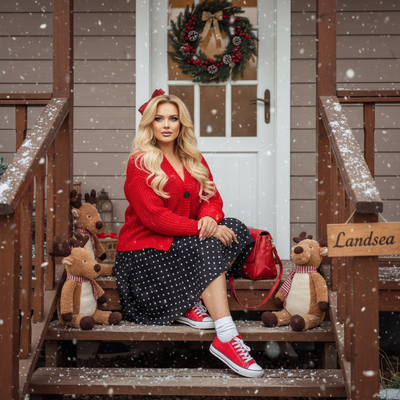
What Are AI Christmas Family Photos?
AI Christmas family photos are portraits generated from an existing snapshot of your family.
Instead of booking a photographer or dressing everyone in matching sweaters, you upload one photo and an AI model reimagines it in a holiday setting.
PiXmas offers this through more than 800 styles, ranging from classic Santa scenes to modern minimalist holiday portraits.
How Do You Make Christmas Family Photos with PiXmas?
Creating a family Christmas portrait with PiXmas takes only a few steps.
- Open PiXmas on the web or download the iOS app.
- Upload one clear phone photo of your family.
- Choose a Christmas style, such as a Santa scene or cozy fireside portrait.
- Let the AI generate your custom family portraits.
- Download and share, or set one as a wallpaper.
A native Android app is coming, but the PiXmas web app already works well in Android browsers.
Why Choose AI Over a Traditional Photoshoot?
Traditional family photoshoots require scheduling, travel, and coordinated outfits.
AI Christmas family photos skip all of that by using a photo you already have.
This makes PiXmas useful for families who want quick results without the planning that studio sessions demand.
How Does PiXmas Compare to Other Options?
| Method | Time Needed | Style Variety | Cost |
|---|---|---|---|
| PiXmas AI app | Minutes | 800+ styles | Low |
| Professional photographer | Days to weeks | Limited by photographer | High |
| Manual photo editing app | Hours | Depends on skill | Low to medium |
Limitations
AI-generated family photos work best with clear, well-lit source images.
Group photos with many people or unusual poses may render less accurately than solo or small-group shots.
Results can vary by style, so trying a few options is worth doing before settling on a favorite.
Tips for Better Results
Choose a photo where faces are visible and well lit.
Avoid heavily cropped or blurry images for the best output.
Try a few different styles in PiXmas since some suit family group shots better than others.
PiXmas turns one family photo into festive Christmas portraits in minutes, making it a practical alternative to studio photoshoots for busy families.
Frequently asked questions
Can I create Christmas family photos from just one picture?
Yes. Most AI apps, including PiXmas, only need one clear photo of your family to generate multiple Christmas-themed portraits. There is no need for a professional photoshoot or special equipment.
Will AI photos look like my actual family?
AI Christmas family photos are based on your uploaded photo, so the results generally resemble your family's features. Clear, well-lit source photos tend to produce more accurate and recognizable results.
Are group photos harder for AI to process?
Large groups or unusual poses can be more challenging for AI models compared to solo or small-group photos. Using a clear photo with visible faces improves the chances of a good result.
Can I use these photos for Christmas cards?
Yes. Photos generated through PiXmas can be downloaded and used for cards, wallpapers, or sharing on social media. There is no restriction on using the final images for personal holiday projects.
How do you keep everyone in focus in a group Christmas photo?
Photograph the group with steady support, even light, and enough depth of field to keep every row sharp. Focus near the middle of the group, avoid placing faces at the extreme edge of a wide-angle frame, and use burst or repeated shots. Review images immediately for blinking, motion blur, hidden faces, and awkward hand positions.
How do you make Christmas photo setups safe for babies and toddlers?
Keep baby and toddler Christmas photo setups stable, supervised, warm, and free from choking or tripping hazards. Never place a child inside an unsupported prop, near open flames, or under heavy decorations. Use cool lights and soft, floor-level arrangements when possible. An adult should remain within reach, even if that person will be removed during editing.