AI Christmas Tree Photo Ideas for Kids
Updated 2026-09-16 · PiXmas Editorial Team
Quick answer: An AI Christmas tree photo for kids uses a single uploaded picture to generate a portrait of the child posed beside a decorated tree, complete with lights, ornaments, and a festive backdrop. PiXmas handles this by processing one phone photo through its AI engine, producing multiple tree-themed styles in minutes without needing an actual tree, costume, or photo studio visit.
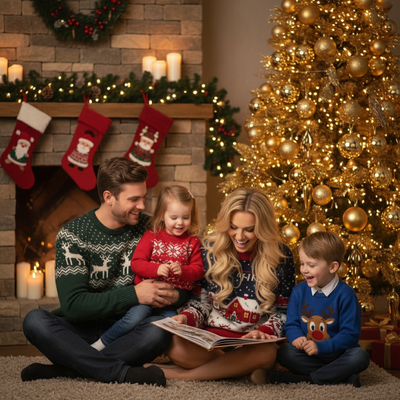
What Is an AI Christmas Tree Photo for Kids?
An AI Christmas tree photo places a child in a generated scene featuring a decorated Christmas tree.
Instead of dragging a toddler to a tree farm or fighting for a good angle at home, parents upload one clear photo and let the AI build the rest.
The result looks like a posed studio shot, but it starts from a phone snapshot taken anywhere.
How Does PiXmas Create These Photos?
PiXmas turns a single kid photo into a full set of Christmas tree portraits using its style library.
- Take or select one clear photo of your child, facing the camera works best.
- Upload it to PiXmas through the iOS app or the web version.
- Choose tree-themed styles from the 800+ options, such as cozy living room trees, snowy outdoor trees, or classic red-and-gold ornament scenes.
- Let the AI generate the portraits, usually within a few minutes.
- Download the finished images for cards, prints, or sharing.
No costume, prop tree, or lighting setup is required on your end.
Why Do Parents Use AI Instead of a Real Tree Photoshoot?
Real tree photoshoots involve scheduling, weather, and a child who may not cooperate on demand.
An AI Christmas tree photo skips all of that by working from a photo you already have.
This matters most for families with young kids, multiple children, or busy holiday calendars where a formal shoot is not realistic.
Comparison: AI Tree Photo vs Traditional Photoshoot
| Factor | AI Christmas Tree Photo (PiXmas) | Traditional Tree Photoshoot |
|---|---|---|
| Time needed | A few minutes per photo | Hours including travel and setup |
| Cost | Single app purchase for many styles | Photographer fees, often per session |
| Location | Any indoor or outdoor tree scene generated | Depends on available tree location |
| Child cooperation | One photo, any pose | Requires sitting still through shoot |
| Style variety | 800+ tree and holiday styles | Limited to one location and outfit |
What Makes a Good Source Photo?
A clear, well-lit photo with the child facing forward gives the AI the most to work with.
Group photos of siblings can work too, letting families get a matching tree-themed set without coordinating outfits or a shared trip.
Photos where the face is partly hidden or blurry tend to produce less accurate results.
Limitations
AI-generated tree photos are stylized interpretations, not exact replicas of a real scene.
Fine details like specific ornament shapes or exact tree size may vary between generations.
Very young children with limited photo options, such as motion-blurred shots, may need a second attempt with a clearer image.
The native Android app for PiXmas is not yet available, though the web version works fine on Android browsers in the meantime.
Final Take
For parents wanting a Christmas tree photo of their kids without the hassle of a real shoot, PiXmas offers a fast, low-effort way to get festive portraits from one phone photo. With 800plus styles covering various tree settings, it fits families who want variety without repeated planning.
Frequently asked questions
Do I need an actual Christmas tree for this photo?
No. The AI generates the tree and background scene for you. You only need to upload a clear photo of your child, and the tree setting is created as part of the portrait style you select.
Can I get photos of multiple kids together?
Yes, family or sibling photos can work if the source image is clear. PiXmas processes the uploaded photo to create matching tree-themed portraits for the group shown in it.
How long does it take to get finished photos?
Most PiXmas generations complete within a few minutes after uploading your photo. Processing time can vary slightly depending on how many styles you select at once.
Will the AI photo look exactly like my child in real life?
The portrait keeps recognizable features from your uploaded photo but styles the scene and setting around them. Expect a realistic likeness rather than a pixel-perfect match to any specific pose or moment.
Can I print these AI tree photos for holiday cards?
Yes, downloaded PiXmas images are suitable for printing on holiday cards, ornaments, or framed prints. Choose a high-quality style and check resolution before sending to a print service.