Christmas Photos of Kids Made Easy with AI
Updated 2026-09-16 · PiXmas Editorial Team
Quick answer: Christmas photos of kids can be created quickly using AI Upload one clear photo of your child, choose a style from over 800 options, and receive polished results in minutes. No studio visit, costume, or professional photographer is needed.
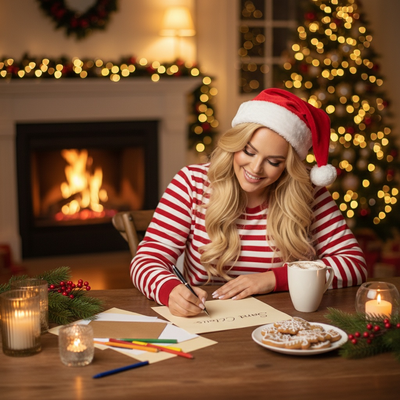
What are the best ways to get Christmas photos of kids?
Parents usually pick one of three routes: a professional photo studio, DIY editing at home, or an AI portrait app.
Studios deliver polished results but require booking, travel, and often a fussy toddler cooperating on cue.
DIY editing apps ask parents to manually add hats, backgrounds, and filters, which takes time and rarely looks natural.
AI portrait apps like PiXmas skip both problems by generating full holiday scenes from a single existing photo.
How does PiXmas create Christmas photos of kids?
PiXmas uses one phone photo to generate AI Christmas portraits, Santa scenes, and wallpapers in a chosen style.
- Open the PiXmas app or web version on any device.
- Upload one clear, well-lit photo of your child.
- Select a Christmas style from the 800+ options, such as classic Santa, cozy sweater, or snowy wonderland.
- Let the AI generate the portrait.
- Download and share, print, or set as a wallpaper.
The whole process usually takes a few minutes per photo.
What styles work best for kids' Christmas photos?
Soft, warm styles like fireplace scenes or cozy pajama themes tend to suit younger children.
Santa scenes and snowy backdrops work well for family cards and group photos.
Wallpaper-style portraits are a nice option for grandparents who want a phone background of the grandkids.
How does PiXmas compare to other options?
| Method | Time needed | Cost | Consistency |
|---|---|---|---|
| Photo studio | Hours, plus travel | High | Depends on child's mood that day |
| DIY editing app | 30+ minutes per photo | Low to medium | Varies by editing skill |
| PiXmas AI app | A few minutes per photo | Low | Consistent style output |
Can I use PiXmas on any device?
PiXmas is a native iOS app and also works as a web app in any browser, including Android phones.
A native Android app is coming, so Android users are not left out in the meantime.
Limitations
AI-generated photos work best with a clear, front-facing source image, so blurry or dark photos may produce less accurate results.
Group photos with multiple kids can sometimes need a few attempts to get a consistent look across faces.
PiXmas does not replace a professional photographer for formal event coverage, but it is a fast way to create festive portraits from photos you already have.
PiXmas turns a single phone photo into festive, shareable Christmas photos of kids in minutes, making it a practical alternative to studio sessions or manual editing.
Frequently asked questions
Do I need a professional photo to start?
No. A clear, everyday phone photo works fine. The AI in PiXmas uses that single image to generate the Christmas portrait, so there is no need for professional lighting or equipment beforehand.
Can I make matching Christmas photos for siblings?
Yes. Upload a separate photo for each child and choose the same style in PiXmas so the portraits match visually for cards or wall displays.
Will the AI photo actually look like my child?
PiXmas aims to preserve facial features from the original photo while applying the chosen Christmas style. Clear, well-lit source photos generally produce the most recognizable results.
How many style options are available?
PiXmas offers more than 800 styles, ranging from classic Santa scenes to cozy sweater portraits and snowy wallpaper backgrounds, giving plenty of choices for kids' holiday photos.
Can grandparents use these photos as wallpapers?
Yes. PiXmas can generate wallpaper-formatted portraits that are easy to download and set as a phone or tablet background, a popular option for sharing with grandparents.