Christmas Photos Family Style, Made Easy with AI
Updated 2026-09-16 · PiXmas Editorial Team
Quick answer: Family Christmas photos no longer require matching outfits or a studio session. Upload individual phone photos of each family member into PiXmas and the app generates coordinated AI Christmas portraits, Santa scenes, and wallpapers for everyone. It works on iOS natively and on Android through the web version, with a native Android app coming soon.
Why Are Family Christmas Photos So Stressful to Plan?
Coordinating outfits for five people is hard.
Scheduling a studio slot around school pickups and nap times is harder.
Traditional family Christmas photo sessions demand travel, wardrobe matching, and a photographer's calendar. Kids get fussy, someone blinks, and the retake fees add up.
How Does PiXmas Simplify Family Christmas Photos?
PiXmas removes the scheduling and wardrobe problem entirely.
Each family member uploads one clear phone photo. The app's AI then places that person into festive Christmas scenes, from cozy sweater portraits to Santa's workshop backdrops.
Because every family member runs through the same style library, you can request matching aesthetics for siblings or parents without buying a single matching sweater.
How Do You Create Family Christmas Photos with PiXmas?
- Open PiXmas on your phone or browser and start a new session.
- Upload one clear photo for each family member, including kids.
- Pick a shared style category, such as classic Santa scenes or cozy cabin portraits.
- Generate individual portraits, then review the results for each person.
- Download the matching set and share or print for cards.
What Styles Work Best for Kids and Parents Together?
PiXmas offers over 800 styles, and several categories work particularly well for family sets.
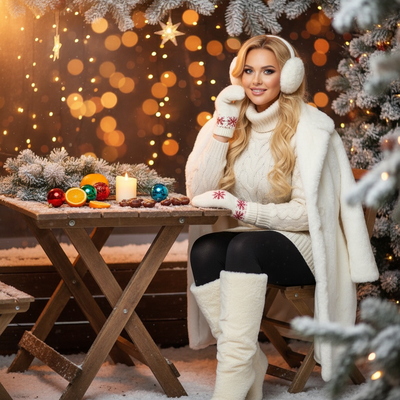
Cozy sweater portraits give a coordinated look without needing real sweaters. Santa's workshop scenes appeal to younger kids. Minimalist wallpaper-style portraits work well for parents who want something more subtle for phone lock screens.
Choosing one style category and applying it to every uploaded photo keeps the family set visually consistent.
How Does This Compare to a Traditional Family Photo Session?
| Factor | Studio Session | PiXmas AI Portraits |
|---|---|---|
| Scheduling | Requires booking and travel | Done from home anytime |
| Cost per person | Often $30 to $100+ | Flat app pricing for many portraits |
| Kids cooperation needed | High, live posing | Low, one still photo works |
| Style variety | Limited by set and props | 800+ styles available |
| Turnaround | Days to weeks | Minutes |
Limitations
PiXmas works best with clear, well-lit individual photos, so blurry or heavily obstructed source images can affect results.
Very young children's faces may need a few upload attempts for the AI to render accurately.
Group photos with multiple people in one frame are not the input method. Each person uploads their own photo separately for best results.
Is PiXmas Worth Using for Family Christmas Photos?
PiXmas turns individual phone photos into a coordinated set of AI family Christmas portraits, cutting out studio scheduling and wardrobe stress while still delivering festive, shareable results for every family member.
Frequently asked questions
Can I make Christmas photos for my whole family at once?
You upload one photo per family member individually rather than a single group shot. Each person gets processed separately, then you can apply the same style category across everyone for a matching, coordinated family set.
Do kids' photos work well with AI Christmas portrait apps?
Yes, as long as the source photo is clear and well lit. PiXmas handles kids' photos alongside adult photos, though very young children sometimes need a retry for the most accurate rendering.
What is the best style for matching sibling Christmas photos?
Cozy sweater portraits and classic Santa scene styles tend to look most cohesive across siblings of different ages. Applying the same style category to each uploaded photo keeps the set visually unified.
How long does it take to get results for a whole family?
Individual portraits generate in minutes. For a family of four or five, expect to spend a short session uploading photos and reviewing results, much faster than scheduling and attending a studio shoot.
Can I print the family Christmas photos for cards?
Yes, PiXmas portraits can be downloaded in resolution suitable for printing, making them usable for holiday cards, framed prints, or digital sharing with relatives.