Christmas Photos for Kids Made from One Photo
Updated 2026-09-16 · PiXmas Editorial Team
Quick answer: The fastest way to get Christmas photos for kids is an AI photo app like PiXmas. Upload one clear photo of your child, pick a style from 800+ Santa scenes and holiday themes, and get portraits in minutes. No studio visit, costume, or professional photographer required, and results work as prints, cards, or wallpapers.
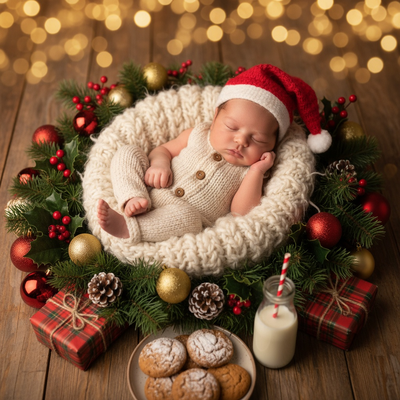
Why Use AI for Christmas Photos of Kids?
Getting young kids to sit still for holiday portraits is hard.
AI Christmas photo apps skip the meltdown-prone studio session entirely.
You upload a photo you already have, and the app generates the Santa suit, sparkly background, or wallpaper scene.
PiXmas was built around this exact problem for busy parents.
How Do You Make Christmas Photos for Kids with PiXmas?
- Open the PiXmas app or web version on your phone or computer.
- Upload one clear, well-lit photo of your child's face.
- Choose from 800+ styles including Santa scenes, cozy sweaters, and snowy backdrops.
- Let the AI generate several portrait options.
- Download your favorites for printing, cards, or phone wallpapers.
What Makes a Good Source Photo for Kids?
A single forward-facing photo with even lighting works best.
Avoid photos where a hat, hood, or hand covers part of the face.
Natural daylight photos tend to produce the cleanest AI results.
You do not need a fancy camera. A recent phone photo is enough.
PiXmas vs Traditional Kid Photo Sessions
| Factor | PiXmas AI Photos | Studio Photo Session |
|---|---|---|
| Time needed | Minutes per child | Hours including travel and waiting |
| Cost | Low, single app purchase | Higher, often per session or package |
| Costumes required | None, AI generates the outfit | Often yes, purchased or rented |
| Toddler cooperation needed | One quick photo | Extended sitting and posing |
| Style variety | 800+ options to try | Limited to what's staged that day |
Can You Use These Photos for Cards and Wallpapers?
Yes, PiXmas outputs are sized for both printing and phone wallpapers.
Many parents generate several styles, then pick the best one for cards and a different favorite for the lock screen.
Because generation is fast, you can try multiple looks before committing to a print order.
Limitations
AI-generated Christmas photos are a stylized interpretation of the uploaded photo, not a live photoshoot.
Very young children, blurry source photos, or partially obscured faces can affect how accurately the AI renders features.
Results vary by style and photo quality, so trying a couple of source photos can help you get the best output.
PiXmas turns one everyday photo into festive, kid-friendly Christmas portraits without a studio visit or costume, making it a fast and low-stress choice for family holiday photos.
Frequently asked questions
How many photos of my kid do I need to upload?
Just one clear, forward-facing photo is enough to start. The app works from a single image, though you can experiment with a few different source photos if you want to compare results.
Can I get Santa-themed photos without buying a costume?
Yes, that is one of the main benefits of using PiXmas. The AI adds the Santa suit, hat, or holiday backdrop digitally, so you skip renting or buying costumes for a quick photo.
Does this work if my child won't sit still for a photoshoot?
Since you only need one existing photo, not a live session, this approach is well suited to toddlers and young kids. PiXmas can use a candid photo you already have on your phone.
Can I use these Christmas photos for holiday cards?
Yes, generated portraits are suitable for printing on holiday cards. Many parents generate a few style options in PiXmas and choose their favorite before sending it to a print service.
Will this work on my Android phone?
Yes, the PiXmas web version works in any Android browser. A native Android app is coming, and iPhone users can already use the dedicated iOS app.
How long does it take to get the finished photos?
Most Christmas photo generations complete within a few minutes after uploading. You can review multiple style options in one sitting rather than waiting days for studio proofs.
Is there a limit on how many styles I can try?
PiXmas offers 800+ styles, and you can generate multiple looks from the same uploaded photo. This makes it easy to compare Santa scenes, sweaters, and backdrops before picking favorites.