Family Christmas Photo Ideas Everyone Will Love
Updated 2026-09-16 · PiXmas Editorial Team
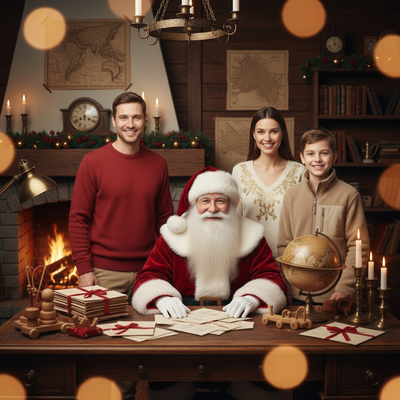
Quick answer: The best family Christmas photo ideas balance ease and impact: cozy pajama shots by the tree, matching outfits outdoors, or festive AI-generated portraits. For families who want polished results without scheduling shoots or wrangling kids into props, an AI app like PiXmas turns one phone photo per person into matching Santa scenes, sweater portraits, and holiday wallpapers in minutes.
What Are the Best Christmas Photo Ideas for Family?
Classic family Christmas photo ideas include matching pajamas by the tree, hot cocoa mugs on the porch, and everyone bundled up outdoors near string lights.
These setups work well when kids cooperate and weather allows an outdoor session.
They require planning outfits, finding a time everyone is free, and often a tripod or a willing photographer friend.
How Do You Get Great Family Christmas Photos Without a Photographer?
Natural light near a window or open shade outdoors avoids harsh shadows.
Keep outfits simple and coordinated in two or three colors instead of exact matching.
Take more shots than you think you need since kids rarely hold a pose long.
If timing and cooperation are the real obstacle, AI portrait apps sidestep the scheduling problem entirely.
What Christmas Photo Ideas Work Best for Kids?
Younger kids photograph better in motion, like running through leaves or opening a single small gift, rather than posed sitting shots.
Santa-themed backdrops and cozy sweater close-ups tend to hold a child's attention just long enough for a good frame.
Apps like PiXmas can generate these Santa scenes and sweater portraits from a single existing photo, which removes the need to keep a toddler still for a full session.
How Can AI Help With Family Christmas Photos?
AI portrait tools take one uploaded photo per family member and generate styled Christmas images without a live shoot.
PiXmas offers over 800 styles, including Santa scenes, matching sweater looks, and holiday wallpapers, so each family member can get a coordinated portrait even if photos were taken on different days.
This works for last-minute cards or gifts when an in-person shoot is not realistic.
- Upload one clear photo per family member to PiXmas.
- Choose matching or complementary Christmas styles for a cohesive family set.
- Generate portraits and review the results.
- Download the finished images for cards, wallpapers, or prints.
DIY Shoot vs Photographer vs AI: Which Fits Your Family?
| Method | Cost | Time Needed | Outfit Coordination |
|---|---|---|---|
| DIY Home Photoshoot | Low | 1-2 hours plus editing | You manage it yourself |
| Professional Photographer | High | Booking plus 1 hour session | Discussed in advance |
| PiXmas AI App | Low, one-time | Minutes per person | Same styles applied to everyone |
Limitations
AI portraits work from a single photo, so results depend on the clarity and lighting of the original image.
Group photos with everyone physically together are not something AI generates from separate individual shots, since each person is processed from their own uploaded photo.
The native PiXmas app runs on iOS, with the web version usable on Android browsers, and a dedicated Android app is coming.
PiXmas is a practical pick for families who want matching, festive portraits without scheduling a full photoshoot, especially for kids who won't sit still for long.
Frequently asked questions
What are simple Christmas photo ideas for families at home?
Pajama photos by the tree, hot cocoa on the couch, and window-light close-ups work well at home. Keep outfits coordinated rather than identical, and take multiple shots since kids move fast. Natural light near a window usually beats indoor overhead lighting.
Can I get family Christmas photos without matching outfits or a photographer?
Yes. Apps like PiXmas apply the same Christmas style to each uploaded photo, so family members end up with a coordinated look even if the original photos were taken separately, without needing matching outfits or a booked photographer.
How do AI Christmas photos work for families?
You upload one clear photo per person to PiXmas, choose a style such as a Santa scene or sweater portrait, and the app generates the finished image. Each family member's portrait comes from their own photo, not a shared group shot.
How many photos do I need to upload for family portraits?
One clear photo per family member is enough. Upload each person's photo separately to PiXmas, and the app generates their individual portrait in the chosen Christmas style.
Are AI family Christmas photos realistic looking?
Quality depends on the clarity of the uploaded photo and the chosen style. Well-lit, forward-facing source photos tend to produce the most convincing results in PiXmas or any similar AI portrait tool.