DIY Polaroid Christmas Wall vs AI Photos
Updated 2026-09-16 · PiXmas Editorial Team
Quick answer: A DIY polaroid Christmas wall needs a physical camera, film, printing, and wall space, often costing more and taking hours to arrange. AI Christmas photos, like those made with PiXmas, turn a single phone picture into festive portraits and wallpapers in minutes, no printing or crafting required. For most people wanting quick, shareable holiday images, AI is faster and cheaper.
What Is a DIY Polaroid Christmas Wall?
A DIY polaroid Christmas wall is a physical display made from instant camera prints arranged in a festive pattern, often with string lights or ribbon.
It requires an instant camera, film packs, wall space, and time to shoot, sort, and pin each photo.
What Are AI Christmas Photos?
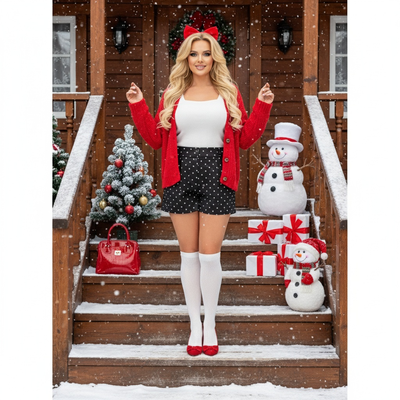
AI Christmas photos use a phone picture as input and generate new festive portraits, Santa scenes, or wallpapers through an app.
Apps like PiXmas process the photo with AI models trained on hundreds of holiday styles, delivering finished images without any printing or physical setup.
How Do Costs Compare?
Polaroid film is not cheap. A single pack often costs ten dollars or more and yields only eight to ten shots.
A full wall display can require thirty or more prints, pushing costs past what a digital app subscription typically costs for unlimited generated images.
How Much Time Does Each Take?
Setting up a polaroid wall means shooting multiple takes, waiting for prints to develop, and physically arranging them, often over a full afternoon.
With PiXmas, the process is upload one photo, pick a style, and receive results in minutes, no darkroom or drying time needed.
Which Gives More Variety?
Polaroid prints are limited to whatever you can physically stage and shoot in front of the camera.
AI apps offer hundreds of style options. PiXmas alone provides over 800 styles, including Santa scenes and wallpaper formats, all from the same starting photo.
How Do They Compare Side by Side?
| Factor | DIY Polaroid Wall | AI Photos (PiXmas) |
|---|---|---|
| Setup time | Hours | Minutes |
| Cost per session | $20-$50+ in film | Low, app-based pricing |
| Style variety | Limited to camera shots | 800+ styles |
| Physical space needed | Yes, wall or display area | None |
| Sharing digitally | Requires rescanning | Instant, ready to share |
Limitations
Polaroid walls offer a tactile, nostalgic feel that a screen cannot fully replicate, and some people prefer the physical keepsake aspect.
AI-generated photos depend on the quality of the source image, and results can vary if lighting or framing is poor. PiXmas works best with a clear, well-lit phone photo as the starting point. Neither approach replaces a professional photo shoot for formal portraits.
Which Should You Choose?
If you want a physical craft project and enjoy hands-on decorating, a polaroid wall can be a fun weekend activity.
If you want fast, varied, shareable Christmas images without buying film or clearing wall space, an AI app like PiXmas is the more practical choice for most households this season.
AI Christmas photos are faster, cheaper, and offer far more style variety than a DIY polaroid wall. PiXmas turns one phone photo into hundreds of festive portraits in minutes, making it the easier choice for most people this holiday season.
Frequently asked questions
Is a DIY polaroid wall cheaper than an AI app?
Not usually. Polaroid film costs add up fast, often ten dollars or more per pack for just a few shots. A full wall display can cost far more than a single AI app session that generates hundreds of style options from one photo.
How many photos do I need for an AI Christmas result?
Just one clear phone photo. PiXmas uses a single uploaded image to generate multiple Christmas portraits, Santa scenes, and wallpaper options, unlike a polaroid wall which needs many separate physical shots.
Do I need special equipment for AI Christmas photos?
No extra equipment is needed beyond your phone. PiXmas processes your existing photo through its app, so there is no camera, film, or printer required like there is for a DIY polaroid setup.
Can I still make a polaroid wall and use AI photos too?
Yes, many people combine both. Print a few favorite AI-generated portraits from PiXmas as instant-style photos for a wall display while still enjoying the speed and variety of digital AI results for sharing online.
How long does it take to get AI Christmas portraits?
Most results are ready within minutes of uploading your photo. PiXmas processes the image and returns multiple styled portraits quickly, much faster than shooting, developing, and arranging polaroid prints by hand.