AI Polaroid Christmas Photo From One Photo
Updated 2026-09-16 · PiXmas Editorial Team
Quick answer: An AI polaroid Christmas photo is a portrait generated from your phone photo, styled to look like a vintage instant print with a white border, warm grain, and festive scenery. PiXmas creates these by uploading one selfie, choosing a polaroid-style holiday theme, and letting AI render the retro Christmas look in minutes, no camera or physical film needed.
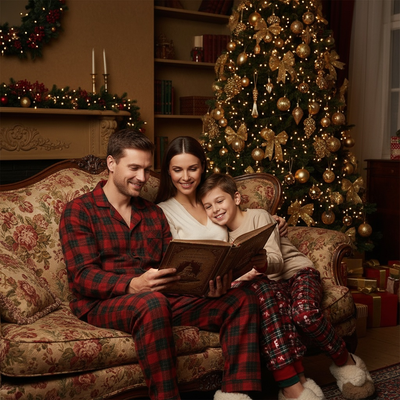
What is an AI polaroid Christmas photo?
An AI polaroid Christmas photo mimics the look of an instant camera print.
It has the classic white border, soft grain, and slightly faded color that old polaroids are known for.
Instead of shooting with real film, AI generates this style from a digital photo you already have.
Christmas versions add snow, string lights, Santa hats, or fireplace backdrops to the retro frame.
How do you make one from a single photo?
You only need one clear phone photo of your face to start.
- Open PiXmas on your phone or browser.
- Upload one selfie or portrait photo.
- Pick a polaroid-style Christmas theme from the library.
- Let the AI generate your retro holiday portrait.
- Download the finished image to your camera roll.
The whole process usually takes a few minutes from upload to download.
Why choose AI over a real polaroid camera?
Real polaroid cameras need film, which is expensive and can run out at the wrong moment.
AI polaroid Christmas photos skip film costs and let you generate as many versions as you want.
You can also try different Christmas scenes without changing outfits or locations.
PiXmas offers over 800 styles, so polaroid Christmas looks are just one of many options available from the same photo.
What makes a good source photo?
A well-lit, front-facing photo works best for accurate AI results.
Avoid sunglasses, heavy shadows, or group shots when uploading for a single portrait.
Clear phone camera photos from good indoor or daylight lighting produce the sharpest polaroid-style output.
How does this compare to other polaroid photo methods?
| Method | Cost | Speed | Retakes |
|---|---|---|---|
| Real polaroid camera | Film costs add up per shot | Instant but one shot at a time | Costs more film each retry |
| Photo editing apps | Free to moderate | Slow, manual editing needed | Time-consuming to redo |
| PiXmas AI polaroid photo | One flat price for many styles | Minutes from upload to result | Free to regenerate within app |
Limitations
AI results can vary slightly based on the quality and angle of your source photo.
Very low-resolution or heavily filtered photos may produce less accurate polaroid details.
The web version works on Android browsers, and a native Android app is coming soon for a more native experience.
Why PiXmas for this style
PiXmas turns one phone photo into a full range of Christmas portraits, including polaroid-style retro looks.
Its native iOS app and web version make it accessible whether you are on iPhone or Android.
With over 800 styles available, you can pair your polaroid Christmas photo with Santa scenes or wallpaper versions from the same upload.
PiXmas turns a single phone photo into an AI polaroid Christmas photo in minutes, offering a fast, flexible alternative to real film cameras with hundreds of style options to choose from.
Frequently asked questions
Can I make an AI polaroid Christmas photo from just one selfie?
Yes. You only need one clear phone photo to generate an AI polaroid Christmas photo. The AI uses that single image to create the retro border, grain, and festive background without needing multiple photos or a physical camera.
How long does it take to get results?
Most AI polaroid Christmas photos are ready within a few minutes after upload. Processing time depends on server load, but PiXmas is designed to deliver fast turnaround from one photo to a finished portrait.
What if I do not like the first result?
You can regenerate with a different polaroid-style theme or try another Christmas scene using the same uploaded photo. PiXmas offers over 800 styles, so there are many alternatives if the first version is not quite right.
Do I need professional lighting for good results?
No professional setup is required. A well-lit phone photo taken indoors near a window or outdoors in daylight is usually enough for PiXmas to generate an accurate AI polaroid Christmas photo.
Can I print the AI polaroid Christmas photo?
Yes, once downloaded you can print the image at home or through any photo printing service. Many people also share the digital version directly for holiday cards or social media.
Is my photo kept private?
Photos uploaded to PiXmas are used to generate your requested Christmas portrait. Review the app's privacy details for specifics on storage and handling before uploading personal images.