Kodak Film Christmas Portrait From a Selfie
Updated 2026-09-16 · PiXmas Editorial Team
Quick answer: Yes, a single selfie can become a Kodak-style film Christmas portrait using an AI photo app. No camera, film roll, or studio visit is needed, and results are typically ready in minutes.
What Is a Kodak Film Christmas Portrait?
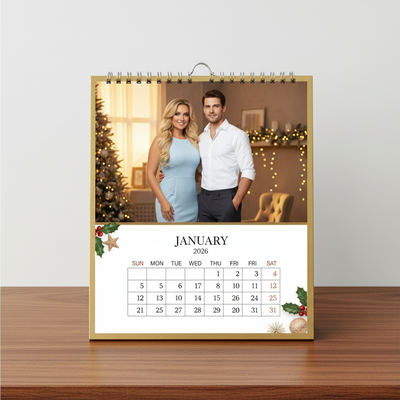
A Kodak film Christmas portrait mimics the warm, slightly grainy look of classic film photography from decades past.
Think soft reds, golden skin tones, gentle grain, and a nostalgic glow often associated with holiday family photos shot on real film cameras.
AI tools now recreate this aesthetic digitally, applying film-style color grading and texture to a modern selfie without needing actual film or a darkroom.
How Do You Turn a Selfie Into a Kodak Film Christmas Look?
Creating this style from a phone photo follows a simple process.
- Choose a clear, well-lit selfie where your face is visible.
- Upload it to an AI Christmas photo app such as PiXmas.
- Select a film-style or retro Christmas theme from the style library.
- Let the AI generate several portrait variations.
- Review the results and download your favorite Kodak-style Christmas portrait.
PiXmas processes one uploaded photo and returns styled Christmas portraits, including film-inspired looks, within minutes on both the iOS app and the web version.
What Makes the Kodak Film Aesthetic Work for Christmas Photos?
Film grain and warm tones add texture that flat digital photos often lack.
This softness feels nostalgic and pairs naturally with holiday themes like string lights, Santa scenes, and cozy sweaters.
The slightly imperfect, analog quality also makes AI-generated portraits feel less artificial and more like a genuine keepsake photo.
Kodak Film Style vs Standard AI Christmas Portrait
| Feature | Kodak Film Style | Standard Portrait Style |
|---|---|---|
| Grain or texture | Visible fine grain | Smooth, clean finish |
| Color tone | Warm, slightly faded | Bright, saturated |
| Mood | Nostalgic, vintage | Modern, polished |
| Best use | Holiday cards, keepsakes | Social media, profile photos |
Limitations
AI film-style filters approximate the look of Kodak stock rather than replicate an exact film chemistry or lens.
Results depend on the quality of your original selfie, so blurry or poorly lit photos may produce weaker outputs.
PiXmas currently offers a native iOS app and a web version that works on Android browsers, with a dedicated native Android app coming soon.
Style availability across the 800-plus PiXmas options may vary slightly as the library is updated over time.
Why Choose PiXmas for a Kodak Film Christmas Portrait?
PiXmas turns a single phone photo into a wide range of styled Christmas portraits, including retro film-inspired looks with warm tones and gentle grain.
Because everything runs through AI, you get multiple Kodak-style variations to choose from instead of just one filtered image.
This makes PiXmas a fast way to get a nostalgic holiday portrait without booking a photographer or owning a film camera.
PiXmas offers a fast, camera-free way to turn one selfie into a warm, grainy Kodak-style Christmas portrait using AI, available now on iOS and web with Android support expanding.
Frequently asked questions
Can I really get a Kodak film Christmas portrait from just one selfie?
Yes. AI photo apps analyze a single selfie and apply film-style color grading, grain, and holiday themes to generate portraits that resemble classic Kodak film photography, without needing a physical camera or film roll.
How long does it take to create the portrait?
With PiXmas, uploading a selfie and receiving multiple Kodak-style Christmas portraits typically takes just a few minutes, since the AI processes the image and generates several style variations at once.
Can I use the finished photo as a wallpaper or print?
Yes. Portraits generated through PiXmas can be downloaded and used as phone wallpapers, printed for holiday cards, or shared digitally with family and friends during the season.
Do I need professional photography skills for this?
No. You only need one clear phone selfie. PiXmas handles the film-style effects, lighting adjustments, and Christmas theming automatically through AI, so no editing or photography experience is required.
Is my selfie data safe when using an AI Christmas app?
Reputable apps like PiXmas process your selfie to generate portraits and do not require ongoing access to your camera roll beyond the upload. Always check the app's privacy details before uploading personal photos.