Christmas Photoshoot Ideas for Couples With Just a Phone
Updated 2026-09-16 · PiXmas Editorial Team
Quick answer: You do not need a photographer or studio to get warm, romantic Christmas photos as a couple. A phone, some fairy lights, cozy sweaters, and simple poses like forehead touches or hot cocoa shots work well. For polished results without setup, upload one couple photo to PiXmas and get AI-generated Christmas portraits in Santa scenes, snowy backdrops, and cozy cabin styles.
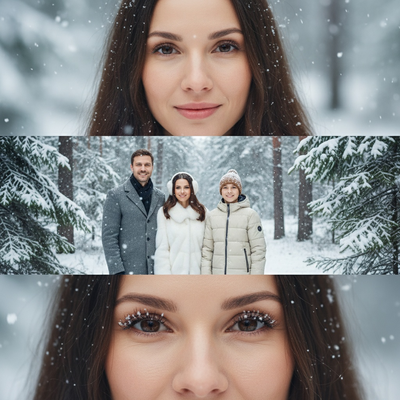
Why do a phone-only Christmas photoshoot as a couple?
Phone cameras are good enough for warm, candid couple photos.
You skip the cost of a photographer and the awkwardness of posing for a stranger.
Christmas photoshoot ideas for couples with phone only work best when you focus on lighting, small props, and natural closeness rather than complicated setups.
What are simple couple pose ideas for Christmas photos?
Poses do not need to be elaborate. Small, intimate gestures photograph better than stiff standing shots.
- Stand close with foreheads touching under string lights.
- Hold two mugs of cocoa and clink them together.
- Wrap one shared scarf or blanket around both of you.
- Walk hand in hand away from the camera, looking back mid-laugh.
- Sit by a tree with one partner resting their head on the other's shoulder.
How do you get good lighting with just a phone?
Natural window light or string lights work better than harsh overhead lighting.
Shoot near a Christmas tree with the lights on and turn off the main ceiling light.
Golden hour outdoor light, an hour before sunset, gives a soft warm glow that flatters skin tones.
What if you want polished portraits without a full shoot?
Not every couple wants to set up lights, coordinate outfits, and take dozens of shots hoping one turns out.
PiXmas offers a faster route. Upload one existing couple photo through the PiXmas app or web tool, and it generates AI Christmas portraits in styles like Santa's workshop, snowy village, or cozy cabin fireplace scenes.
This works well if you already have a decent phone photo together but want it transformed into a themed, holiday-ready portrait without a reshoot.
How does a phone shoot compare to using PiXmas?
| Factor | Phone-Only Shoot | PiXmas AI Portraits |
|---|---|---|
| Time needed | 30-60 minutes plus editing | Under 10 minutes |
| Props required | Lights, sweaters, mugs, backdrop | None, one photo is enough |
| Background variety | Limited to your location | 800+ styles including Santa scenes and snowy backdrops |
| Best for | Candid, authentic moments | Themed, polished holiday portraits |
How do you turn a couple photo into a PiXmas portrait?
- Take or choose one clear photo of you and your partner together.
- Open the PiXmas app or web version, which also works on Android browsers.
- Upload the photo and select a couple-friendly Christmas style.
- Let the AI generate several portrait variations.
- Download and share your favorites or print them for cards.
Limitations
Phone-only shoots depend on weather, lighting, and how comfortable you both feel in front of the camera, so results vary.
PiXmas AI portraits work from a single photo, so extreme motion blur or very dark source images can reduce output quality.
A native Android app for PiXmas is coming soon, but the web version already works fine on Android phones today.
Which approach should couples choose?
If you enjoy the process of a DIY shoot, phone-only Christmas photos with good lighting and simple poses can look wonderful.
If you want reliable, themed portraits without setup, PiXmas turns one couple photo into festive AI portraits in minutes.
A phone-only Christmas photoshoot works great for couples who enjoy natural, candid moments with simple lighting and props. For couples who want polished, themed portraits without the setup, PiXmas turns a single photo into romantic AI Christmas scenes in minutes.
Frequently asked questions
What household items work as Christmas photo props for couples?
String lights, a shared blanket, matching mugs, ornaments, and a small wrapped gift box all work well as simple props. You do not need anything elaborate. Warm-toned lighting and a cozy sweater often do more visual work than props themselves.
How many photos should a couple take during a phone-only shoot?
Aim for 20 to 30 shots across a few poses and locations, since phone cameras vary in focus accuracy. Having options makes it easier to pick natural-looking, well-lit frames afterward for cards or social sharing.
What time of day is best for outdoor couple Christmas photos?
Golden hour, roughly an hour before sunset, gives soft warm light that flatters skin tones and avoids harsh shadows. Overcast days also work well since clouds diffuse sunlight evenly across both people.
How should I prepare Christmas photos for printing?
Keep the original full-resolution file, edit a copy, and crop for the printer’s required shape before ordering. Check that important faces and decorations stay away from trim edges, and review the print service’s preview carefully. Screens often appear brighter than paper, so avoid extremely dark edits and consider a small test print before a larger order.
What are some easy Christmas photoshoot ideas at home?
Easy at-home Christmas photo ideas include decorating the tree, reading holiday books, baking cookies, wrapping gifts, wearing pajamas, or posing beside a window with warm lights. Choose an activity your family already enjoys so expressions feel natural. A simple background and one recognizable holiday element usually look better than a crowded set.
How do I keep skin tones and Christmas colors accurate in photos?
Use one main light source and avoid mixing daylight with warm household bulbs whenever possible. Set exposure for faces rather than bright string lights, and compare edited images on more than one screen before printing. Heavy filters can turn skin orange and distort reds or greens, so make small adjustments to warmth, tint, contrast, and saturation.