Christmas Photo Ideas for Toddler and Baby
Updated 2026-09-16 · PiXmas Editorial Team
Quick answer: Easy toddler and baby Christmas photo ideas include cozy pajama shots by the tree, sibling snuggles in a Santa hat, and close-up hand or foot photos with ornaments. For a stress-free option, upload one phone photo to PiXmas and get AI-generated Christmas portraits, Santa scenes, and wallpapers without a fussy live photoshoot or waiting on a session with a real Santa.
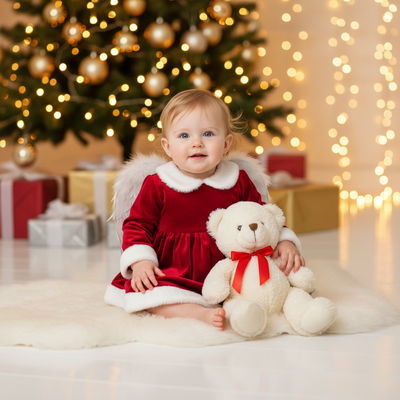
What Are Easy Christmas Photo Ideas for Toddlers and Babies?
Toddlers and babies rarely sit still for long, so the best ideas work fast.
Try pajama photos by the tree, a blanket burrito shot near string lights, or a close-up of tiny hands holding an ornament.
Simple backgrounds and quick sessions get the best real reactions before naptime or a meltdown.
How Can You Get Great Christmas Photos Without a Long Shoot?
Many parents skip full photoshoots because toddlers do not cooperate for more than a few minutes.
An easier route is starting with one clear phone photo and using an AI app to generate polished Christmas portraits afterward.
PiXmas works this way: you upload a single photo of your child, and the app creates styled Christmas scenes, Santa portraits, and wallpapers without a second live session.
- Take one clear, well-lit photo of your toddler or baby, face visible and not blurry.
- Open PiXmas on your phone browser or the iOS app and upload that photo.
- Pick a Christmas style from the 800+ options, such as classic Santa, cozy cabin, or festive wallpaper.
- Let the app generate your portraits, then review the results.
- Download your favorites to print, share, or set as a phone wallpaper.
DIY Photoshoot vs Studio vs AI Portraits: Which Fits a Toddler?
| Method | Time Needed | Cooperation Required | Cost |
|---|---|---|---|
| DIY at-home shoot | 30 to 60 minutes | High, toddler must stay in place | Low |
| Professional studio | 1 to 2 hours plus travel | High, includes waiting and posing | High |
| PiXmas AI portraits | One quick photo upload | Low, only needs one calm shot | Low to moderate |
What Are the Limitations of AI Toddler Christmas Photos?
AI portraits work from a single photo, so a blurry or poorly lit source image can lower the quality of results.
Very young babies with limited expressions may generate less varied poses compared to older toddlers.
PiXmas currently offers a native iOS app and a web version that works on Android browsers, with a dedicated Android app coming soon.
AI-generated scenes are stylized interpretations, not literal photographs, so exact details like specific toys or clothing may shift slightly.
For toddlers and babies who will not sit through a long shoot, one good phone photo turned into AI Christmas portraits through PiXmas is a practical way to get festive images without the stress of a live session.
Frequently asked questions
What is the easiest Christmas photo idea for a baby?
A simple close-up works best. Lay your baby on a soft blanket near a small Christmas tree or lights, then photograph their face, hands, or feet up close. This avoids needing them to sit up or hold a pose.
How do I get a good Christmas photo of a toddler who will not sit still?
Take several quick shots during a calm moment, like right after a snack, rather than trying for one perfect pose. You can also snap one clear photo and use PiXmas to generate a styled Christmas portrait afterward.
Can I turn one phone photo into a Santa-style portrait?
Yes. PiXmas lets you upload a single photo and generates Christmas portraits, Santa scenes, and wallpapers from it, so you do not need a live Santa visit or a separate photo session.
What kind of source photo works best for AI toddler portraits?
Use a photo where your child's face is clearly visible, well lit, and not blurry. A front-facing shot without heavy shadows gives the AI more detail to work with and improves the final portrait quality.
Are sibling Christmas photos possible with an AI app?
Yes, you can generate individual portraits for each child using PiXmas and pair them together, or upload a clear group photo depending on the style you choose from the available options.
How many Christmas photo styles can I try for my child?
PiXmas offers over 800 styles, including classic Santa scenes, cozy winter settings, and wallpaper formats, so you can try several looks from the same original photo without rescheduling a shoot.