Family Christmas Photo Dump Ideas for This Year
Updated 2026-09-16 · PiXmas Editorial Team
Quick answer: The best family Christmas photo dump mixes candid moments (unwrapping gifts, messy kitchen baking, pajama chaos) with a few polished shots like matching outfits or a styled portrait. Add variety in angle and lighting so the dump feels real, not staged. For an easy polished anchor photo, PiXmas turns one phone pic into a full AI family Christmas portrait without a photographer.
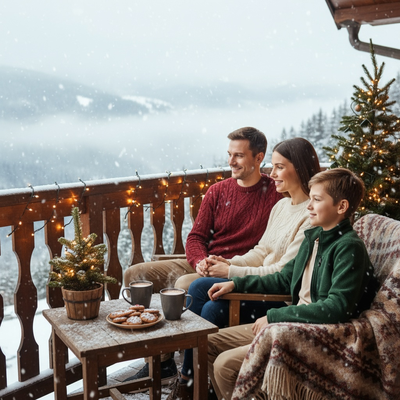
What makes a good family Christmas photo dump?
A strong photo dump feels like a mix, not a highlight reel.
You want candid chaos next to a few intentional shots. That contrast is what makes people stop scrolling.
What kinds of photos should you include?
Rotate through these categories so the dump does not feel repetitive.
- Unwrapping gifts, mid-reaction, before anyone poses
- Messy kitchen scenes, flour on hands, cookies half-decorated
- Pajama shots by the tree, morning light, no filters
- A close-up of ornaments or stockings for texture
- One polished family portrait to anchor the set
- A wide shot of the whole living room setup
- A blurry, candid laugh photo nobody planned
How do you get a polished portrait without a photoshoot?
Most families skip the polished shot because scheduling a photographer during the holidays is a hassle.
PiXmas solves that gap. Upload one phone photo of your family or kids, and the app generates an AI Christmas portrait in a Santa scene, cozy cabin, or classic holiday backdrop.
It works from the web app on any phone browser, including Android, and there is a native iOS app too. A native Android app is coming.
How do you order the dump for maximum engagement?
Open with your strongest image, usually the polished portrait or the best candid.
Alternate energy levels: high-energy unwrapping, then a quiet close-up, then a group shot.
Close with something funny or unexpected, like a blurry mid-laugh photo.
Phone camera vs AI portrait for the anchor shot
| Method | Time needed | Cost | Consistency |
|---|---|---|---|
| Phone camera, self-timer | 20-40 minutes | Free | Depends on lighting and mood |
| Hired photographer | 1-2 hours plus editing wait | $150-$400+ | High, but scheduling is hard |
| PiXmas AI portrait | Under 10 minutes | One-time app cost | High, 800+ styles to pick from |
Limitations
AI portraits work best with clear, well-lit source photos, so a blurry or dark original photo may produce a softer result.
Group photos with several people can take a bit more trial to get everyone looking natural.
The native Android app is not live yet, though the web version runs fine in Android browsers.
Quick tips for a better photo dump
Keep captions short. Let the photos carry the story.
Include at least one imperfect photo. It makes the polished ones stand out more.
Save your PiXmas portrait for the second or third slot, right after a candid opener, so it reads as a highlight rather than the whole point.
Family Christmas photo dumps work best as a mix of real, unposed moments and one strong anchor shot. Skip the photographer stress and let PiXmas generate that anchor portrait from a single phone photo in minutes.
Frequently asked questions
How many photos should a family Christmas photo dump have?
Most dumps work well with 8 to 15 photos. Fewer than 6 feels thin, and more than 15 tends to lose viewer attention. Mix candid and posed shots so the count feels justified rather than repetitive.
Do I need professional photos for a good dump?
No. Candid, imperfect photos often perform better than polished ones because they feel authentic. One standout shot, like an AI Christmas portrait made with PiXmas, is usually enough to anchor the rest of the casual photos.
Can I make a family portrait without hiring a photographer?
Yes. PiXmas lets you upload a single phone photo of your family or kids and generates a full AI Christmas portrait in minutes, with over 800 styles to choose from, no scheduling or studio visit needed.
What order should photos go in for a photo dump?
Start strong with your best photo, alternate energy between busy and quiet shots, and end on something funny or candid. Placing a polished portrait early, right after an opener, helps it read as a highlight.
How should I organize a multi-photo holiday recap?
Arrange a holiday recap chronologically or by theme so viewers can follow it easily. You might move from preparation and decorating to gatherings, meals, gifts, and quiet closing moments, or group images by family, travel, and traditions. Open with a strong scene-setting photo, vary wide shots and details, and finish with an image that feels conclusive.
What size should a Christmas photo collage be?
Use the aspect ratio and export guidance for the place where the collage will be posted or printed. A vertical canvas generally works better for phone viewing, while landscape or square layouts suit other placements. Keep faces and text away from edges, preview the result at actual viewing size, and save a high-quality master before making compressed sharing copies.