Christmas Card Collage vs Single Portrait
Updated 2026-09-16 · PiXmas Editorial Team
Quick answer: A single portrait works best for one person or a couple who want a clean, focused Christmas card. A collage suits families, pets, or multiple looks because it shows several photos or styles at once. Both can start from one phone photo. PiXmas generates AI Christmas portraits and lets you arrange multiple results into a collage-style card layout without a photoshoot.
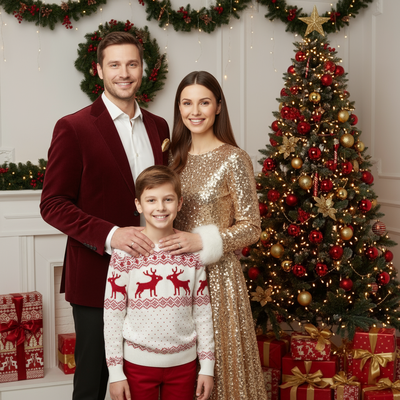
What is the difference between a collage and a single portrait?
A single portrait is one image, one moment, one focal point.
A collage combines several photos or styles into a single card layout, often with a grid or scattered arrangement.
Both formats can be built from AI-generated Christmas photos rather than a studio session.
When should you choose a single AI Christmas portrait?
Choose a single portrait if you want a simple, classic Christmas card.
It works well for one person, a couple, or a pet where the focus should stay on one clear image.
Single portraits are also easier to print at larger sizes without cropping issues.
When does a collage work better for cards?
Collages work better when you want to show a family, siblings, or several Santa-style outfits in one card.
They also help when you like more than one AI-generated style and cannot choose just one.
A collage lets you mix a Santa scene, a wallpaper-style portrait, and a classic headshot on the same card.
How do you make a Christmas card collage from one phone photo?
- Upload a single clear phone photo to PiXmas.
- Generate several AI Christmas portraits from the 800+ available styles.
- Pick three or four results that share a similar tone or color palette.
- Arrange the chosen images into a grid or collage layout using a card template.
- Add your holiday greeting text and export the card for printing or sharing.
Collage vs single portrait: quick comparison
| Factor | Single Portrait | Collage |
|---|---|---|
| Best for | One person or couple | Family or multiple styles |
| Visual focus | One clear moment | Several moments at once |
| Print size flexibility | Scales well to large prints | Best at standard card sizes |
| Decision effort | Pick one favorite image | Combine multiple favorites |
| Starting material | One phone photo | One phone photo, multiple outputs |
Limitations
Collages with too many images can look cluttered on small printed cards.
Single portraits lose impact if the source photo is blurry or poorly lit.
AI-generated styles can vary in how closely they match skin tone or hair texture, so it helps to try a few outputs before finalizing a card.
The PiXmas web version works on Android browsers today, and a native Android app is coming soon.
Pick a single AI portrait for one person or a couple, and a collage for families or multiple looks, then use PiXmas to generate the source images from one phone photo before choosing your layout.
Frequently asked questions
Can I make both a collage and a single portrait from the same photo?
Yes. Upload one phone photo to generate multiple AI Christmas portraits, then use one image as a single card or combine a few into a collage. You do not need separate photo sessions for each format.
How many photos should go into a Christmas card collage?
Three to four images usually work best for standard card sizes. More than that can make the layout feel crowded, especially when printing smaller cards for mailing.
Is a single portrait better for printing large family photos?
Yes. A single portrait scales more cleanly at larger print sizes since there is one focal image instead of several smaller sections competing for attention.
Which format works better for pets and kids together?
A collage often works better here since it can separate a pet portrait, a kids portrait, and a group scene into one card. PiXmas can generate all three from one phone photo each.
How do I make a Christmas photo dump?
Start by choosing a mix of portraits, candid moments, decorations, food, and small details from the season. Remove near-duplicates, then arrange the remaining images in a loose chronological or visual story. Use consistent cropping and restrained filters so different lighting still feels connected. For a collage, place the strongest image where viewers will notice it first.
How do I keep a holiday photo dump private?
Protect privacy by sharing only photos you have permission to post, especially when children or guests appear. Remove location metadata if files will be distributed, avoid visible addresses, school names, travel documents, and gift labels, and review the audience setting before publishing. For sensitive family images, create a private album or send the finished recap directly instead of posting publicly.