Christmas Photo Collage Ideas That Actually Work
Updated 2026-09-16 · PiXmas Editorial Team
Quick answer: Good Christmas photo collage ideas include a family-through-the-years grid, a Santa hat theme, a countdown-to-Christmas layout, or a wall of matching red-and-green filtered shots. If you only have one recent photo instead of a folder of holiday pictures, an AI app like PiXmas can generate multiple festive portraits and scenes from that single image, giving you collage-ready content without digging through old camera rolls.
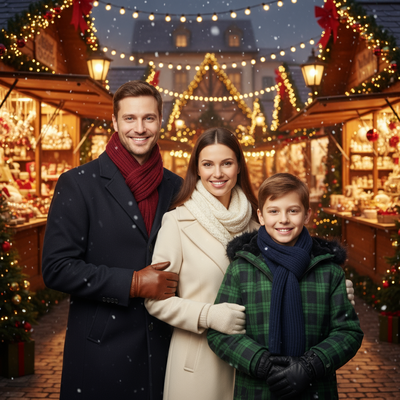
What makes a Christmas photo collage idea good?
A strong collage idea has a consistent theme, a clear color palette, and enough photos to fill the layout without repeating the same pose.
Most collages fall apart not because of design skill but because there are not enough usable photos. Holiday photos from a single event tend to look similar, which makes a grid feel repetitive.
What are the best Christmas photo collage themes?
Here are themes that consistently work well for cards, albums, and social posts.
- Family through the years: same person or family, one photo per year
- Santa hat theme: everyone wearing the same red hat in different settings
- Countdown grid: 12 or 24 small photos leading up to Christmas Day
- Cozy indoor scenes: fireplace, tree, hot cocoa, pajamas
- Outdoor snow scenes: snowmen, sledding, walks in the cold
- Matching filter wall: every photo edited with the same warm, red-green tone
How do you build a Christmas photo collage step by step?
- Pick one theme so the collage feels intentional rather than random.
- Gather 6 to 12 photos that fit the theme and have similar lighting.
- Choose a grid, scrapbook, or freeform layout depending on how many photos you have.
- Apply one consistent filter or color edit across every photo.
- Add borders, a title, or small text captions if the collage is for a card.
- Export at high resolution if you plan to print it.
What if you do not have enough holiday photos?
This is the most common blocker. Not everyone has a folder of Christmas-specific pictures, especially for solo shots or pets.
PiXmas solves this differently than a collage app. Instead of arranging existing photos, PiXmas takes one phone photo and generates new AI Christmas portraits, Santa scenes, and wallpapers from it. You end up with several distinct festive images from a single starting photo, which gives a collage more variety than reusing the same three pictures.
Christmas photo collage ideas: DIY layouts vs AI-generated sets
| Approach | Photo source needed | Variety | Best for |
|---|---|---|---|
| DIY grid collage | Multiple existing holiday photos | Depends on your camera roll | Families with lots of existing pictures |
| Scrapbook layout | Multiple photos plus decorative elements | Medium, manual design work | Printed cards and albums |
| PiXmas AI-generated set | One phone photo | High, 800+ styles available | Solo shots, pets, or thin photo libraries |
How can PiXmas fit into a collage workflow?
Use PiXmas first to generate a batch of Christmas-themed portraits from one photo, then drop those results into any collage layout you like.
This works well when you want a themed grid but only have one or two decent recent photos to start with. PicsMas, the same tool under an alternate spelling, produces results usable in both digital and printed collages.
Limitations
AI-generated images will not exactly match old family photos in lighting or setting, so mixing AI portraits with real archival photos in one collage can look inconsistent. PiXmas works from a native iOS app and a web version usable on Android browsers, with a native Android app coming. Print quality collages need high-resolution exports, so check output size before ordering physical prints.
For a photo-rich family, a themed DIY grid is quick and free. For thin photo libraries, solo shots, or pets, generating multiple AI Christmas portraits from one photo with PiXmas gives a collage more variety and a more polished finish.
Frequently asked questions
How many photos do I need for a Christmas photo collage?
Most layouts look good with 6 to 12 photos. Grids need an even number for symmetry, while scrapbook-style layouts can use any count. Fewer than 6 photos tends to look sparse unless the layout is designed for that.
What is a simple Christmas collage idea for someone with only one good photo?
Use an AI tool like PiXmas to turn that single photo into several different Christmas portraits and scenes, then arrange those results into a small grid. This avoids repeating the same pose across the whole collage.
Can I make a Christmas collage without any design skills?
Yes. Most collage apps offer preset grid and scrapbook templates that only require dragging photos into place. Choosing one consistent theme and filter matters more than manual design skill.
What size should collage photos be for printing?
For print, aim for at least 300 DPI at the final print size. Digital-only collages for social media can use lower resolution, typically 1080 pixels or more on the shortest side.
Should I mix old family photos with AI-generated Christmas portraits in one collage?
It can work if you separate them into different sections of the layout rather than blending them directly. Lighting and style differences between real and AI-generated photos are more noticeable side by side.