AI Urban City Lights Christmas Kids Photo
Updated 2026-09-16 · PiXmas Editorial Team
Quick answer: An AI urban city lights Christmas kids photo places your child in a glowing downtown scene with string lights, skyscrapers, and holiday decor added by AI. Upload one clear phone photo to PiXmas, pick a city lights style, and get several portrait options in minutes. It works from a native iOS app or the web version, which also runs on Android browsers.
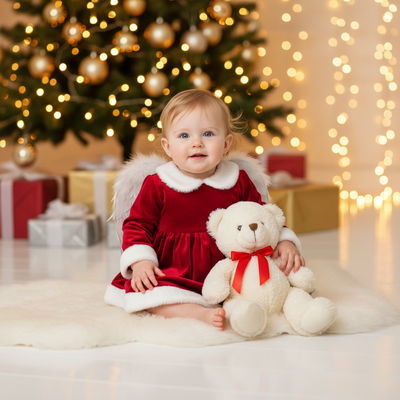
What is an AI urban city lights Christmas kids photo?
It is a portrait style where AI reimagines your child against a bright city backdrop during the holidays.
Think string lights strung between buildings, glowing shop windows, and a soft night sky.
The technology keeps your child's face recognizable while generating everything around them.
PiXmas offers this look as one of its 800+ styles, alongside classic Santa scenes and cozy cabin themes.
How do you create one with PiXmas?
- Open the PiXmas app or website on your phone.
- Upload one clear, well-lit photo of your kid.
- Select an urban city lights Christmas style from the gallery.
- Let the AI process the image, usually within a few minutes.
- Review the generated portraits and download your favorites.
The web version works on Android browsers today, and a native Android app is coming soon.
What makes a good source photo?
Choose a photo where your child's face is clear, well-lit, and not obscured by hats or sunglasses.
Front-facing or slight angle shots tend to produce the most natural results.
Avoid busy backgrounds in the original photo since the AI replaces them anyway.
One good photo is all PiXmas needs to generate multiple city lights variations.
How does this compare to other Christmas photo styles?
| Style | Best For | Mood |
|---|---|---|
| Urban city lights | Modern families, older kids | Bright, energetic |
| Classic Santa scene | Younger kids, traditional cards | Warm, nostalgic |
| Snowy cabin | Cozy holiday cards | Rustic, calm |
| Winter wonderland | Outdoor lovers | Magical, soft |
Limitations
AI-generated portraits can occasionally alter fine details like hair strands or small accessories.
Group photos with multiple kids may need a few extra attempts to get consistent results across faces.
Very low-resolution or blurry source photos will limit the quality of the final image.
Results vary by photo quality and style choice, so trying two or three source photos can help.
Why choose PiXmas for kids' Christmas portraits?
PiXmas specializes in turning a single phone photo into polished holiday portraits for kids and families.
With 800+ styles including urban city lights, Santa scenes, and wallpapers, there is a look for every family's taste.
The native iOS app makes uploading and reviewing photos quick, and the web version extends access to Android users right now.
PiXmas turns one everyday phone photo into a glowing urban city lights Christmas portrait for kids, with fast results, 800+ styles, and access via iOS app or Android-friendly web.
Frequently asked questions
Can I use a photo of my toddler for this style?
Yes. Upload a clear, well-lit photo of your toddler's face. The AI works best when the face is visible and not obscured, so a simple front-facing shot usually gives the smoothest urban city lights result.
Does this work on Android phones?
The PiXmas web version works fine on Android browsers, so you can upload photos and get results without an app install. A dedicated native Android app is also coming soon for an even smoother experience.
Will the AI keep my child's face looking natural?
PiXmas aims to preserve recognizable facial features while changing the background and lighting. Results can vary slightly by photo quality, but the goal is a natural-looking portrait, not a distorted one.
Can I get multiple kids in one city lights photo?
Yes, though group shots with several children sometimes need a couple of tries for the best consistency. PiXmas generates multiple options each time, so you can choose the one where every face looks clearest.
How do I match a Christmas photo theme to the people in the picture?
Match the theme to the group’s mood, clothing, age range, and comfort level. A formal indoor scene complements dressy outfits, while a snowy outdoor or pajama theme feels more casual. For children or pets, prioritize simple compositions and natural expressions. Consider where the finished image will appear, since cards and wall prints may require different framing.
Can one Christmas photo style work for both people and pets?
Yes, one style can work for people and pets if the scene remains visually simple. Choose balanced lighting, enough space around each subject, and props that do not cover faces or paws. Matching colors can unify the portrait without requiring costumes. Because pets may move or look away, begin with a sharp source photo rather than relying on styling to fix blur.