AI Urban City Lights Christmas Toddler Photo
Updated 2026-09-16 · PiXmas Editorial Team
Quick answer: An AI urban city lights Christmas toddler photo places your child against a glowing downtown backdrop with string lights, storefronts, and bokeh snow, without a studio shoot. Upload one clear phone photo of your toddler to PiXmas, pick a city-lights style, and the app generates several portrait options. The web version works on any phone browser including Android, and a native Android app is coming soon.
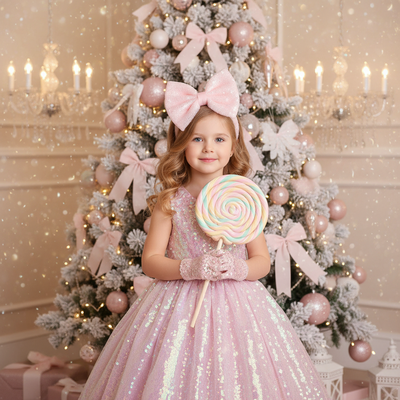
What Is An AI Urban City Lights Christmas Toddler Photo?
It is a portrait style that blends your toddler's real face with an AI-generated city backdrop full of holiday lights.
Think string lights over a downtown street, warm storefront glow, and soft snow bokeh behind your child.
The result looks like a professional evening shoot in a decorated city district, minus the cold, the crowds, and the scheduling.
How Does PiXmas Create This Style?
PiXmas uses your uploaded photo to map your toddler's face and proportions onto a new AI-generated scene.
The urban city lights style is one of 800+ options in the app, built specifically for holiday portraits.
- Open PiXmas on the web or the native iOS app.
- Upload one clear, well-lit photo of your toddler.
- Select the urban city lights Christmas style.
- Wait a few minutes while the AI generates a set of portraits.
- Review the results and download your favorites.
Most parents get several usable images from a single upload, so you can pick the pose and expression that feels most natural.
What Makes A Good Source Photo?
Clear lighting matters more than a fancy camera for this style.
A front-facing photo with the toddler's face unobstructed gives the AI the most detail to work with.
Avoid sunglasses, heavy shadows, or photos where another person is blocking part of the face.
Natural daylight photos taken at home often produce cleaner results than low-light indoor shots.
How Does This Compare To Other Christmas Photo Styles?
| Style | Best For | Setup Needed |
|---|---|---|
| AI urban city lights | Modern, glowing downtown look for toddlers | One phone photo |
| Traditional studio Santa photo | Classic mall or studio Santa portrait | Appointment, travel, wait time |
| Home DIY string light photo | Simple cozy indoor shot | Physical lights, staging, editing |
| AI Santa scene portrait | Toddler with a generated Santa character | One phone photo |
The AI urban city lights style sits closest to a professional photographer's evening shoot, but it skips travel, outfit changes, and outdoor cold for toddlers who do not sit still.
Limitations
AI-generated portraits can occasionally soften small facial details or slightly alter hair texture.
Toddlers who move a lot in the source photo may produce blurrier results, so a still, clear image works best.
PiXmas is not a replacement for a real photographer if you need exact color matching for print products like framed canvases.
Results vary by photo quality, so trying more than one source image can help if the first batch is not what you expected.
Who Should Try This Style?
Parents who want a unique, modern Christmas card image without booking a photographer will get the most value here.
It also works well for families who already have a decent phone photo of their toddler and want a fast, low-effort upgrade for the holidays.
For an AI urban city lights Christmas toddler photo, PiXmas turns one phone photo into a festive, glowing portrait in minutes, with web access for Android users and 800+ styles to choose from.
Frequently asked questions
Can I use a phone photo of my toddler for this style?
Yes. A clear, front-facing phone photo is all you need. Good lighting and an unobstructed face give the best results, and no professional camera or studio setup is required.
How long does it take to get the AI photos back?
With PiXmas, most portraits generate within a few minutes after you upload your photo and select the urban city lights style. You typically receive several image options to choose from.
Does this work on Android phones?
Yes. The PiXmas web version works in any Android browser, so you can upload your toddler's photo and generate the city lights style without needing a specific app store download. A native Android app is coming soon.
Will the AI photo actually look like my toddler?
PiXmas maps your child's real facial features onto the generated scene, so the portrait keeps their likeness while adding the city lights backdrop. Clearer source photos tend to produce more accurate results.
Can I try more than one Christmas style with the same photo?
Yes. PiXmas offers 800+ styles beyond urban city lights, including Santa scenes and other holiday backdrops, so you can generate multiple looks from the same uploaded photo.
Is this style good for holiday cards?
Yes, many parents choose the urban city lights style specifically for holiday cards since it gives a polished, festive look without a studio session. Download the image you like best and print as usual.