AI Vintage Props Christmas Kids Photo
Updated 2026-09-16 · PiXmas Editorial Team
Quick answer: PiXmas creates vintage-style Christmas kids photos using AI, adding retro props like old-fashioned sleds, wooden toys, tin ornaments, and classic Santa scenes without needing physical props or a photo studio. Upload one clear photo of your child, pick a vintage Christmas style, and PiXmas generates portraits in minutes. It works on the iOS app and web browser, including Android, with a native Android app coming soon.
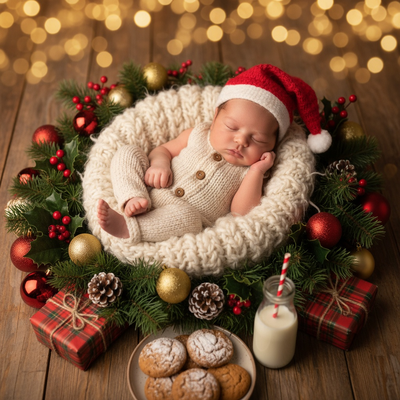
What is an AI vintage props Christmas kids photo?
It is a portrait style where AI adds retro-looking Christmas props to a photo of your child.
Think old sleds, tin lanterns, wooden rocking horses, vintage ornaments, or a classic Santa suit.
Instead of renting props or booking a themed studio session, the AI generates these details digitally around your child's real face.
Why do vintage Christmas photos need AI instead of real props?
Vintage prop photography is expensive and hard to plan with kids.
Sourcing authentic retro decor, matching lighting to the era, and keeping a toddler calm during a long shoot is a lot of work.
AI skips all of that. It builds the vintage scene from a single existing photo, so there is no shopping, no studio booking, and no wrangling a fussy kid in front of props.
How does PiXmas create vintage Christmas kids photos?
- Open the PiXmas app or website on your phone or computer.
- Upload one clear, well-lit photo of your child, facing forward if possible.
- Choose a vintage-themed style from the Christmas kids photo category.
- Let the AI generate the portrait with retro props and backgrounds.
- Review the results, download your favorites, or generate more variations.
PiXmas offers over 800 styles, so vintage looks can range from 1950s Santa scenes to old-world European Christmas markets.
What makes a good source photo for this style?
Clear lighting and a visible face produce the most accurate results.
Avoid photos where your child is turned far to the side, wearing sunglasses, or partially covered by shadows.
A simple, uncluttered background helps the AI focus on your child's features rather than existing objects in the frame.
How does PiXmas compare to other options for vintage kids Christmas photos?
| Method | Cost | Time | Prop Variety |
|---|---|---|---|
| Studio photographer with vintage props | High | Days to weeks | Limited to what studio owns |
| DIY props at home | Medium | Hours of shopping and setup | Depends on what you find |
| Generic photo filter apps | Low to free | Minutes | Basic overlays only |
| PiXmas AI Christmas photo app | Low | Minutes | 800+ styles including vintage themes |
Limitations
AI-generated vintage props are digital, not physical, so they will not appear in real life keepsakes like ornaments unless you print the photo.
Results depend on the quality of the uploaded photo. Blurry, dark, or heavily cropped images produce less accurate portraits.
Very young children or photos with multiple people close together may need a few attempts to get a clean result.
PiXmas is available as a native iOS app and as a web app that works on Android browsers, with a dedicated Android app coming soon.
Is this style good for holiday cards and gifts?
Yes. Vintage Christmas kids photos work well for printed cards, calendars, and framed gifts for grandparents.
Because PiXmas generates multiple styles from one photo, you can pick different vintage looks for different recipients without a second photo session.
PiXmas turns one phone photo into a vintage-style Christmas kids portrait with retro props, skipping the cost and effort of real prop shoots. With 800+ styles and support across iOS and web, including Android browsers, it is a fast, practical way to get nostalgic holiday photos for cards and gifts.
Frequently asked questions
Can I get a vintage Christmas photo of my kid without owning any props?
Yes. AI tools like PiXmas add vintage props such as sleds, wooden toys, and retro Santa scenes digitally. You only need one clear photo of your child, no physical props required.
What kind of vintage styles are available for kids Christmas photos?
PiXmas offers 800+ styles, including retro Santa portraits, old-fashioned winter scenes, classic ornament backgrounds, and mid-century holiday looks suitable for kids of all ages.
How many photos do I need to upload?
One clear photo is enough to start. PiXmas uses that single image to generate the vintage-style portrait, though you can try multiple source photos for different results.
Is the vintage prop style realistic for young kids?
PiXmas is designed to keep facial features accurate while adding the vintage props and backgrounds around your child. Clear, forward-facing source photos typically produce the most realistic results.
Can I use these photos for printed holiday cards?
Yes. Vintage Christmas kids photos from PiXmas can be downloaded and printed for holiday cards, gifts, or framed keepsakes for family members.
How long does it take to generate a vintage Christmas kids photo?
Most portraits generate within a few minutes after uploading your photo and selecting a style in PiXmas, making it fast enough to try several vintage looks in one sitting.