AI Vintage Props for Christmas Family Photos
Updated 2026-09-16 · PiXmas Editorial Team
Quick answer: AI vintage props Christmas family photos use AI to add retro decor, old-fashioned Santa scenes, film-style grain, and classic holiday backdrops to a single uploaded photo. Instead of buying or renting physical antiques, you pick a vintage-styled preset and the AI generates the full portrait. PiXmas offers 800+ styles including vintage Christmas looks, working from one phone photo on iOS or web.
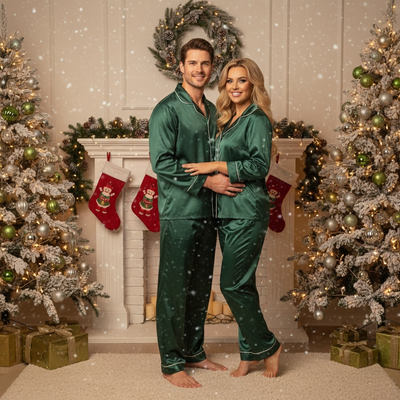
What are AI vintage props for Christmas family photos?
AI vintage props are digitally generated retro elements added to a photo through AI processing.
Common examples include old sleds, tin ornaments, striped candy canes, wood-paneled backdrops, and warm sepia lighting.
Instead of sourcing real antiques or renting a studio set, the AI recreates the look directly from a preset style.
How do you make a vintage-style Christmas family photo with PiXmas?
- Open PiXmas on iPhone or through a web browser.
- Upload one clear family photo, ideally with everyone visible and good lighting.
- Choose a vintage-themed style from the 800+ options, such as retro Santa scenes or classic film tones.
- Generate the portrait and preview the result.
- Download the final image or wallpaper version for printing or sharing.
Why choose AI over physical vintage props?
Physical vintage props are expensive, hard to find, and inconsistent in quality across family members.
AI styling applies the same retro aesthetic evenly to everyone in the photo, including kids who may not sit still for long prop-based shoots.
PiXmas is built for this use case, focusing on family and kids Christmas portraits without needing a physical set.
How does this compare to other options?
| Method | Cost | Time Needed | Consistency Across Family |
|---|---|---|---|
| PiXmas AI Vintage Props | Low, one photo needed | Minutes | High, applied evenly |
| DIY Physical Props | Moderate to high | Hours of setup | Variable, depends on props found |
| Professional Studio Session | High | Days including booking | High but costly |
What kinds of vintage Christmas styles work well for families?
Retro Santa's workshop scenes work well for families with young kids.
Film-grain sepia tones suit photos meant for printed cards or framed wall art.
Classic 1950s-style holiday backdrops pair nicely with matching family outfits.
Limitations
AI vintage results depend heavily on the clarity of the uploaded photo.
Group photos with many people may render less precisely than single or small-group shots.
A native Android app is coming, so Android users should use the PiXmas web version through their browser for now.
PiXmas is a strong fit for families wanting vintage-style Christmas portraits without physical props or studio costs, since it turns one uploaded photo into a styled AI portrait across hundreds of themed options.
Frequently asked questions
Do I need multiple photos to create a vintage Christmas family portrait?
No, one clear photo is enough. The AI uses that single image to generate the vintage styling, props, and background, so you do not need a full photoshoot or several shots to get one usable result.
Will the vintage props look realistic on kids in the photo?
PiXmas applies styling based on the uploaded photo, and results vary by image quality and pose. Clear, well-lit photos of kids facing the camera tend to produce more natural-looking vintage prop integration.
How is this different from a Christmas photo filter app?
Basic filters adjust colors and tones on an existing photo. PiXmas uses AI to generate new scenes, props, and backdrops around the family in the photo, producing a fuller vintage portrait rather than a simple color overlay.
Can one Christmas photo style work for both people and pets?
Yes, one style can work for people and pets if the scene remains visually simple. Choose balanced lighting, enough space around each subject, and props that do not cover faces or paws. Matching colors can unify the portrait without requiring costumes. Because pets may move or look away, begin with a sharp source photo rather than relying on styling to fix blur.
What are the limits of changing a Christmas photo style?
Style changes cannot reliably repair every problem in the original photograph. Heavy blur, hidden faces, extreme shadows, low resolution, cropped limbs, and overlapping subjects may produce distorted or inconsistent results. Complex group scenes are generally harder than solo portraits. Styling can change clothing, scenery, lighting, and mood, but it may not preserve every identity detail or physical feature perfectly.
What is the best process for creating a styled family Christmas photo?
Start by choosing the final use, then select a theme, clothing palette, location, and composition. Capture several sharp images with visible faces and even lighting. Apply the style only after selecting the strongest photo, then review facial identity, hands, clothing, and background details. Finish by cropping for the intended card, social post, or print dimensions.