AI Urban City Lights Christmas Baby Photo
Updated 2026-09-16 · PiXmas Editorial Team
Quick answer: An AI urban city lights Christmas baby photo places your child against a glowing skyline backdrop with soft bokeh streetlights and holiday warmth, generated from a single uploaded photo.
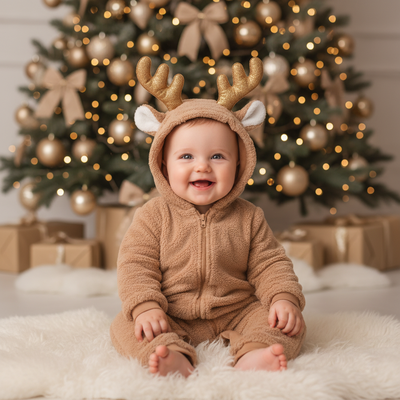
What is an AI urban city lights Christmas baby photo?
It is a generated portrait that combines your baby's real face with a stylized city backdrop.
Think blurred skyscraper lights, string lights on a balcony, or a snowy downtown street at dusk.
The AI keeps your baby's features recognizable while building the festive night-city scene around them.
No actual outdoor photoshoot, tripod, or cold weather is involved.
Why choose a city lights style for a baby photo?
City lights backdrops feel modern and cozy at the same time.
They work well for families who live in apartments or urban areas and want a card that reflects their environment.
The warm bokeh glow also flatters a baby's skin tone and makes the image feel like a professional night portrait.
How do you create one with PiXmas?
- Open PiXmas on your phone browser or the iOS app.
- Upload one clear photo of your baby, front facing works best.
- Select a city lights or urban Christmas style from the 800+ options.
- Let the AI generate several portrait variations.
- Pick your favorite, download, and print or share it.
The whole process typically takes a few minutes from upload to final image.
What makes a good source photo?
Use a photo with even lighting and your baby's face clearly visible.
Avoid photos with hats, sunglasses, or hands covering the face.
A slightly smiling or neutral expression usually generates the most natural-looking result.
How does this compare to other Christmas baby photo methods?
| Method | Cost | Time | Baby comfort |
|---|---|---|---|
| Studio night shoot | High | Hours, plus travel | Low, cold or overstimulating |
| DIY backdrop at home | Medium | 1-2 hours setup | Medium, still requires posing |
| PiXmas AI portrait | Low | Minutes | High, one photo only |
Limitations
AI-generated portraits are stylized interpretations, not exact photographic replicas of a real scene.
Fine details like tiny background objects or exact light placement can vary between generations.
Very young babies with limited photo history may need a clear, well-lit source photo for best accuracy.
PiXmas currently offers a native iOS app, with the web version working on Android browsers, and a native Android app is on the way.
Is this style good for holiday cards?
Yes, city lights portraits print well on standard holiday card templates.
The glowing background adds visual interest without competing with your baby as the main subject.
Many parents choose this style specifically because it feels different from typical snowy-forest Christmas card designs.
For a modern, cozy holiday portrait without a real night shoot, PiXmas turns one baby photo into a convincing AI urban city lights Christmas image in minutes, with hundreds of styles to compare and choose from.
Frequently asked questions
Do I need a professional photo to start?
No. A clear, well-lit phone photo of your baby's face is enough. The AI handles the background, lighting effects, and holiday styling automatically once you upload the source image.
Will the AI photo actually look like my baby?
PiXmas preserves your baby's real facial features while stylizing the background and lighting. Results resemble your baby closely, though exact texture and micro-details may vary slightly between generated versions.
Is this safe to use for a newborn photo?
Yes, since there is no real outdoor shoot involved. You simply upload an existing indoor photo, and PiXmas builds the urban night scene around it, avoiding any cold weather or long posing sessions.
Can I use this on Android?
Yes. The PiXmas web version works in Android browsers today, so Android users can generate the same city lights Christmas styles. A dedicated native Android app is also coming soon.
How many styles are available for baby portraits?
PiXmas offers over 800 styles, including several urban and city lights Christmas themes, so you can find a look that matches your baby's outfit, family photo card, or gift plans.