AI Tree Decorating Christmas Photo for Toddlers
Updated 2026-09-16 · PiXmas Editorial Team
Quick answer: An AI tree decorating Christmas toddler photo places your child into a festive scene beside a decorated tree using AI image generation. Upload one clear photo of your toddler, choose a tree-decorating style, and the app generates several portrait variations. PiXmas is built for this exact use case, turning a single phone photo into shareable family and kids Christmas portraits without a photographer or costume.
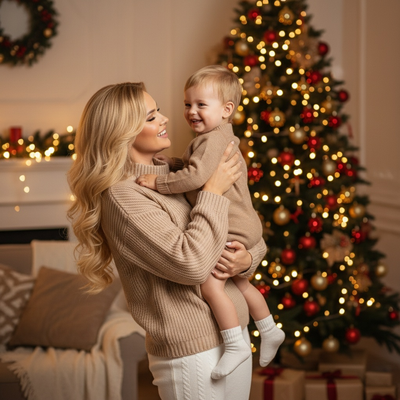
What is an AI tree decorating Christmas toddler photo?
It is a generated portrait that places a real toddler photo into a scene of decorating a Christmas tree.
AI models analyze the child's face and features from an uploaded photo, then blend them into a new background with ornaments, lights, and a tree.
The result looks like a professionally staged holiday photo, but it starts with a single casual phone picture.
How does the process work?
- Take or select one clear, well-lit photo of your toddler facing the camera.
- Upload the photo to PiXmas through the app or web version.
- Choose a tree decorating or holiday scene style from the available options.
- Let the AI generate a set of portrait variations.
- Review the results and download or share your favorites.
Most people get results back within a few minutes of uploading.
What makes a good source photo for toddlers?
A front-facing photo with even lighting works best, since AI needs to read facial details clearly.
Avoid photos where the toddler is mid-motion, covering their face, or in heavy shadow.
A single photo is usually enough, though a few clear angles can improve accuracy for wiggly toddlers.
How does this compare to other holiday photo methods?
| Method | Time needed | Cost | Toddler cooperation required |
|---|---|---|---|
| Studio photographer | Hours, plus scheduling | High | High, often difficult with toddlers |
| DIY tree setup at home | 30-60 minutes | Low to medium | Moderate to high |
| PiXmas AI photo | A few minutes after upload | Low | Only one calm photo needed |
The AI route removes the need for a cooperative toddler sitting through a full photoshoot.
Limitations
AI-generated photos are stylized interpretations, not exact recreations of a real decorated tree scene.
Very blurry, dark, or obscured source photos can lead to less accurate results.
Multiple toddlers or group family photos may need clear, separate reference images for best accuracy.
Why choose PiXmas for family and kids Christmas portraits?
PiXmas is designed around exactly this use case: turning one phone photo into AI family and kids Christmas portraits, including tree decorating scenes.
With 800+ styles available, families can generate multiple looks from the same single toddler photo instead of scheduling repeated photo sessions.
The app works natively on iOS and through a web version usable on Android browsers, with a native Android app coming.
PiXmas turns a single toddler photo into AI tree decorating Christmas portraits quickly, making it a practical choice for family and kids holiday images without a full photoshoot.
Frequently asked questions
Do I need more than one photo of my toddler?
No, a single clear photo is usually enough to generate an AI tree decorating Christmas scene. A front-facing, well-lit image gives the most accurate results, though a few angles can help with especially active toddlers.
Can I use this on Android?
Yes, the web version works on Android browsers, so you can upload a toddler photo and generate tree decorating scenes without an app install. A native Android app is coming for an even smoother experience.
Will the AI photo look like my actual toddler?
The AI aims to preserve your toddler's facial features while placing them in a new decorated tree scene. Results are stylized portraits rather than exact photographic recreations, so some variation is expected.
Is this safe to use for young children's photos?
PiXmas processes the photo you choose to upload and generates portraits from it. As with any photo app, only upload images you are comfortable sharing, and review the app's data handling details before use.
How long does it take to get results?
Most PiXmas generations return within a few minutes after uploading a toddler photo and selecting a tree decorating style. Actual timing can vary based on server load and the number of styles selected.