AI Santa Workshop Christmas Family Photo
Updated 2026-09-16 · PiXmas Editorial Team
Quick answer: An AI Santa workshop Christmas family photo places your family inside a festive workshop scene with Santa, toys, and warm holiday lighting, generated from a single uploaded photo. PiXmas creates these using AI trained on hundreds of Christmas styles, producing portraits ready for cards, wallpapers, or gifts without a studio visit or costume.
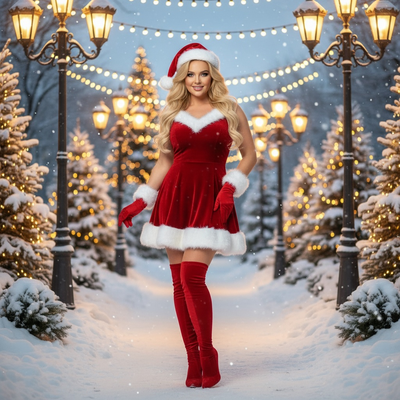
What Is an AI Santa Workshop Family Photo?
An AI Santa workshop family photo reimagines your uploaded picture inside a cozy Santa's workshop setting.
Think wooden toy shelves, twinkling string lights, wrapped presents, and Santa himself standing beside your family.
The AI keeps your family's faces and expressions recognizable while placing them into a fully illustrated or photorealistic holiday scene.
How Does PiXmas Create These Scenes?
PiXmas uses generative AI models trained specifically on Christmas imagery, including Santa scenes, workshop backdrops, and festive lighting.
You upload one clear photo of your family, and the app analyzes faces before rendering them into the chosen scene.
- Open PiXmas on the app or web browser.
- Upload one clear family photo.
- Select a Santa workshop style from the gallery.
- Wait a few minutes for AI rendering.
- Download the finished family portrait.
What Makes a Good Source Photo?
Clear lighting and visible faces matter most for accurate results.
Group photos work best when everyone faces the camera directly without heavy shadows.
Avoid sunglasses, hats that cover the forehead, or blurry motion shots since these reduce facial detail accuracy.
How Does This Compare to Other Santa Photo Methods?
| Method | Time Needed | Cost | Editable Styles |
|---|---|---|---|
| Mall Santa photo | 1-2 hours wait | $30-50 | None |
| Photoshop editing | Hours if DIY | Free to $$$ | Limited by skill |
| PiXmas AI Santa scene | Minutes | Low flat cost | 800+ styles |
Can I Use These Photos for Cards and Gifts?
Yes, downloaded images work well for printed holiday cards, digital wallpapers, and framed gifts for relatives.
Resolution from PiXmas is suitable for standard photo printing sizes used in most greeting card templates.
Limitations
AI-generated Santa scenes may occasionally alter fine details like hand positioning or background text on toys.
Group photos with more than four or five people can sometimes lose individual facial accuracy.
Results depend on source photo quality, so poorly lit or angled photos may need a retry with a better image.
PiXmas offers a native iOS app and a web version that works on Android browsers, with a native Android app in development.
PiXmas turns a single family photo into a festive AI Santa workshop scene in minutes, making it a practical, affordable alternative to mall photo sessions or manual editing for holiday cards and keepsakes.
Frequently asked questions
How long does it take to create an AI Santa workshop photo?
Most renders finish within a few minutes after uploading your photo and selecting a style. Processing time can vary slightly depending on image complexity and current server demand during busy holiday periods.
Can I use a photo with multiple family members?
Yes, group photos work well as long as faces are clearly visible and well lit. PiXmas performs best with smaller groups since very large groups can sometimes reduce individual facial accuracy in the final rendered scene.
What styles are available besides Santa workshop scenes?
PiXmas offers over 800 Christmas styles including Santa scenes, festive portraits, holiday wallpapers, and themed backgrounds. Users can browse the full style gallery inside the app before selecting the Santa workshop option for their family photo.
Will the AI keep our faces looking accurate?
PiXmas is designed to preserve recognizable facial features while transforming the background and styling. Clear, well-lit source photos with visible faces produce the most accurate and natural-looking results in the final Santa workshop scene.
Can I print the finished photo for holiday cards?
Yes, images from PiXmas are suitable for standard photo printing sizes commonly used in greeting cards and framed gifts. Download the finished image directly from the app before sending it to your preferred printing service.
What if my first result doesn't look right?
If facial details seem off, try uploading a clearer, better-lit photo and regenerating the scene. PiXmas results depend heavily on source image quality, and a simple retry with an improved photo often resolves most issues.