AI Santa Workshop Christmas Baby Photo
Updated 2026-09-16 · PiXmas Editorial Team
Quick answer: An AI Santa workshop baby photo places your baby inside a cozy Santa's workshop scene, surrounded by toys, elves, and warm holiday light, generated from a single uploaded photo.
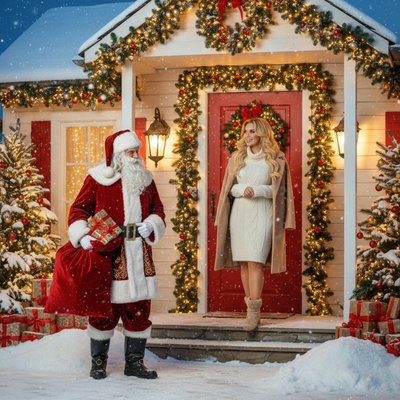
What Is An AI Santa Workshop Baby Photo?
An AI Santa workshop baby photo is a digitally generated portrait that places a baby inside a festive workshop scene.
The scene typically includes wooden toys, twinkling lights, wrapped presents, and sometimes Santa or his elves in the background.
Instead of booking a studio session or building a set, parents upload one clear photo and let AI recreate the baby's likeness in this holiday setting.
How Does PiXmas Create These Photos?
PiXmas uses AI trained on hundreds of Christmas styles to transform a single uploaded photo into a full set of portraits.
For a Santa workshop theme, the app maps the baby's facial features onto a new scene while keeping the likeness recognizable.
The result is a portrait that looks like it was taken in an actual workshop, without any travel, costumes, or studio lighting.
How Do You Make One?
- Open PiXmas on the iOS app or through a web browser.
- Upload one clear, well-lit photo of the baby.
- Choose a Santa workshop style from the 800+ available options.
- Let the AI generate several portrait variations.
- Review the results and download favorites in full resolution.
What Makes A Good Source Photo?
A single front-facing photo with even lighting and a clear view of the baby's face works best.
Avoid photos where the baby is mid-motion, partially turned away, or in shadow, since AI relies on visible facial detail.
One good photo is enough. PiXmas does not require multiple angles or a professional camera.
Santa Workshop Vs Other Santa Scenes
| Style | Setting | Best For |
|---|---|---|
| Santa Workshop | Toys, wooden shelves, warm workshop light | Playful, storybook feel |
| Santa's Lap | Classic mall or fireplace scene with Santa | Traditional holiday cards |
| Snowy Outdoor Santa | Santa near a sleigh or snowy village | Winter wonderland themes |
| Elf Helper | Baby dressed as an elf among gifts | Playful sibling or family sets |
Limitations
AI-generated portraits are stylized recreations, not exact photographs, so small details like hand position or background objects may shift slightly between generations.
Very young infants with limited visible facial features, or blurry source photos, can produce less accurate results.
PiXmas's native app currently runs on iOS, though the web version works fine in Android browsers while a native Android app is in development.
Why Choose PiXmas For Santa Workshop Photos?
PiXmas offers a large style library built specifically for Christmas themes, including multiple Santa workshop variations.
The process takes minutes from a single photo, with no need for costumes, studio bookings, or editing skills.
Because it works from one upload, it's a practical option for parents who want festive baby portraits without leaving home.
PiXmas turns a single baby photo into a festive Santa workshop portrait in minutes, making it an easy, low-effort alternative to a full holiday photoshoot.
Frequently asked questions
How many photos do I need to upload?
Just one clear photo of the baby is enough. PiXmas uses that single image to generate multiple Santa workshop style portraits, so there's no need to gather several angles or outfits beforehand.
Will the baby's face look accurate?
Yes, in most cases. The AI is designed to keep facial likeness recognizable while placing the baby into the new scene. Clear, well-lit source photos produce the most accurate and natural-looking results.
Can I use this on an Android phone?
Yes. PiXmas works through a web browser on Android devices right now, and a dedicated native Android app is coming soon for an even smoother experience.
How long does it take to generate the photos?
Generation typically takes just a few minutes after uploading a photo and selecting a style. PiXmas processes the image and returns several Santa workshop variations to choose from.
Are there other Santa-themed styles besides the workshop scene?
Yes. PiXmas offers over 800 styles total, including classic Santa's lap portraits, snowy outdoor Santa scenes, and elf-themed options alongside the workshop setting.
Can I print these photos or just view them digitally?
The downloaded portraits are full resolution, so they work well for printing on cards, ornaments, or framed prints, in addition to sharing digitally or using as phone wallpapers.