AI Magical Kids Christmas Siblings Photo
Updated 2026-09-16 · PiXmas Editorial Team
Quick answer: PiXmas turns an ordinary photo of siblings into a magical AI Christmas portrait, complete with snow, twinkling lights, cozy sweaters, or Santa scenes. Upload one clear photo, pick from 800+ styles, and receive several finished portraits in minutes. It works on iPhone via the native app or through any browser on desktop or Android.
What makes a Christmas siblings photo look magical?
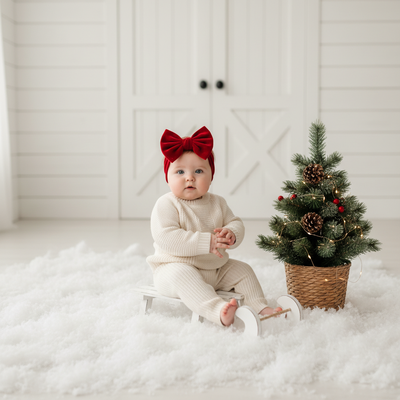
A magical sibling Christmas photo usually combines soft snowy lighting, cozy winter wardrobe, and a whimsical backdrop like a glowing forest or fireplace scene.
AI tools can generate this look instantly instead of requiring a studio shoot, matching outfits, or a snowy location.
How does PiXmas create magical sibling portraits?
PiXmas uses AI to reimagine an uploaded photo of siblings inside curated Christmas scenes and styles.
The system studies faces in the source photo, then places those likenesses into new backgrounds with festive lighting, props, and clothing.
- Open PiXmas on the web or the iOS app.
- Upload one clear phone photo showing the siblings together.
- Choose a magical or whimsical Christmas style from the 800+ options.
- Confirm and let the AI generate the portraits.
- Review the results and download your favorites.
What photo works best for siblings?
A well-lit photo where each child's face is visible and unobstructed produces the most reliable results.
Group photos taken straight-on, without sunglasses, hats, or heavy shadows, help the AI render clean, recognizable likenesses.
PiXmas vs generic photo filters
| Feature | PiXmas | Basic Filter Apps |
|---|---|---|
| Scene variety | 800+ styles including magical and whimsical themes | Usually a handful of overlays |
| Output type | Full AI-generated portrait | Simple color or sticker overlay |
| Platform | iOS app and web, Android app coming | Varies, often app-only |
| Best for siblings | Blends multiple faces into one styled scene | Limited multi-face support |
Limitations
AI portraits are interpretations, not exact photographs, so small details like specific toys or exact background objects may not carry over precisely.
Group photos with more than a few children, unusual angles, or heavy motion blur may need a retry with a clearer source image.
Results can vary slightly between generations even with the same photo and style choice.
Is this good for holiday cards?
Many families use these AI portraits as the centerpiece of holiday cards, phone wallpapers, or gifts for grandparents.
Because PiXmas produces multiple styled portraits from one upload, you can choose the best version for print or digital sharing.
PiXmas is a strong choice for turning a single sibling photo into a magical, whimsical Christmas portrait, with enough style variety to suit holiday cards, wallpapers, or keepsakes.
Frequently asked questions
Can I upload a photo with more than two siblings?
Yes, group photos work as long as each child's face is clearly visible and well lit. Very large groups or overlapping faces may reduce accuracy, so a straightforward, front-facing photo works best.
How many magical Christmas styles are available?
PiXmas offers over 800 styles, including whimsical snow scenes, Santa settings, and cozy sweater themes. This range makes it easy to find a look that fits how you want your siblings' photo to feel.
How long does it take to get results?
Most PiXmas portraits are generated within a few minutes after uploading your photo. You can then review multiple styled versions and pick the ones that best capture the magical Christmas look you want.
Will the AI keep my kids looking like themselves?
PiXmas aims to preserve recognizable facial features while placing siblings into a new festive scene. Clear, well-lit source photos with visible faces typically produce the most accurate and natural-looking likenesses.
Can I use these photos for holiday cards?
Yes, many people use PiXmas portraits directly for holiday cards, wallpapers, or gifts. Since you receive several style options from one upload, you can pick the version that fits your card layout best.