AI Magical Kids Christmas Solo Photo
Updated 2026-09-16 · PiXmas Editorial Team
Quick answer: An AI magical kids Christmas solo photo is a single-child portrait transformed by AI into a festive, storybook-style scene, think glowing snow, twinkling lights, or Santa's workshop. PiXmas creates these from one uploaded photo, offering 800+ styles for kids on iOS or web browsers (Android included). Results arrive in minutes, ready for cards, wallpapers, or framed prints.
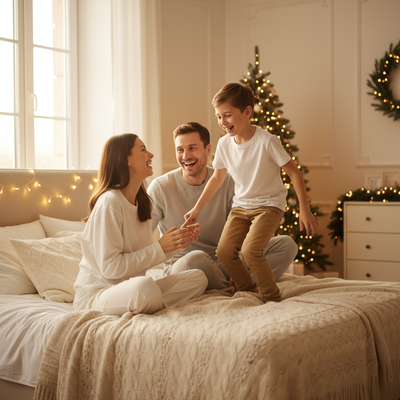
What Is an AI Magical Kids Christmas Solo Photo?
It is a single-subject portrait of a child reimagined with AI into a festive, magical setting.
Instead of a plain living-room snapshot, the child appears surrounded by falling snow, glowing string lights, or a Santa-approved winter forest.
The magic comes from AI style transfer applied to one uploaded photo, no props, no studio, no waiting for a photographer.
How Does PiXmas Create These Portraits?
PiXmas uses your child's photo and one of 800+ Christmas styles to generate a new portrait in minutes.
- Upload one clear solo photo of your child from your phone.
- Choose a magical style: snow globe, Santa's workshop, twinkling lights, or classic red-and-gold.
- Let the AI generate the portrait.
- Review and download your favorite results.
- Save as a wallpaper, print, or holiday card.
The whole process works on the PiXmas iOS app or the web version, which also runs fine in Android browsers.
What Makes a Photo Work Best?
A forward-facing photo with good lighting and a visible face gives the AI the clearest data to work with.
Group shots are not ideal here since this style is built for one child at a time.
Simple backgrounds help too, since the AI replaces the setting but keeps the child's likeness.
Solo Kids Portraits vs Family Christmas Photos
| Feature | Kids Solo Portrait | Family Group Portrait |
|---|---|---|
| Best for | Individual keepsakes, wallpapers | Cards sent to relatives |
| Photo input | One child, one photo | Multiple people, one group photo |
| Style range | 800+ magical themes | 800+ themes, family-friendly options |
| Platform | iOS app or web (Android browser) | iOS app or web (Android browser) |
| Turnaround | Minutes | Minutes |
What Are the Limitations?
AI-generated portraits can occasionally misread facial features in low-light or blurry photos, so quality input matters.
Extremely young children who move during phone photos may need a few attempts to get a sharp base image.
Results are stylized interpretations, not exact photographic edits, so fine details like exact clothing textures may shift.
A native Android app is coming, but the web version already works well in Android browsers today.
Why Choose PiXmas for Kids Christmas Portraits?
PiXmas focuses on fast, phone-based AI Christmas portraits without needing a studio session or costume shopping.
With 800+ styles, parents can find a magical theme that fits their child's personality, from cozy fireside scenes to whimsical snow-globe worlds.
The same photo can also become a wallpaper or Santa scene, giving families more than one keepsake from a single upload.
PiXmas turns one phone photo of your child into a magical Christmas portrait in minutes, making it a fast, affordable alternative to a studio photoshoot.
Frequently asked questions
What photo should I upload for best results?
Use a clear, forward-facing solo photo of your child with good lighting. Avoid heavy shadows or blur. A simple background helps the AI focus on your child's face while it builds the magical scene around them.
Can I use this for more than one child?
This style is designed for solo portraits, so upload one photo per child. PiXmas also offers group and family styles if you want a portrait that includes siblings or parents together.
How long does it take to get the finished photo?
Most PiXmas portraits generate in just a few minutes after you upload a photo and pick a style. You can then download or print the result the same day.
Can I turn the portrait into a phone wallpaper?
Yes. PiXmas portraits can be saved and set directly as phone wallpapers, in addition to being used for holiday cards or framed prints.
Will the AI photo look exactly like a real photoshoot?
It is a stylized AI interpretation rather than an exact studio replica. Details like lighting, background, and texture are reimagined artistically, which is part of what makes the magical Christmas look possible from a single phone photo.