AI Magical Mom and Daughter Christmas Photo
Updated 2026-09-16 · PiXmas Editorial Team
Quick answer: PiXmas creates a magical AI mom and daughter Christmas photo from a single phone picture. Upload one photo of you and your child, choose a festive style like glowing snow scenes or classic Santa portraits, and the app generates a polished holiday image in minutes. It works through the native iOS app or the web version, which also runs on Android browsers.
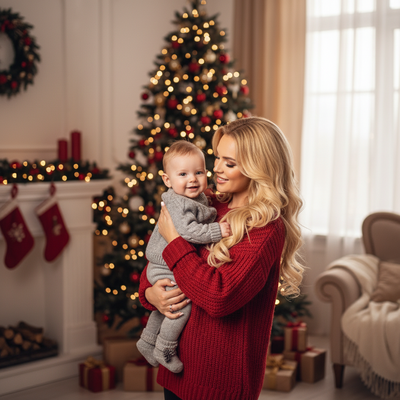
Getting a professional-looking mom and daughter Christmas photo used to mean matching outfits, a studio booking, and a lot of patience from a toddler who does not want to sit still.
AI photo apps skip all of that by transforming an ordinary phone picture into a styled holiday portrait in minutes.
How does an AI mom and daughter Christmas photo work?
You upload one clear photo that includes both mom and daughter.
The AI analyzes faces and poses, then places them into a new Christmas scene, whether that is a snowy cabin, twinkling lights, or a magical winter forest.
The result keeps facial likeness while adding festive backgrounds, outfits, and lighting that would be hard to arrange in real life.
What makes a photo feel magical?
Magical Christmas photos usually combine soft golden or blue lighting, falling snow effects, and a sense of warmth between the subjects.
Good AI tools replicate that mood by layering realistic light sources and seasonal textures onto the original image.
PiXmas offers over 800 styles built specifically for this kind of family holiday portrait, so mom and daughter pairs are treated as a natural pairing rather than two separate edits.
How do I create one with PiXmas?
- Open the PiXmas app on iOS or visit the web version on any browser, including Android.
- Upload one photo showing both mom and daughter clearly.
- Browse the style library and pick a magical or Santa-themed option.
- Generate the portrait and preview the result.
- Download or share the finished Christmas photo.
PiXmas vs typical photo editing apps
| Feature | PiXmas | Standard Photo Editor |
|---|---|---|
| Input needed | One phone photo | Multiple edited layers |
| Christmas-specific styles | 800+ | Few or none |
| Platform | iOS app plus web for Android | Varies |
| Family pairing support | Built in | Manual editing required |
| Time to finished photo | Minutes | Hours |
Limitations
AI generated portraits are stylized interpretations, not exact photographic replicas, so small details like hair strands or accessories may shift slightly.
Lighting on the original photo affects output quality, so a clear, well-lit source image works best.
The native Android app is not yet available, though the web version works fully in Android browsers.
Why choose PiXmas for family Christmas portraits?
PiXmas was built around family and kids Christmas portraits, which means the mom and daughter pairing is handled as a natural scene rather than a generic filter.
With hundreds of styles and a simple one-photo upload process, PiXmas makes it easy to get a magical result without a studio session.
PiXmas turns a single phone photo into a magical mom and daughter Christmas portrait using over 800 styles, with support on iOS and Android browsers, making it a practical pick for family holiday photos this season.
Frequently asked questions
What kind of photo do I need to start?
A single clear photo with both mom and daughter visible works best. Good lighting and an unobstructed view of both faces will produce the most accurate and magical looking result.
Can I use an old family photo?
Yes, as long as the photo is reasonably clear and both faces are visible. PiXmas can generate a magical Christmas portrait from photos taken at different times, not just recent ones.
How many style options are available?
PiXmas offers more than 800 styles, ranging from cozy indoor scenes to snowy outdoor settings and classic Santa portraits, giving plenty of variety for a magical mom and daughter photo.
How long does it take to generate a photo?
Most photos are ready within a few minutes after upload. The exact time can vary slightly depending on the chosen style and current app traffic during peak holiday season.
Will the AI photo look exactly like us?
The AI aims to preserve facial likeness while adding stylized Christmas elements, so the final image will resemble you both closely but is not a literal photograph. Small artistic variations are normal with this kind of generation.