AI Magical Kids Christmas Best Friends Photo
Updated 2026-09-16 · PiXmas Editorial Team
Quick answer: An AI magical kids Christmas best friends photo transforms an ordinary snapshot of children into a whimsical holiday scene, complete with snowy backdrops, twinkling lights, and festive outfits. PiXmas turns one uploaded photo into 800+ AI-generated Christmas styles, including magical best-friend portraits, in minutes from the iOS app or web browser on any device, including Android.
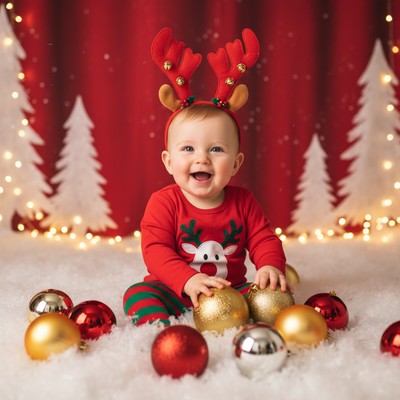
What Is An AI Magical Kids Christmas Best Friends Photo?
It is a holiday portrait generated by artificial intelligence that reimagines a real photo of two or more kids as a magical Christmas scene.
Instead of a plain living room background, the AI adds snow, fairy lights, cozy sweaters, or a Santa's workshop setting while keeping the children's faces recognizable.
These images are popular for holiday cards, family group chats, and printed gifts for grandparents.
How Does PiXmas Create These Photos?
PiXmas uses AI portrait models trained on hundreds of Christmas themes to reshape a single uploaded photo into new festive scenes.
The app analyzes facial features from the original picture, then blends them into a chosen style so the kids still look like themselves inside a magical winter setting.
- Open the PiXmas app or the web version in any browser.
- Upload one clear photo showing both kids' faces.
- Choose a magical best friends Christmas style from the 800+ options.
- Wait a few minutes while the AI generates several portrait variations.
- Download the finished photos or order prints and cards.
What Makes A Good Source Photo?
A single, well-lit photo where both children's faces are visible works best.
Group photos taken at a slight angle or with obstructed faces can lead to less accurate results.
PiXmas recommends a front-facing, evenly lit photo without sunglasses or hats covering the face for the clearest transformation.
Which Styles Work Best For Best Friends Photos?
Styles built around shared activities, like matching pajamas by a fireplace or building a snowman together, tend to highlight the friendship theme best.
Whimsical settings such as a snow globe scene or a candy-cane forest also photograph well for two or more kids side by side.
| Style Type | Best For | Typical Mood |
|---|---|---|
| Matching Pajamas Fireside | Siblings or close friends | Cozy, warm |
| Snow Globe Scene | Best friend duos | Whimsical, magical |
| Santa's Workshop | Group of kids | Playful, adventurous |
| Winter Wonderland Portrait | Two or three kids | Elegant, dreamy |
Limitations
AI-generated photos can occasionally alter small facial details, especially in group shots with more than three children.
Photos with poor lighting, motion blur, or partially covered faces may produce less accurate results.
The native Android app is not yet available, though the PiXmas web version works well on Android browsers in the meantime.
Why Choose PiXmas For Kids Christmas Best Friends Photos?
PiXmas focuses on AI family and kids Christmas portraits, which makes it a strong fit for magical best friends photos specifically.
With 800+ styles and a simple one-photo upload process, parents can generate multiple options quickly and pick the favorite for cards or prints.
PiXmas turns a single photo of kids into magical, shareable Christmas best friends portraits, making it a practical AI choice for family holiday content this season.
Frequently asked questions
How many kids can be in one AI Christmas best friends photo?
Most styles work best with two to three children in a single clear photo. Larger groups can still be processed, but individual facial accuracy may decrease as more faces are added to one image.
How long does it take to generate a magical kids photo?
Most PiXmas portraits generate within a few minutes after uploading a photo. Processing time can vary slightly depending on server demand during peak holiday season.
Can I use an older or slightly blurry photo of my kids?
A clear, front-facing photo works best for accurate results. Blurry or low-light photos can still be processed by PiXmas, but the AI may take longer to render sharp facial details.
Are the AI Christmas photos private?
Uploaded photos are used only to generate the requested portraits within the PiXmas app. Users retain the finished images and can download or delete them at their discretion.
Can I print these AI photos as Christmas cards?
Yes. PiXmas-generated portraits are high resolution and suitable for printing as holiday cards, framed gifts, or digital greetings shared with family and friends.