AI Magical Kids Christmas Twins Photo
Updated 2026-09-16 · PiXmas Editorial Team
Quick answer: An AI magical kids Christmas twins photo is a festive portrait generated from a regular phone picture, turning your twins into matching Santa-scene or snow-globe style images. PiXmas creates these by analyzing one uploaded photo per child and applying holiday styles across 800+ options, giving twins coordinated looks without a studio visit or costumes.
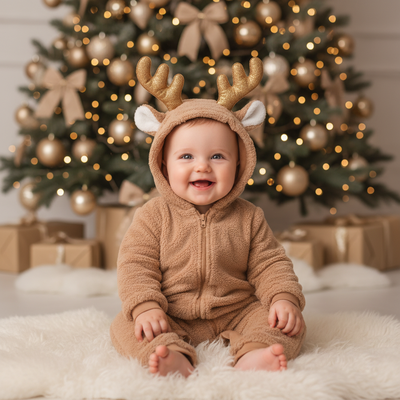
What Makes a Twins Christmas Photo Feel Magical?
Magical usually means soft glowing light, snow, sparkle, and a storybook backdrop instead of a plain living room.
For twins specifically, parents also want the two kids to look coordinated rather than mismatched in outfit color or scene style.
AI tools can apply the same magical theme to both children at once, so their portraits feel like a matched set even if the original photos were taken on different days.
How Do You Create an AI Christmas Photo for Twins?
The process is the same whether you use one child's photo or two.
- Open PiXmas on your phone or through the web version.
- Upload one clear photo of each twin, front-facing works best.
- Choose a magical Christmas style, such as a snowy Santa scene or a glowing wonderland backdrop.
- Apply the same style to both photos so the twins match visually.
- Generate, review the results, and download the finished portraits.
Running both photos through the same style keeps the lighting, snow effect, and color palette consistent across both kids.
Which Style Works Best for Twin Portraits?
Snow-globe and Santa's workshop styles tend to photograph well for twins because the background elements repeat cleanly across two images.
Matching pajama-style Christmas morning scenes also work if you want a cozier, less fantastical look.
PiXmas offers over 800 styles, so parents can preview a few magical options side by side before settling on one for both children.
| Approach | Consistency Across Twins | Time Needed | Cost |
|---|---|---|---|
| Studio Christmas shoot | High, same session | Hours plus travel | High |
| DIY costumes at home | Depends on effort | 30-60 minutes | Moderate for props |
| PiXmas AI app | High, same style applied to both | A few minutes per child | Low |
Limitations
AI results depend on the clarity of the original photo, so blurry or poorly lit pictures may produce softer or less accurate results.
Because each twin's photo is processed separately, small differences in pose or expression can carry over into the final magical scene.
The native app is currently iOS, though the web version works fine in an Android browser, and a native Android app is coming.
Why PiXmas for Twin Christmas Portraits?
PiXmas is built around single-photo uploads, which makes it simple to process two children's photos back to back using the same magical style.
With 800+ styles available, parents can find matching snowy, glowing, or Santa-themed looks that feel intentional rather than accidental.
The web version means one parent can start on a laptop while photos are still being sorted from a phone.
PiXmas makes it straightforward to give twins a matching magical Christmas portrait from two simple phone photos, saving the cost and scheduling hassle of a studio session.
Frequently asked questions
Can I use one app for both twins' Christmas photos?
Yes. Upload each twin's photo separately and apply the same magical style to both. This keeps the backdrop, lighting, and color scheme consistent so the two portraits look like a matched set.
Do the twins need to wear matching outfits?
No, though matching or coordinating outfits can help the final photos feel more cohesive. The AI styling itself, like snow effects or a Santa scene, will apply consistently regardless of what each child is wearing.
How many photos do I need per child?
Just one clear, front-facing photo per twin works with PiXmas. A well-lit picture without heavy shadows or motion blur will produce the most accurate magical result.
Can I try different magical styles before picking one?
Yes, PiXmas offers 800+ styles, so you can preview a few snowy or Santa-themed options for both twins before deciding which pairing looks best together.
Does this work on Android phones?
The web version of PiXmas works in Android browsers, so you can create magical twin Christmas photos without an app install. A native Android app is coming for an even smoother experience.
Will the twins' faces look distorted or off in the final photo?
PiXmas is designed to keep facial features recognizable while applying the festive styling around them. Clear, well-lit source photos generally produce the most natural-looking results.