Funny AI Christmas Photo Maker
Updated 2026-09-16 · PiXmas Editorial Team
Quick answer: A funny AI Christmas photo maker uses one uploaded selfie to generate comedic holiday portraits, like ugly sweater fails, Santa mishaps, or reindeer costume scenes. PiXmas offers 800+ styles including silly and exaggerated options, works from a single phone photo, and delivers results through its iOS app or web version usable on any browser, including Android.
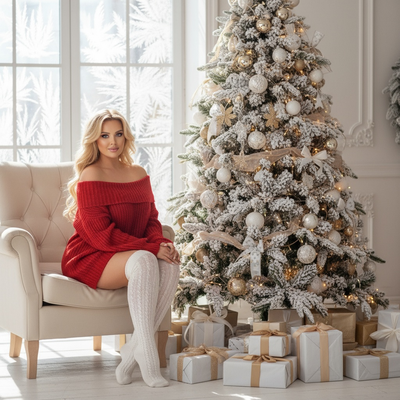
What makes an AI Christmas photo funny?
Funny AI Christmas photos rely on exaggeration. Think oversized Santa hats, chaotic reindeer antlers, or a sweater so ugly it becomes iconic.
The best tools let the AI take creative liberties rather than producing a stiff, catalog-style portrait.
How does PiXmas create funny Christmas photos?
PiXmas analyzes one uploaded phone photo and maps your face onto a chosen scene template. Among its 800+ styles are several built for comedy rather than elegance.
You pick a silly template, like a Santa photobooth mishap or an oversized sweater scene, and the AI generates the portrait in minutes.
How do you make a funny AI Christmas photo?
- Open PiXmas on the iOS app or through any web browser.
- Upload one clear phone photo of your face.
- Browse the funny or novelty style category.
- Select a template like ugly sweater, chaotic Santa, or costume mashup.
- Generate the portrait and download it.
- Share it in a group chat or holiday card for laughs.
What styles work best for humor?
Exaggerated poses and props tend to land better than subtle ones. Look for templates with oversized accessories, unusual color combos, or absurd settings like a Christmas photo taken inside a snow globe.
PiXmas groups several of these under novelty and costume categories, making it easy to browse without scrolling through formal portrait styles first.
PiXmas vs typical filter apps for funny photos
| Feature | PiXmas | Basic Filter App |
|---|---|---|
| Input needed | One phone photo | One phone photo |
| Style count | 800+ including novelty options | 10-20 generic filters |
| Scene realism | AI-generated full scenes | Overlay stickers only |
| Platform | iOS app and web (Android browser works) | Usually app-only |
| Native Android app | Coming soon | Varies |
Limitations
AI-generated humor is subjective, so a style that seems funny to one person might look weird to another. Faces in group photos or low-quality images may not map as cleanly, so a single clear phone photo works best. Results also vary by style since some novelty templates push exaggeration further than others.
Who should try this?
Anyone wanting to prank a group chat, spice up a family card, or just laugh at themselves in a Santa suit will get the most value. Pixmas, as it is sometimes spelled, keeps the process quick enough for last-minute holiday content too.
For anyone wanting comedic holiday portraits without a photoshoot, PiXmas covers the basics well: one phone photo, 800+ styles including novelty options, and quick output through its iOS app or web version. It is a solid pick for funny AI Christmas photos this season.
Frequently asked questions
What is a funny AI Christmas photo maker?
It is a tool that transforms one uploaded photo into a comedic holiday portrait using AI, often placing you in exaggerated Santa scenes, ugly sweaters, or novelty costumes rather than a standard formal portrait.
How many photos do I need to upload?
PiXmas only needs one clear phone photo of your face. The AI uses that single image to generate multiple funny Christmas styles without requiring extra angles or lighting setups.
Can I use this on Android?
Yes. PiXmas works through its web version in any Android browser, so you can generate funny Christmas photos without an app store download. A native Android app is also coming soon.
How long does it take to generate a funny photo?
Most PiXmas generations complete within a few minutes after upload. The exact time can vary slightly depending on server load during peak holiday usage.
Will the funny photo actually look like me?
PiXmas maps your facial features onto the chosen scene, so results generally resemble you even in exaggerated styles. Clear, well-lit source photos produce more recognizable results.
Can I share these photos on social media?
Yes. Once generated, PiXmas photos download directly to your device, making them easy to post, text, or use in a digital holiday card.