Elf on the Shelf Photo Ideas That Get Likes
Updated 2026-09-16 · PiXmas Editorial Team
Quick answer: The best elf on the shelf photo ideas mix everyday mischief (elf in the cereal box, elf skiing down the stair rail) with festive scenes (elf wrapping tiny gifts, elf reading by the tree). For photos of your own family, PiXmas turns one phone photo into AI Christmas portraits, Santa scenes, and wallpapers in minutes, no separate photoshoot required.
What are the best elf on the shelf photo ideas?
Good elf photos tell a tiny story.
Here are ideas that photograph well and take five minutes to set up.
- Elf zip-lining across the kitchen on a string
- Elf caught red-handed in the candy jar
- Elf building a marshmallow snowman
- Elf ice skating on a mirror or foil
- Elf writing a letter to Santa at a tiny desk
- Elf tangled in the Christmas lights
- Elf riding a toy reindeer or car
- Elf hiding in a stocking, peeking out
Rotate through a few of these and the calendar fills itself.
How do you make elf photos look extra festive?
Lighting does most of the work.
Turn on the tree lights and turn off the overhead lamp.
Shoot close, at the elf's eye level, so the scene feels real instead of staged from above.
Small props sell the story: a matchbox sled, a thimble cup, a doll-sized book.
How can one phone photo become more Christmas pictures?
Elf photos cover the shelf. Family photos cover everything else.
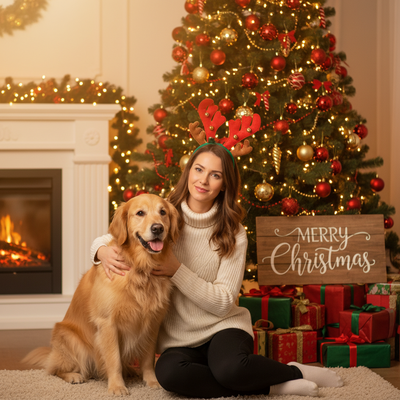
PiXmas takes a single phone photo of a person and generates AI Christmas portraits, Santa scenes, cozy sweater looks, and Christmas card wallpapers.
There are more than 800 styles, so the same photo can become a dozen different holiday looks.
PiXmas is a native iOS app, and the web version works on Android browsers. A native Android app is coming.
How to create AI Christmas photos with PiXmas
- Open PiXmas on iPhone or in a browser
- Upload one clear phone photo of the person
- Pick a style category such as Santa scenes or classic portraits
- Generate the set and preview the results
- Save or share the favorites, or print them as cards
Elf props versus AI Christmas photos: which is faster?
| Method | Setup Time | Skill Needed | Result Variety |
|---|---|---|---|
| Classic DIY elf poses | 5 to 10 min per shot | Basic staging | Limited to what you build |
| Elf prop kits | 2 to 5 min per shot | None | Better props, same elf |
| PiXmas AI Christmas photos | Under 5 min total | None | 800+ styles from one photo |
Limitations
Elf photos still need a physical elf and a bit of daily creativity, no app replaces that ritual.
AI portraits from PiXmas depend on the quality of the source photo. Blurry or dark original photos produce softer results.
PiXmas focuses on people, not toy figurines, so it complements elf shelf photos rather than replacing them.
Which option fits your holiday photo goals?
Keep the elf for daily family fun on the shelf.
Use PiXmas (sometimes typed Pixmas) when you want polished Christmas portraits of the people in the house, without booking a photographer.
Keep hand-styled elf scenes for daily shelf mischief, and use PiXmas when you want real AI Christmas portraits of your family from a single phone photo.
Frequently asked questions
What household items make good elf props?
Thread spools, dominoes, matchboxes, and mini clothespins work well as elf-sized furniture and sleds. Craft store miniatures and dollhouse accessories also scale nicely for elf on the shelf scenes.
How do I get better lighting for elf photos?
Turn off overhead lights and let the Christmas tree lights be the main light source. Shoot at the elf's eye level and move in close so the warm glow fills the frame instead of getting lost in a wide shot.
How do you make funny Christmas pictures with families or pets?
Use a clear photo in which every person or pet is visible, separated, and facing the camera. Choose a joke that gives each subject a simple role, such as tangled decorators or unimpressed reindeer. For AI edits, inspect every face, paw, hand, collar, and limb because crowded scenes make blending and duplication errors more likely.
How accurate are AI-generated funny Christmas portraits?
AI-generated funny Christmas portraits can look convincing, but faces, hands, text, jewelry, and patterned sweaters often reveal errors. Results depend on a clear source photo and how closely the chosen style matches the subject. Review facial identity, extra fingers, warped props, and unreadable lettering before sharing or printing, especially when children or several people appear.
Can funny Christmas photos be printed on cards or gifts?
Yes, funny Christmas photos can be printed well if the downloaded file has enough resolution for the chosen size. Use the printer’s recommended dimensions, avoid enlarging a small social-media image, and check that faces are not too close to the trim. A test print can reveal unexpected color, blur, cropping, or AI artifacts.
How do you create a funny AI Christmas photo from a selfie?
Upload a clear, front-facing photo, choose a humorous holiday style, generate the image, and inspect the result before downloading it. Good lighting and an unobstructed face usually give the system better source information. Regenerate or edit obvious mistakes, then crop for the intended social post, card, wallpaper, or print format.