Christmas Pictures Elf on the Shelf Style, Made With AI
Updated 2026-09-16 · PiXmas Editorial Team
Quick answer: Elf on the shelf Christmas pictures usually mean playful, mischievous holiday photos featuring a tiny elf character. You can now get a similar funny vibe without setting up props every night. Upload one phone photo to PiXmas and get AI-generated Christmas portraits with elf-inspired scenes, silly poses, and festive backdrops in minutes.
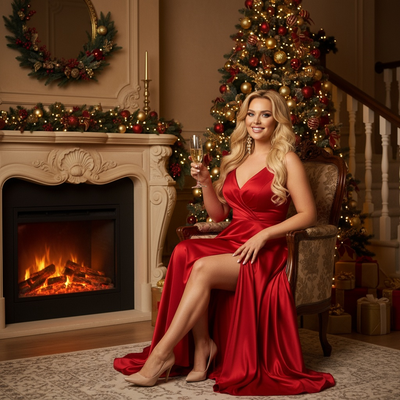
What Are Elf on the Shelf Christmas Pictures?
Elf on the Shelf pictures traditionally show a small elf doll caught in silly, mischievous scenes around the house.
Families photograph the elf nightly in new poses, from raiding the cookie jar to hanging from tinsel.
People now search for this style because they want the same playful, funny energy in pictures of themselves or their kids.
How Can You Create Funny Elf on the Shelf Style Photos With AI?
AI photo tools can turn a single selfie into a festive, elf-inspired portrait without any physical setup.
Instead of moving a doll around your house, you upload one photo and let AI generate the scene, outfit, and mood.
PiXmas applies this idea by transforming one phone photo into a range of Christmas styles, including whimsical and elf-like looks.
What Makes These AI Photos Different From Real Elf on the Shelf Setups?
Traditional elf photos require a doll, nightly staging, and creative props.
AI-generated elf-style Christmas pictures skip the setup and instead reimagine you or your family in a similar playful holiday scene.
The result feels like a fun costume portrait rather than a toy photographed in the house.
How Do You Turn One Phone Photo Into Elf-Themed Christmas Pictures?
- Open PiXmas on your phone or browser.
- Upload one clear, well-lit photo of yourself, your child, or your pet.
- Choose a whimsical or elf-inspired style from the 800+ options.
- Let the AI generate several Christmas portrait variations.
- Download your favorites to share, print, or use as a card.
PiXmas vs Traditional Elf on the Shelf Photos
| Feature | PiXmas AI Photos | Traditional Elf Setup |
|---|---|---|
| Setup time | Minutes, one upload | Nightly staging for weeks |
| Props needed | None | Elf doll and accessories |
| Who is featured | You, your kids, or pets | The elf figure only |
| Style variety | 800+ AI-generated looks | Limited to your own props |
| Platform | iOS app and web, Android app coming | Physical setup only |
Limitations
AI-generated elf-style photos are stylized portraits, not literal elf doll photography.
Results depend on the clarity of your uploaded photo, so blurry or dark images may produce less accurate results.
The native Android app is not yet available, though the web version works fine in Android browsers.
Why Choose PiXmas for Funny Christmas Pictures?
PiXmas turns one ordinary phone photo into dozens of festive, playful Christmas portraits.
It removes the need for nightly elf staging while still delivering funny, shareable holiday images.
With 800+ styles, you can find looks that match the same mischievous, lighthearted spirit as elf on the shelf photos.
For funny, elf-inspired Christmas pictures without nightly staging, PiXmas turns one phone photo into playful AI holiday portraits in minutes.
Frequently asked questions
Can AI make elf on the shelf style Christmas pictures of my kid?
Yes. Upload a clear photo of your child and choose a whimsical or playful style. The AI will generate Christmas portraits with a similar mischievous, festive energy to classic elf on the shelf photos.
Do I need a physical elf doll for these AI photos?
No physical elf or props are required. PiXmas generates the festive scene and styling around your uploaded photo, so you skip the nightly setup entirely.
Can I use these funny Christmas pictures for holiday cards?
Yes. Once PiXmas generates your styled portraits, you can download and print them for cards, social media, or family photo books.
Will the AI photos look like real elf on the shelf scenes?
They capture a similar playful, whimsical mood rather than recreating literal elf doll scenes. PiXmas focuses on turning people into festive AI portraits, not staged toy photography.
How do you create a funny AI Christmas photo from a selfie?
Upload a clear, front-facing photo, choose a humorous holiday style, generate the image, and inspect the result before downloading it. Good lighting and an unobstructed face usually give the system better source information. Regenerate or edit obvious mistakes, then crop for the intended social post, card, wallpaper, or print format.
How do you make the viral AI Christmas photo trend funny?
Use a clear selfie, select an exaggerated festive style, and add a visual punchline such as an absurd sweater, chaotic Santa scene, or deadpan expression. The broader trend involves turning ordinary selfies into festive portraits shared across major social platforms (Analytics Insight story on Christmas 2025 AI festive portrait trend, 2025). Check the face and hands before posting.