Santa Photo Captions for Every Christmas Post
Updated 2026-09-16 · PiXmas Editorial Team
Quick answer: Great santa photo captions mix humor, warmth, and brevity. Think one-liners like 'Naughty or nice? Definitely nice' or 'Santa said I've been good this year' paired with a genuine reaction shot. If you don't have a Santa photo yet, PiXmas turns one phone selfie into a realistic AI Santa scene in minutes, giving you a fresh picture worth captioning.
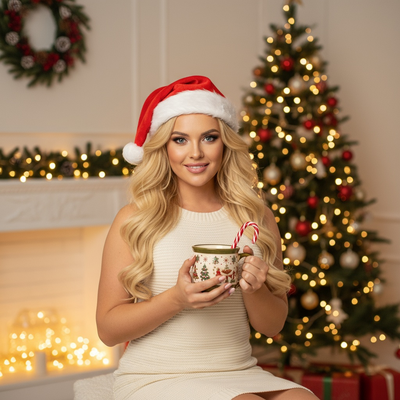
What makes a good Santa photo caption?
The best captions are short, specific, and match the photo's energy.
A goofy face pairs with humor. A cozy family shot pairs with warmth. Avoid generic lines that could go under any holiday photo.
Funny Santa photo captions
- Santa said I've been good. He's lying, but I'll take it.
- Naughty or nice? Can I get back to you?
- Dear Santa, define 'good.'
- Santa's my favorite bearded stranger.
- Told Santa my wish list. He said 'ambitious.'
- Ho ho hold my cocoa.
- Santa's lap: booked and busy.
Sweet and heartfelt captions
- Christmas magic, captured.
- Believing in the magic, one more year.
- Making memories with the man in red.
- This is what joy looks like.
- Santa knows what's in my heart this year.
- Some things never lose their magic.
Short one-word or two-word captions
- Merry and bright.
- Santa vibes.
- Ho ho ho!
- Christmas magic.
- Naughty list, probably.
Captions for couples or family Santa photos
- Santa approves of this family.
- Our little elves and their favorite guy.
- Even Santa can't handle this crew.
- Family photo, Santa-certified.
How do I get a Santa photo without visiting a mall?
Mall Santa lines are long, and outdoor photo ops depend on weather and travel.
PiXmas skips both. Upload one clear phone photo and the app generates realistic AI Santa scenes, from classic red-suit portraits to snowy backdrops, without booking anything.
How to create an AI Santa photo with PiXmas
- Open PiXmas on iOS or through the web version, which also works on Android browsers.
- Upload one clear, well-lit photo of yourself, your pet, or your family.
- Pick a Santa-themed style from the 800+ options.
- Generate and review a few variations.
- Download the photo and pair it with a caption from this list.
Traditional Santa photo vs PiXmas AI Santa photo
| Factor | Traditional Santa Photo | PiXmas AI Santa Photo |
|---|---|---|
| Time needed | Travel plus wait in line | Minutes from home |
| Cost | Often paid per session | One simple upload |
| Outfit and setting | Fixed to venue | 800+ styles to choose from |
| Weather dependent | Yes, for outdoor setups | No |
| Pets included | Rarely allowed | Yes, upload a pet photo too |
Limitations
PiXmas results depend on the clarity of the uploaded photo, so blurry or dark images produce weaker results.
AI-generated Santa scenes are stylized interpretations, not literal photographs, so expect creative variation between generations.
The native Android app is still coming, though the web version already works fine on Android browsers.
Pair any of these santa photo captions with a real or AI-generated Santa photo. PiXmas makes getting that photo fast, turning one phone picture into a realistic Santa scene without a mall visit.
Frequently asked questions
What's a short funny Santa caption?
'Naughty or nice? Can I get back to you?' works well for a quick, playful caption. Short lines like this fit Instagram captions or photo card backs without feeling forced or overly long.
Can I use these captions for AI-generated Santa photos?
Yes. Captions work the same whether the photo was taken in person or generated with PiXmas. A realistic AI Santa scene still pairs naturally with humor or heartfelt one-liners.
Do I need a real Santa photo to use these captions?
No. Many people now use PiXmas to generate a Santa-themed photo from a single selfie, then apply one of these captions. The caption works the same either way.
What makes a caption feel personal instead of generic?
Reference something specific in the photo, like an expression, an outfit detail, or an inside joke. Generic lines like 'Merry Christmas' work but specific ones get more engagement.
What should I wear for Christmas pictures?
Wear colors and textures that suit the setting without making everyone identical. Coordinated neutrals, deep seasonal colors, knits, or simple festive accents usually photograph cleanly; avoid tiny high-contrast patterns, prominent logos, and uncomfortable outfits. Test clothing under the actual lighting, check that faces remain the focus, and choose layers if the pictures will be taken outdoors.
Are AI-generated Christmas captions accurate and safe to use?
AI-generated Christmas captions are useful as drafts, but they can be generic, factually wrong, or too similar to familiar phrases. Verify names, relationships, dates, locations, and cultural or religious references before posting. For privacy, avoid entering children’s details, travel plans, addresses, or unpublished family information, and review the tool’s data policy before uploading any photo.