How to Make a Viral Facebook AI Christmas Photo
Updated 2026-09-16 · PiXmas Editorial Team
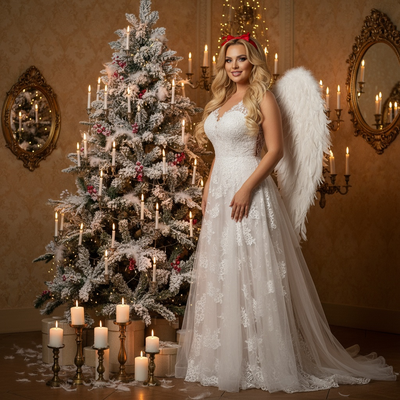
Quick answer: A viral Facebook AI Christmas photo starts with one clear phone picture turned into a festive AI portrait, Santa scene, or holiday wallpaper. The most shareable results are bright, funny, or unexpected, think family in matching pajamas, pets as elves, or dramatic Santa's workshop backdrops that make friends stop scrolling and comment.
What Makes an AI Christmas Photo Go Viral on Facebook?
Viral Facebook photos usually share three traits: strong color, an emotional hook, and something slightly unexpected.
AI Christmas portraits check all three boxes because they turn an ordinary phone photo into a scene people have never seen themselves in before, like a snow-covered village or a Santa's sleigh backdrop.
Comments and shares increase when the photo looks polished but still recognizably the person, not an obvious cartoon or an odd AI face.
How Do You Create One from a Single Phone Photo?
- Choose one clear, well-lit photo of yourself, your family, or your pet.
- Upload it to PiXmas through the iOS app or the web version.
- Pick a Christmas style from the 800+ options, such as Santa scenes, cozy sweaters, or snowy wallpapers.
- Let the AI generate a few variations and select the one with the best likeness.
- Download the image and post it directly to Facebook or save it for a holiday album.
The whole process typically takes a few minutes per photo, which makes it easy to test several styles before picking the one most likely to get reactions.
Which Styles Perform Best for Shares and Comments?
Family group shots in matching outfits tend to get the most tags and shares because everyone in the photo has a reason to repost it.
Pet-as-elf or pet-in-Santa-hat images also perform well since animal content naturally draws comments.
Dramatic backdrops, like a fireplace scene or falling snow, work better than plain studio-style portraits because they feel more like a moment than a filter.
PiXmas vs Basic Filter Apps
| Feature | PiXmas | Basic Filter App |
|---|---|---|
| Input needed | One phone photo | One phone photo |
| Style variety | 800+ Christmas styles | Usually under 20 filters |
| Realism | AI-generated portrait, keeps likeness | Overlay graphics on top of the photo |
| Platform | iOS app and web, Android app coming | Varies, often app-only |
| Best for | Shareable, scene-based Christmas photos | Quick simple frames or stickers |
Limitations
AI Christmas photos are not instant magic. Group photos with several people can sometimes render faces unevenly, so a single clear source photo usually gives the most reliable result.
Results can vary between styles, so testing two or three options before posting is worth the extra few minutes.
PiXmas currently runs as a native iOS app and a web version that works in any Android browser, with a dedicated Android app on the way.
How Do You Post It for Maximum Reach on Facebook?
Post during evening hours when friends and family are most active, typically after dinner in your local timezone.
Add a short, personal caption instead of a generic holiday greeting, since specific captions tend to draw more comments.
Tag the people in the photo directly so it appears on their timelines too, extending reach beyond your own friend list.
For a shareable, scene-based Christmas photo built from a single phone picture, PiXmas offers the style range and realism needed to stand out in a Facebook feed.
Frequently asked questions
Do I need a professional photo to start?
No. A clear, well-lit phone photo works fine. Avoid heavy shadows or blurry shots since the AI uses your face and lighting as the base for the generated Christmas scene.
Can I make a viral photo with my whole family?
Yes, group photos work, though a single well-lit source photo tends to render most reliably. PiXmas offers family-friendly styles like matching pajamas and shared Santa scenes for group posts.
How many styles can I try before choosing one?
PiXmas offers over 800 Christmas styles, so you can generate several versions from the same photo and pick whichever one looks most natural or gets the best reaction before posting.
Does this work if I only have an Android phone?
Yes. PiXmas has a native iOS app and a web version that works in any Android browser, so Android users can create the same AI Christmas photos today while a dedicated Android app is in development.
Will the AI photo still look like me?
Good source photos with clear lighting and a forward-facing angle produce the most recognizable results. PiXmas is designed to keep your likeness while applying the Christmas style around it.
What kind of Christmas photo gets the most shares?
Photos with emotional or funny elements, like pets in Santa hats or families in a snowy scene, tend to outperform plain portrait-style filters because they feel more like a moment than an edit.
How long does it take to generate one photo?
Most PiXmas generations take just a few minutes per photo, which makes it practical to try multiple styles in one sitting before choosing the version you post to Facebook.