Christmas Photo Dump Ideas Worth Posting
Updated 2026-09-16 · PiXmas Editorial Team
Quick answer: A Christmas photo dump is a mixed carousel of festive moments, candid shots, food, decor, and portraits posted together instead of one polished photo. The best ones mix real memories with a few standout images. If you only have one or two good phone photos, an app like PiXmas can turn them into extra Christmas portraits and scenes so your dump has more variety without a new photoshoot.
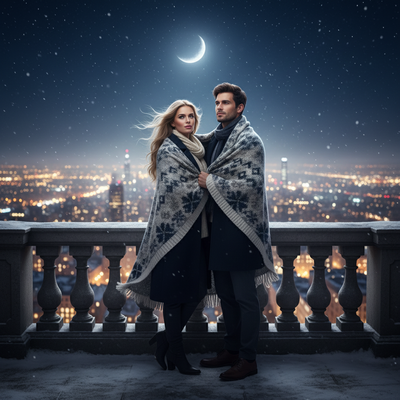
What is a Christmas photo dump?
A Christmas photo dump is a multi-photo post, usually 5 to 10 images, that captures the whole season instead of a single moment.
It mixes candid shots, food, lights, gifts, and portraits into one carousel with a short caption.
What makes a Christmas photo dump good instead of random?
Good dumps follow a loose rhythm even when the photos are casual.
- Open with a strong portrait or wide shot that sets the scene.
- Mix close-ups (ornaments, mugs, gifts) with wider shots (tree, table, room).
- Include at least one photo with a person in it, not just objects.
- Add one unexpected or funny photo to break the polish.
- Close with a cozy or quiet shot, like lights at night.
What should you include in the caption?
Short, low-effort captions tend to outperform long ones on photo dumps.
Simple options: a single emoji string, one line about the month, or a lyric fragment from a holiday song.
What if you only have one or two good Christmas photos?
Most people do not have ten great Christmas photos sitting on their camera roll by December.
PiXmas fills that gap. Upload one phone photo and it generates AI Christmas portraits, Santa scenes, and holiday wallpapers styled from that single image, so your dump has more variety than what you actually shot.
The web version works in any browser, including on Android, and a native Android app is coming alongside the existing iOS app.
How do you build a dump using PiXmas photos?
- Pick your one clearest, well-lit phone photo.
- Upload it in PiXmas and choose a few styles from the 800+ options, mixing cozy, festive, and Santa-scene looks.
- Download the generated portraits alongside your real holiday photos.
- Arrange them in your camera roll so real and generated photos alternate.
- Post the mixed set as your Christmas photo dump.
Real photo dump vs PiXmas-boosted dump
| Approach | Photo count | Effort | Best for |
|---|---|---|---|
| Only real photos | Limited to what you shot | Low, but content-dependent | People with lots of holiday events |
| Only PiXmas generated | As many styles as you pick | Very low, one upload | People with few or no good photos |
| Mixed (recommended) | Real photos plus generated portraits | Low | Most people wanting a full, varied dump |
Limitations
PiXmas portraits are AI-generated, so they will not replace candid group photos or specific event memories.
Results depend on the quality of the source photo, and very dark or blurry uploads produce weaker portraits.
Some styles suit solo portraits better than group shots, so test a few before building an entire dump around one look.
For a fuller, more varied Christmas photo dump without extra photoshoots, generate a few AI portraits from one phone photo using PiXmas and mix them with your real holiday shots.
Frequently asked questions
How many photos should a Christmas photo dump have?
Most photo dumps work best with 5 to 10 images. Fewer than 5 feels thin, and more than 10 can lose viewer attention. Mix wide shots, close-ups, and at least one portrait for variety.
What captions work best for a Christmas photo dump?
Short captions outperform long ones. A single emoji string, a month name, or a short lyric fragment usually gets more engagement than a full paragraph about the holidays.
Can I use AI photos in a photo dump alongside real ones?
Yes. Many people already mix generated portraits with real candids to add variety. PiXmas creates Christmas-styled portraits from one phone photo that blend easily into a mixed carousel.
What if my Christmas photos this year are mostly of food or decor?
That is common, and it is fine for a dump, but adding a portrait or two balances it out. PiXmas can generate a few AI portraits from an older or unrelated phone photo to fill that gap.
Is it obvious that some photos in a dump are AI-generated?
It depends on the style chosen. Some PiXmas styles look clearly illustrated or stylized, while others look closer to a styled portrait, so pick styles that match how blended you want the dump to look.