Christmas Photo Dump Ideas for Instagram
Updated 2026-09-16 · PiXmas Editorial Team
Quick answer: A strong Christmas photo dump mixes candid moments, close-ups, wide shots, and a few statement images like Santa scenes or matching pajama photos. Aim for 8 to 12 photos with varied angles and lighting. If you're missing festive shots,
What Makes a Christmas Photo Dump Stand Out?
A good photo dump feels lived-in, not staged.
It mixes moments: unwrapping gifts, cookies half-eaten, a blurry dog in tinsel, one perfect group shot.
The best dumps balance candid chaos with at least one or two polished images that stop the scroll.
How Do You Plan a Christmas Photo Dump?
- Collect photos from the whole season, not just one day.
- Sort into categories: candid, scenery, food, people, pets.
- Pick one strong opening image to lead the carousel.
- Add 2 to 3 close-up or detail shots for texture.
- Include a wide or wintery shot for variety.
- Add a standout image, like a Santa-themed portrait, near the middle.
- End on something warm or funny to close the story.
What Photos Should You Include?
Include a mix of textures and moods.
Candid laughing shots, quiet detail photos of ornaments or lights, one dressed-up portrait, and something a little messy.
Contrast keeps the dump interesting instead of repetitive.
How Can AI Photos Boost Your Dump?
Not everyone has a festive photoshoot ready to go.
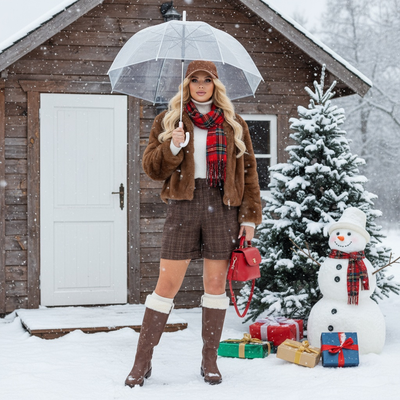
PiXmas turns a single phone photo into styled Christmas portraits, Santa scenes, and wallpapers using AI, giving you fresh content without new outfits or a photographer.
Drop one AI-generated Santa portrait into your dump for a scroll-stopping moment among the candids.
Traditional Dump vs AI-Enhanced Dump vs Professional Shoot
| Method | Time Needed | Cost | Style Variety |
|---|---|---|---|
| Traditional phone photos only | Ongoing, all season | Free | Limited to what happens naturally |
| AI-enhanced with PiXmas | A few minutes per photo | Low, app-based | 800+ styles from one photo |
| Professional photoshoot | Hours plus scheduling | High | Depends on photographer and props |
Limitations
AI-generated images work best as accents, not a full replacement for real moments.
A photo dump built entirely from AI shots can feel less personal than one mixing real candids with a few styled portraits.
Results also depend on your source photo's lighting and clarity.
For a Christmas photo dump that mixes real memories with a few standout images, gather candid shots throughout the season and add one or two AI-generated portraits from PiXmas for variety. This keeps the dump personal while giving it at least one image that earns extra likes.
For a Christmas photo dump that feels personal but still has a wow moment, combine real candid shots with one or two AI-generated portraits from PiXmas to round out the mix quickly.
Frequently asked questions
How many photos should be in a Christmas photo dump?
Most successful dumps include 8 to 12 photos. Fewer can feel thin, and more than 15 often loses viewer attention. Aim for variety in angle, lighting, and subject rather than hitting an exact number.
Do I need a photoshoot for a good Christmas dump?
No. A mix of candid phone photos usually works better than a staged shoot. If you want one polished image, PiXmas can turn a single phone photo into a styled Christmas portrait in minutes.
Can I use AI photos in my Christmas photo dump?
Yes. Many creators add one or two AI-generated images alongside real candids to boost visual variety. PiXmas offers 800+ styles, including Santa scenes and wallpapers, generated from a single uploaded photo.
What if I only have one good Christmas photo?
One clear photo is enough with PiXmas, since the app generates multiple Christmas-themed portraits and scenes from a single image, giving you extra content to round out a dump without needing more source photos.
How fast can I get Christmas-themed photos for a dump?
Using an AI app like PiXmas, generating styled Christmas portraits or Santa scenes typically takes just a few minutes per photo, much faster than scheduling and completing a traditional photoshoot.