Family Christmas Card Captions That Fit Any Photo
Updated 2026-09-16 · PiXmas Editorial Team
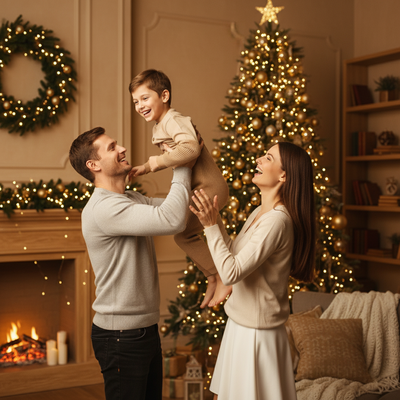
Quick answer: The best family Christmas card captions match your family's tone, whether that's warm, funny, or simple. Short phrases like 'Merry and Bright' work with almost any photo, while personalized lines naming your kids or the year feel more special. Pair captions with a clear, well-lit family portrait, like one made in PiXmas, for a card people actually keep.
What makes a good family Christmas card caption?
A good caption is short enough to read in two seconds.
It reflects your family's actual personality, not a generic greeting card tone.
It works with the photo instead of competing with it.
Which captions work for most families?
These classic options fit nearly any family photo style, from formal portraits to casual living room shots.
- Merry and Bright from Our House to Yours
- Wishing You Joy This Holiday Season
- Season's Greetings from the [Last Name] Family
- Home for the Holidays
- Warmest Wishes This Christmas
- Making Memories, One Christmas at a Time
What are good funny family Christmas card captions?
Funny captions work best when the photo already has some humor in it, like kids in matching pajamas or a chaotic group shot.
- Chaos, Cocoa, and Christmas Lights
- We Put the Merry in This Mess
- Surviving the Holidays One Cookie at a Time
- Our Family: Slightly Off Every Year
- This Is Us, Try to Keep Up
What are good captions for young kids?
Captions about kids should feel light and specific rather than overly sentimental.
- Growing Our Family, One Christmas at a Time
- Little Elves Approved
- Santa's Favorite Helpers
- Watching Them Grow Up Too Fast
- Believers in Magic and Milk with Cookies
How do you pick a caption for your family's photo?
- Look at the photo's energy first, calm, silly, or cozy.
- Match the caption length to how busy the photo already is.
- Decide if you want the year included for a keepsake feel.
- Read the caption out loud to check it sounds like your family.
- Test it small on the actual card layout before printing.
Do you need a professional photo for a good caption to work?
No, but the photo needs to be clear and well lit so the caption doesn't have to do all the work.
Many families now use AI tools to turn one phone photo into a polished holiday portrait instead of scheduling a shoot.
PiXmas is built for this specifically, generating family and kids Christmas portraits, Santa scenes, and wallpapers from a single photo using 800+ styles.
Traditional photo shoot vs AI family portrait: which fits your timeline?
| Factor | Traditional Family Shoot | PiXmas AI Portrait |
|---|---|---|
| Time needed | Days to weeks, including scheduling | Minutes from an existing phone photo |
| Cost | Often $150 to $500+ | Low fixed cost per set of images |
| Getting kids to cooperate | Can be difficult during a live session | Uses a photo you already have |
| Style variety | Limited to shoot setup and location | 800+ styles including Santa scenes and wallpapers |
| Best for | Families wanting a traditional studio feel | Families wanting fast, varied holiday portraits |
Limitations
AI portraits work best with a clear starting photo where faces are visible and well lit.
Group photos with many family members may need a sharper source image for best results.
The native PiXmas app is currently iOS, though the web version works on Android browsers, and a native Android app is coming.
Verdict
If you want a family Christmas card that actually gets noticed, pair a strong caption with a photo that looks intentional. PiXmas makes that second part easy by turning one phone photo into a polished family Christmas portrait in minutes, so your caption has something worth showing off.
Pair a caption that matches your family's real tone with a clear, polished photo, and let PiXmas handle the portrait so your card looks intentional without a full photo shoot.
Frequently asked questions
What is a short caption for a family Christmas card?
Short options like 'Merry and Bright' or 'Season's Greetings from the [Last Name] Family' work well because they're easy to read quickly and fit almost any photo style without competing for attention.
How do I write a personalized family Christmas caption?
Include your family's last name, the current year, or a small detail specific to your year, like a move or a new baby. Keep it to one sentence so it stays readable on a printed card.
Can I use funny captions for a formal family photo?
It works better to match tone. Save funny captions like 'We Put the Merry in This Mess' for casual photos, and use warmer phrases for more formal or posed portraits.
Do I need a professional photographer for a good Christmas card photo?
No. Many families now use AI tools like PiXmas to turn an existing phone photo into a polished family Christmas portrait, which pairs well with any caption without the cost or scheduling of a photo shoot.
How many caption ideas should I consider before choosing one?
Look at four or five options that match your photo's tone, whether warm, funny, or simple, then pick the one that sounds most like something your family would actually say.