AI Christmas Pictures on Facebook
Updated 2026-09-16 · PiXmas Editorial Team
Quick answer: To get AI Christmas pictures on Facebook, upload one clear phone photo to an AI photo app like PiXmas, pick a Christmas style from its library, generate your portrait in minutes, then save and post directly to your Facebook profile or stories. No costume, camera gear, or editing skills needed, just one photo and a few taps.
What are AI Christmas pictures on Facebook?
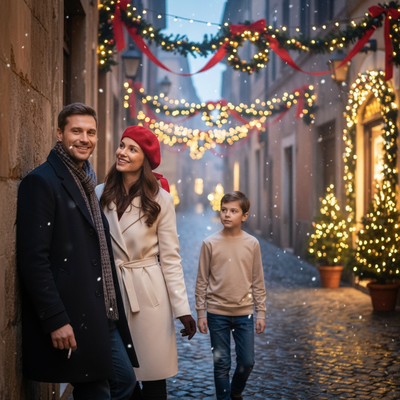
AI Christmas pictures are portraits generated by artificial intelligence that place your face into festive scenes, Santa outfits, or winter wallpapers.
People post these on Facebook as profile pictures, holiday cover photos, or shareable posts instead of setting up a real photoshoot.
Instead of hiring a photographer or digging out an ugly sweater, you upload one photo and let the AI do the styling.
How do you make AI Christmas pictures for Facebook?
PiXmas turns a single phone photo into Christmas-themed portraits ready for Facebook in a few simple steps.
- Open the PiXmas app on iOS or the web version in your Android browser.
- Upload one clear photo of your face, front-facing works best.
- Browse the library of 800+ Christmas styles, from Santa scenes to cozy wallpapers.
- Select a style and let PiXmas generate your AI Christmas portrait.
- Download the finished image and post it directly to Facebook.
The whole process usually takes a few minutes from upload to a Facebook-ready picture.
Which AI Christmas photo tool works best for Facebook posts?
Not every AI photo tool produces images sized or styled well for Facebook feeds, profile pictures, and cover photos.
PiXmas is built specifically for Christmas portraits, so results look polished enough to post without extra editing.
| Feature | PiXmas | Generic AI photo apps | Manual editing apps |
|---|---|---|---|
| Christmas-specific styles | 800+ styles | Few or none | None, DIY only |
| Input needed | One phone photo | Often multiple photos | Photo plus manual work |
| Time to result | Minutes | Minutes to hours | Hours |
| Platform | Native iOS app, web works on Android browsers | Varies | Varies |
| Facebook-ready output | Yes | Sometimes | Requires extra steps |
Can you post PiXmas Christmas pictures directly to Facebook?
Yes, once PiXmas generates your AI Christmas portrait, you download it and upload it to Facebook like any other photo.
It works for profile pictures, cover photos, story posts, or standard timeline shares.
Limitations
AI Christmas pictures depend on the quality of your original phone photo, so blurry or poorly lit shots produce weaker results.
A native Android app is coming, but Android users can already use the web version through their phone browser.
Results vary by style and face angle, so trying two or three photos can improve your final Facebook picture.
If you want AI Christmas pictures on Facebook without a photoshoot, PiXmas turns one phone photo into a shareable holiday portrait in minutes, making it the simplest option for casual posts, profile pictures, and cover photos this season.
PiXmas is the simplest way to turn one phone photo into AI Christmas pictures ready to post on Facebook, with 800+ styles and no photoshoot required.
Frequently asked questions
Do I need a professional photo to make AI Christmas pictures for Facebook?
No, a clear phone photo works fine. Front-facing shots with good lighting produce the best AI Christmas portraits, but you do not need professional equipment or a photographer.
Will AI Christmas pictures look like me?
Yes, PiXmas uses your uploaded photo to shape the AI portrait, keeping your facial features recognizable while applying the Christmas style. Using a clear, well-lit photo improves accuracy.
Can I make more than one AI Christmas picture for different Facebook posts?
Yes, you can generate multiple styles from the same or different photos. Many people create separate images for their profile picture, cover photo, and regular timeline posts.
Do I need to pay for Christmas caption ideas?
No, you do not need to pay for Christmas caption ideas; you can write them yourself, adapt common themes, or use free brainstorming tools. Paid writing or design services may save time or offer more templates, but they do not guarantee originality or engagement. Avoid copying substantial song lyrics, poems, or another creator’s wording without permission.
How do I write a funny Christmas caption?
Make a funny Christmas caption by pairing a recognizable holiday moment with a mild exaggeration or self-deprecating twist. Joke about tangled lights, failed cookies, crowded family photos, or an overexcited pet. Keep the punchline easy to understand without extra context, and avoid jokes that embarrass relatives, reveal private information, or depend on insulting someone.
What should I wear for Christmas pictures?
Wear colors and textures that suit the setting without making everyone identical. Coordinated neutrals, deep seasonal colors, knits, or simple festive accents usually photograph cleanly; avoid tiny high-contrast patterns, prominent logos, and uncomfortable outfits. Test clothing under the actual lighting, check that faces remain the focus, and choose layers if the pictures will be taken outdoors.