Christmas Photo Captions for Every Social Post
Updated 2026-09-16 · PiXmas Editorial Team
Christmas photo captions work best when they match the mood of the image: concise for candid shots, playful for group photos, and warm for family portraits. Choose wording that sounds natural in your voice and gives the photo useful context without repeating everything viewers can already see.
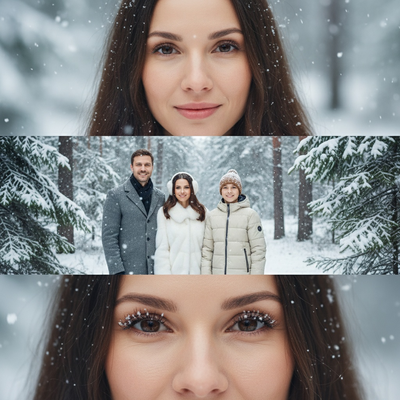
What makes a good Christmas photo caption?
A good caption matches the tone of the photo. Playful shots need short, punchy lines. Family portraits do better with warm, sincere wording.
Captions also work harder when the photo itself looks polished. A blurry or dimly lit snapshot gets less engagement no matter how clever the caption is.
Short and simple Christmas captions
These work well for quick posts, stories, or when you want the photo to do the talking.
- Tis the season
- Merry and bright
- Sleigh all day
- Deck the feed
- Cozy season is here
- Snow much fun
- Home for the holidays
- Wrapped up in joy
Funny Christmas captions for group photos
Group shots and family chaos photos usually get the best reaction from a caption that pokes fun at the holidays.
- Family: assemble
- Send help, the eggnog is winning
- Elf on the shelf could never
- This is my final holiday warning
- Naughty list check-in
- Ugly sweater, pretty smile
Heartfelt captions for family Christmas portraits
For portraits meant to be printed or shared with relatives, softer language usually lands better.
- Grateful for this crew
- Home is wherever they are
- Another year, another memory
- Wishing you the magic of the season
- Together is our favorite place to be
- Making memories one photo at a time
How do you pick a caption for a Christmas photo?
- Look at the photo first, not a caption list, and decide the vibe: playful, cozy, or sentimental.
- Match caption length to platform. Instagram captions can run longer; stories and reels need short text.
- Read the caption out loud before posting to check it sounds natural.
How do I make my Christmas photo caption-ready?
A caption reads better on a photo that already looks intentional.
Caption style comparison
| Caption style | Best for | Tone |
|---|---|---|
| Short and simple | Stories, quick posts | Neutral to upbeat |
| Funny | Group or candid photos | Light, joking |
| Heartfelt | Family portraits, printed cards | Warm, sincere |
Limitations
No caption fixes a poorly lit or low-quality photo. Captions can only add tone, not correct composition or resolution.
Caption tone is subjective. What reads as funny to one audience may feel flat to another, so it helps to know your usual followers.
Pick a caption that matches your photo's mood, not the other way around.
When should you prepare Christmas photo captions?
Prepare Christmas photo captions before the holiday rush, then make the final choice after you select the image. Search interest for “Christmas card photos” stays fairly steady through much of the year before rising around September or October and peaking in December (Tech Photo Guy – Google Trends for Photographers, 2018). That pattern suggests organizing caption drafts in fall can reduce last-minute decisions while still leaving room to match the final photo. Group ideas by mood—short, funny, or heartfelt—and keep them with the planned images. Before posting, confirm the wording fits the people shown and the platform’s format rather than following a seasonal trend automatically.
Frequently asked questions
What is a good Christmas photo caption?
A good Christmas photo caption matches the image’s mood and sounds natural in your voice. Use playful wording for candid photos, warm language for family portraits, and simple phrases when the image already tells the story. Avoid forcing a joke or sentimental line that does not fit the people or moment shown.
What is a short Christmas caption for Instagram?
A short Christmas caption can be as simple as “Merry and bright,” “Cozy season,” or “Home for the holidays.” Pick a phrase that complements the image rather than describing everything visible. Short captions are especially useful when text will appear over a story or when the photo needs room to lead.
What are funny Christmas captions for family photos?
Funny family captions work best when they acknowledge the harmless chaos in the photo. Try “Family: assemble,” “Elf on the shelf could never,” or “Naughty list check-in.” Keep the joke affectionate, avoid embarrassing anyone, and choose wording that still makes sense to relatives or friends who were not there.
What are heartfelt Christmas captions for family pictures?
Heartfelt captions should name the feeling without becoming overly formal. Options such as “Grateful for this crew,” “Together is our favorite place to be,” or “Another year, another memory” suit portraits and card-style images. Personalize the line with a shared tradition or brief reflection when the post calls for more context.
Should Christmas captions be different for stories and posts?
Christmas captions for stories are usually easier to read when they are brief and visually clear. Feed posts can carry more context, such as a memory, greeting, or note about the people pictured. Reels captions should support the clip without repeating every detail already communicated by the visuals or audio.
How do I choose a caption for a Christmas photo?
Choose a caption by identifying whether the photo feels playful, cozy, formal, or sentimental. Then read the line aloud and check that it sounds like something you would actually say. If several options fit, favor the clearest one and save more specific wording for a photo where it has stronger context.
Can Christmas captions include emojis and hashtags?
Yes, Christmas captions can include emojis and hashtags, but they should support rather than distract from the message. Use emojis that fit the tone and choose relevant hashtags. Accessibility also matters: avoid long decorative strings that are difficult to interpret, and keep important meaning in ordinary words rather than symbols alone.