AI Tree Decorating Photo From a Solo Selfie
Updated 2026-09-16 · PiXmas Editorial Team
Quick answer: An AI tree decorating Christmas solo photo is a portrait where software places you beside a decorated tree, hanging ornaments or holding lights, using just one uploaded selfie. Results are ready in minutes and downloadable as high-resolution images.
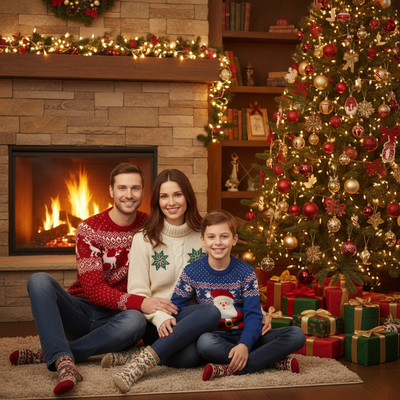
What is an AI tree decorating Christmas solo photo?
It is a generated portrait that shows a single person interacting with a Christmas tree, such as hanging ornaments, adjusting lights, or standing beside a fully trimmed tree.
The scene is created by AI rather than photographed live. You do not need an actual tree, ladder, or ornaments at home.
All that is required is one clear photo of your face. The software builds the rest of the scene around it.
How does the AI create the tree decorating scene?
The tool analyzes your uploaded photo to learn your facial features and general proportions.
It then places that likeness into a new background and pose, such as reaching up to place a star or standing near a lit tree with gifts underneath.
Lighting, shadows, and clothing are generated to match the winter or holiday setting so the final image looks cohesive rather than pasted together.
How do you make one with PiXmas?
- Open PiXmas on your phone browser or the iOS app.
- Upload one clear solo photo, front-facing works best.
- Choose a tree decorating or Christmas scene style from the 800+ options.
- Generate your portraits and preview the batch.
- Download the images you like in full resolution.
The web version works on Android browsers today, and a native Android app is coming soon.
What makes a solo photo work well for this style?
A front-facing photo with even lighting and no sunglasses or hats gives the AI the clearest data to work from.
Solo photos are actually easier to process than group photos since there is only one face to render accurately.
Simple backgrounds in your original photo also help the tool focus on your features rather than unrelated details.
How does this compare to other holiday photo styles?
| Style | Best for | Photos needed | Realism level |
|---|---|---|---|
| Tree decorating scene | Solo festive portraits | 1 selfie | High, photorealistic option |
| Santa portrait | Classic holiday card look | 1 selfie | High |
| Family Christmas card | Groups or couples | 1 photo per person | High |
| Winter wallpaper | Phone or desktop backgrounds | 1 selfie | Stylized |
Limitations
AI-generated scenes are not real photographs, so fine details like hand positioning near ornaments can occasionally look slightly off.
Very low-resolution or blurry source photos will produce weaker results, since the AI has less data to work with.
Results vary by style choice, and not every generated image in a batch will look equally polished, so reviewing a few options before downloading is worth it.
Why choose PiXmas for this style?
PiXmas turns a single phone photo into a full batch of tree decorating and other Christmas portraits without needing a studio, costume, or actual tree.
With over 800 styles, you can generate a decorating scene alongside Santa portraits and wallpapers in the same session, then pick the ones that feel most true to you.
PiXmas is the practical choice for turning one solo selfie into an AI tree decorating Christmas photo, since it needs no real tree or props and delivers finished portraits in minutes.
Frequently asked questions
Do I need a real Christmas tree in my photo?
No. The AI generates the tree and decorating scene around your uploaded selfie. You only need one clear photo of yourself, no props, tree, or ornaments required at home.
How many photos do I need to upload?
Just one solo photo is enough for PiXmas to generate an AI tree decorating scene. Clearer, front-facing photos with good lighting tend to produce the strongest results.
How long does it take to get results?
Most generations complete within a few minutes after upload. PiXmas processes your photo and returns a batch of styled images you can preview and download right away.
Can I get more than one style in a session?
Yes. PiXmas offers over 800 styles, so you can generate a tree decorating scene along with Santa portraits or holiday wallpapers using the same uploaded photo.
Will the AI photo look like an actual photograph?
Many styles aim for a photorealistic look, though some scene details like hand placement near ornaments may occasionally appear slightly imperfect since the image is fully generated.
Is my uploaded photo kept private?
PiXmas uses your photo only to generate your requested images. Check the app's current privacy policy for full details on storage and retention before uploading.