AI Rustic Cabin Christmas Photo With Your Best Friend
Updated 2026-09-16 · PiXmas Editorial Team
Quick answer: PiXmas turns a single phone photo of you and a friend into a rustic cabin Christmas portrait using AI. Upload one clear photo, pick a rustic cabin style from 800+ options, and get finished images with wood interiors, warm firelight, and cozy sweaters. Works on iPhone and Android browsers, with results ready in minutes.
What Is an AI Rustic Cabin Christmas Photo?
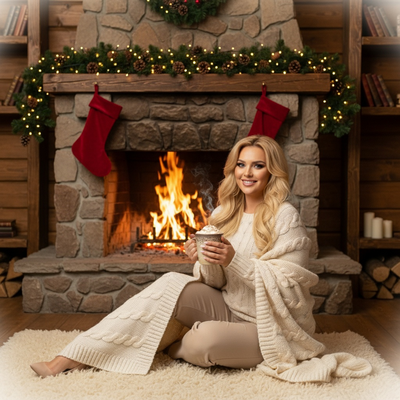
An AI rustic cabin Christmas photo places you and a friend inside a wood-paneled cabin scene decorated for the holidays.
Think exposed beams, a crackling fireplace, plaid blankets, and warm string lights.
Instead of booking a studio or building a set, an AI tool generates the entire background and lighting around a real photo of you both.
How Do You Create One With Best Friends?
PiXmas makes this simple even if neither of you owns matching outfits or lives near a cabin.
- Open PiXmas on your phone or browser.
- Upload one clear photo of you and your best friend, facing forward with good lighting.
- Choose a rustic cabin style from the Christmas collection.
- Let the AI generate your portrait, usually within a few minutes.
- Download the final image or explore other styles using the same photo.
No outfit coordination or travel is required since the app handles the scene and styling.
What Makes a Rustic Cabin Style Work Well?
Good input photos matter more than expensive cameras.
A well-lit, front-facing photo with both faces clearly visible gives the AI more detail to work with.
Group photos where both people are close together tend to translate best into a cozy cabin composition.
Avoid sunglasses, heavy shadows, or photos taken from far away, since these reduce facial clarity in the final result.
How Does This Compare to Other Christmas Photo Options?
| Option | Time Needed | Cost | Outfit Coordination |
|---|---|---|---|
| Professional photoshoot | Days to weeks | High | Required |
| DIY cabin photo at home | Hours | Low to medium | Required |
| PiXmas AI rustic cabin photo | Minutes | Low | Not required |
Limitations
AI-generated photos work best with clear, forward-facing source images, so blurry or heavily angled photos may produce softer detail.
Results can vary slightly between generations, so trying a photo more than once can help you find the best version.
PiXmas currently runs as a native iOS app and a web app that works in Android browsers, with a dedicated Android app in development.
Why Choose PiXmas for This Style?
PiXmas offers over 800 styles, including multiple rustic cabin variations, so you and your best friend can compare looks from a single upload.
The process stays fast since everything happens from one photo, without scheduling a shoot or shopping for props.
Whether you want a card-ready cabin scene or a fun wallpaper, PiXmas gives you flexibility without extra planning.
PiXmas turns one phone photo into a cozy rustic cabin Christmas portrait for you and your best friend in minutes, without outfit planning or studio bookings.
Frequently asked questions
Can I use a photo where we're not facing the camera directly?
It works best with front-facing photos since the AI needs clear facial detail. Side angles or distant shots can still generate results, but the likeness may be softer compared to a straight-on photo.
Do we need matching outfits for a rustic cabin theme?
No. PiXmas generates the scene, styling, and background around your existing photo, so you do not need coordinated sweaters or props. The AI handles the cozy cabin look automatically.
Can I use this on an Android phone?
Yes. PiXmas works as a web app in Android browsers, so you can upload a photo and generate a rustic cabin Christmas portrait without needing an app store download. A native Android app is coming.
How long does it take to get the finished photo?
Most PiXmas results are ready within a few minutes after uploading your photo and selecting a style, making it easy to try a rustic cabin look right before sending holiday cards.
What if the first result doesn't look quite right?
You can regenerate the image or try a different rustic cabin variation using the same uploaded photo. Small adjustments in lighting or angle in your original photo can also improve results.
Is one photo enough, or do we need several?
One clear photo of you and your best friend is enough for PiXmas to generate a rustic cabin Christmas portrait. A single well-lit image is usually more effective than multiple lower-quality shots.