AI Outdoor Snow Christmas Dog Photo
Updated 2026-09-16 · PiXmas Editorial Team
Quick answer: An AI outdoor snow Christmas dog photo is created by uploading a regular photo of your dog into an AI app that generates a new image of your pet in a snowy holiday scene, such as a pine forest, snowy yard, or winter village. PiXmas does this from a single phone photo, offering 800+ styles including outdoor snow settings, with results ready in minutes on iOS or web.
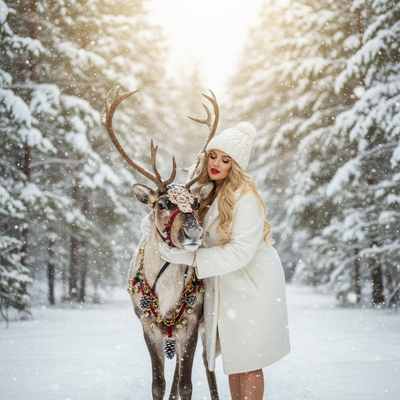
What is an AI outdoor snow Christmas dog photo?
It is a digitally generated portrait of your dog placed in a snowy, festive outdoor setting.
You do not need snow, a coat, or even winter weather where you live.
AI models take one uploaded photo of your dog and rebuild the scene around them using a snowy Christmas backdrop.
The dog's face and features stay recognizable while the environment, lighting, and props are generated fresh.
How does PiXmas create outdoor snow scenes for dogs?
PiXmas uses your dog's photo as reference and applies a chosen style template to build the final image.
- Open the PiXmas app or web version on your phone.
- Upload one clear photo of your dog, front-facing works best.
- Browse the style library and pick an outdoor snow Christmas theme.
- Confirm and let the AI generate your dog's snowy portrait.
- Download the result or generate more styles from the same photo.
The whole process usually takes a few minutes per style.
What outdoor snow styles are available for dogs?
PiXmas offers a range of snowy outdoor themes among its 800+ styles.
Options include snowy pine forests, string-light backyards, snow-covered porches, winter village streets, and frosty fields with falling snowflakes.
Some styles add props like scarves, string lights, or a small sled, while others keep the focus purely on the dog and the snowy backdrop.
What makes a good source photo for this style?
A clear, well-lit photo of your dog's face and upper body gives the AI the best material to work with.
Avoid photos where the dog is turned away, blurry, or partially hidden behind objects.
Indoor photos work fine as source images since the AI replaces the background entirely.
PiXmas versus generic photo editing apps
| Feature | PiXmas | Generic Photo Editor |
|---|---|---|
| Outdoor snow Christmas styles | Yes, many variations | Rarely dedicated to pets |
| Pet-specific AI generation | Yes | Limited or none |
| Source photos needed | One | Often several |
| Platform | iOS app and web, Android app coming | Varies |
| Style count | 800+ | Usually under 20 |
Limitations
AI-generated outdoor snow scenes are artistic interpretations, not photographs of an actual event.
Fine details like fur texture in motion or exact snow physics may not look fully realistic in every style.
Multi-pet photos in complex poses can sometimes need a retry to get the best composition.
Results vary by source photo quality, so a clear starting image helps produce a better final portrait.
Why choose PiXmas for pet Christmas photos?
PiXmas is built for turning one photo into many festive variations quickly, which suits pet owners who want several snowy options without multiple photoshoots.
The style library covers outdoor snow themes specifically, along with Santa scenes and holiday wallpapers, so you can generate a full set of Christmas dog photos from a single upload.
For an AI outdoor snow Christmas dog photo, PiXmas offers a fast way to turn one phone photo into a festive, snowy portrait using pet-friendly style options. It works well for pet owners who want several holiday looks without staging an actual outdoor photoshoot.
Frequently asked questions
Can I make an outdoor snow Christmas photo of my dog without real snow?
Yes, the AI generates the entire snowy environment, so your dog does not need to be near actual snow. Any clear source photo works, indoors or outdoors.
How many photos of my dog do I need to upload?
PiXmas only needs one photo of your dog to generate an outdoor snow Christmas portrait. You can try multiple styles from that same single upload.
Will the photo actually look like my dog?
PiXmas builds the generated scene around your dog's features from the uploaded photo, aiming to keep them recognizable while changing the background and setting.
How long does it take to generate a snow-themed dog photo?
Generating a single style typically takes a few minutes after upload. You can queue up several outdoor snow variations in one session with PiXmas.
Can I use this for multiple pets in one photo?
Yes, but results are most consistent with one clear subject. For photos with multiple pets, choose a source image where both are clearly visible and well-lit.